From Surf Wiki (app.surf) — the open knowledge base
Touchscreen
Input and output device

Input and output device

A touchscreen (or touch screen) is a type of display that can detect touch input from a user. It consists of both an input device (a touch panel) and an output device (a visual display). The touch panel is typically layered on the top of the electronic visual display of a device. Touchscreens are commonly found in smartphones, tablets, laptops, and other electronic devices. The display is often an LCD, AMOLED or OLED display.
A person can give input or control the information processing system through simple or multi-touch gestures by touching the screen with a special stylus or one or more fingers. Some touchscreens use ordinary or specially coated gloves to work, while others may only work using a special stylus or pen. The user can use the touchscreen to react to what is displayed and, if the software allows, to control how it is displayed; for example, zooming to increase the text size.
A touchscreen allows users to interact directly with on-screen content, rather than using indirect input devices such as a mouse or touchpad. Touchscreens are commonly found on smartphones, tablets, kiosks, and many modern laptops, where they allow tapping, swiping, and pinching to perform actions on the screen.
Touchscreens are common in devices such as smartphones, handheld game consoles, and personal computers. They are common in point-of-sale (POS) systems, automated teller machines (ATMs), electronic voting machines, and automobile infotainment systems and controls. They can also be attached to computers or, as terminals, to networks. They play a prominent role in the design of digital appliances such as personal digital assistants (PDAs) and some e-readers. Touchscreens are important in educational settings such as classrooms or on college campuses.
The popularity of smartphones, tablets, and many types of information appliances has driven the demand and acceptance of common touchscreens for portable and functional electronics. Touchscreens are found in the medical field, heavy industry, automated teller machines (ATMs), and kiosks such as museum displays or room automation, where keyboard and mouse systems do not allow a suitably intuitive, rapid, or accurate interaction by the user with the display's content.
Historically, the touchscreen sensor and its accompanying controller-based firmware have been made available by a wide array of after-market system integrators, and not by display, chip, or motherboard manufacturers. Display manufacturers and chip manufacturers have acknowledged the trend toward acceptance of touchscreens as a user interface component and have begun to integrate touchscreens into the fundamental design of their products.
History
There are a number of touchscreen technologies, with different methods of sensing touch.
Resistive
Main article: Resistive touchscreen
A resistive touchscreen panel is composed of several thin layers, the most important of which are two transparent electrically resistive layers facing each other with a thin gap between them. The top layer (the layer that is touched) has a coating on the underside surface; just beneath it is a similar resistive layer on top of its substrate. One layer has conductive connections along its sides, while the other along the top and bottom. A voltage is applied to one layer and sensed by the other. When an object, such as a fingertip or stylus tip, presses down onto the outer surface, the two layers touch to become connected at that point. The panel then behaves as a pair of voltage dividers, one axis at a time. By rapidly switching between each layer, the position of pressure on the screen can be detected.
Resistive touch is used in restaurants, factories, and hospitals due to its high tolerance for liquids and contaminants. A major benefit of resistive-touch technology is its low cost. Additionally, they may be used with gloves on, or by using anything rigid as a finger substitute, as only sufficient pressure is necessary for the touch to be sensed. Disadvantages include the need to press down, and a risk of damage by sharp objects. Resistive touchscreens also suffer from poorer contrast, due to having additional reflections (i.e. glare) from the layers of material placed over the screen. This type of touchscreen has been used by Nintendo in the DS family, the 3DS family, and the Wii U GamePad.
Due to their simple structure, with very few inputs, resistive touchscreens are mainly used for single touch operation, although some two touch versions (often described as multi-touch) are available. However, there are some true multi-touch resistive touchscreens available. These need many more inputs, and rely on x/y multiplexing to keep the I/O count down.
One example of a true multi-touch resistive touchscreen can detect 10 fingers at the same time. This has 80 I/O connections. These are possibly split 34 x inputs / 46 y outputs, forming a standard 3:4 aspect ratio touchscreen with 1564 x/y intersecting touch sensing nodes.
Surface acoustic wave
Main article: Surface acoustic wave
Surface acoustic wave (SAW) technology uses ultrasonic waves that pass over the touchscreen panel. When the panel is touched, a portion of the wave is absorbed. The change in ultrasonic waves is processed by the controller to determine the position of the touch event. Surface acoustic wave touchscreen panels can be damaged by outside elements. Contaminants on the surface can also interfere with the functionality of the touchscreen.
SAW devices have a wide range of applications, including delay lines, filters, correlators and DC to DC converters.
Capacitive touchscreen


Main article: Capacitive sensing
A capacitive touchscreen panel consists of an insulator, such as glass, coated with a transparent conductor, such as indium tin oxide (ITO). As the human body is also an electrical conductor, touching the surface of the screen results in a distortion of the screen's electrostatic field, measurable as a change in capacitance. Different technologies may be used to determine the location of the touch. The location is then sent to the controller for processing. Some touchscreens use silver instead of ITO, as ITO causes several environmental problems due to the use of indium. The controller is typically a complementary metal–oxide–semiconductor (CMOS) application-specific integrated circuit (ASIC) chip, which in turn usually sends the signals to a CMOS digital signal processor (DSP) for processing.
Unlike a resistive touchscreen, some capacitive touchscreens cannot be used to detect a finger through electrically insulating material, such as gloves. This disadvantage especially affects usability in consumer electronics, such as touch tablet PCs and capacitive smartphones in cold weather when people may be wearing gloves. It can be overcome with a special capacitive stylus, or a special-application glove with an embroidered patch of conductive thread allowing electrical contact with the user's fingertip.
A low-quality switching-mode power supply unit with an accordingly unstable, noisy voltage may temporarily interfere with the precision, accuracy and sensitivity of capacitive touch screens.
Projected capacitive touchscreens can detect a finger which is near the screen without necessarily touching it. This allows for more accurate measurements, multi-touch support, and allows sensing through light gloves.
Some capacitive display manufacturers continue to develop thinner and more accurate touchscreens. Those for mobile devices are now being produced with 'in-cell' technology, such as in Samsung's Super AMOLED screens, that eliminates a layer by building the capacitors inside the display itself. This type of touchscreen reduces the visible distance between the user's finger and what the user is touching on the screen, reducing the thickness and weight of the display, which is desirable in smartphones.
A simple parallel-plate capacitor has two conductors separated by a dielectric layer. Most of the energy in this system is concentrated directly between the plates. Some of the energy spills over into the area outside the plates, and the electric field lines associated with this effect are called fringing fields. Part of the challenge of making a practical capacitive sensor is to design a set of printed circuit traces which direct fringing fields into an active sensing area accessible to a user. A parallel-plate capacitor is not a good choice for such a sensor pattern. Placing a finger near fringing electric fields adds conductive surface area to the capacitive system. The additional charge storage capacity added by the finger is known as finger capacitance, or CF. The capacitance of the sensor without a finger present is known as parasitic capacitance, or CP.
Surface capacitance
In this basic technology, only one side of the insulator is coated with a conductive layer. A small voltage is applied to the layer, resulting in a uniform electrostatic field. When a conductor, such as a human finger, touches the uncoated surface, a capacitor is dynamically formed. The sensor's controller can determine the location of the touch indirectly from the change in the capacitance as measured from the four corners of the panel. As it has no moving parts, it is moderately durable but has limited resolution, is prone to false signals from parasitic capacitive coupling, and needs calibration during manufacture. It is therefore most often used in simple applications such as industrial controls and kiosks.
Although some standard capacitance detection methods are projective, in the sense that they can be used to detect a finger through a non-conductive surface, they are very sensitive to fluctuations in temperature, which expand or contract the sensing plates, causing fluctuations in the capacitance of these plates. These fluctuations result in a lot of background noise, so a strong finger signal is required for accurate detection. This limits applications to those where the finger directly touches the sensing element or is sensed through a relatively thin non-conductive surface.
Mutual capacitance
An electrical signal, imposed on one electrical conductor, can be capacitively "sensed" by another electrical conductor that is in very close proximity, but electrically isolated—a feature that is exploited in mutual capacitance touchscreens. In a mutual capacitive sensor array, the "mutual" crossing of one electrical conductor with another electrical conductor, but with no direct electrical contact, forms a capacitor (see touchscreen#Construction).
High frequency voltage pulses are applied to these conductors, one at a time. These pulses capacitively couple to every conductor that intersects it.
Bringing a finger or conductive stylus close to the surface of the sensor changes the local electrostatic field, which in turn reduces the capacitance between these intersecting conductors. Any significant change in the strength of the signal sensed is used to determine if a finger is present or not at an intersection.
The capacitance change at every intersection on the grid can be measured to accurately determine one or more touch locations.
Mutual capacitance allows multi-touch operation where multiple fingers, palms or styli can be accurately tracked at the same time.The greater the number of intersections, the better the touch resolution and the more independent fingers that can be detected. This indicates a distinct advantage of diagonal wiring over standard x/y wiring, since diagonal wiring creates nearly twice the number of intersections.
A 30 i/o, 16×14 x/y array, for example, would have 224 of these intersections / capacitors, and a 30 i/o diagonal lattice array could have 435 intersections.
Each trace of an x/y mutual capacitance array only has one function, it is either an input or an output. The horizontal traces may be transmitters while the vertical traces are sensors, or vice versa.
Self-capacitance
Self-capacitance sensors can have the same layout as mutual capacitance sensors, but, with self-capacitance all the traces usually operate independently, with no interaction between different traces. Along with several other methods, the extra capacitive load of a finger on a trace electrode may be measured by a current meter, or by the change in frequency of an RC oscillator.
Traces are sensed, one after the other until all the traces have been sensed. A finger may be detected anywhere along the whole length of a trace (even "off-screen"), but there is no indication where the finger is along that trace. If, however, a finger is also detected along another intersecting trace, then it is assumed that the finger position is at the intersection of the two traces. This allows for the speedy and accurate detection of a single finger.
Although mutual capacitance is simpler for multi-touch, multi-touch can be achieved using self-capacitance.
Self-capacitive touch screen layers are used on mobile phones such as the Sony Xperia Sola, the Samsung Galaxy S4, Galaxy Note 3, Galaxy S5, and Galaxy Alpha.
Self-capacitance is far more sensitive than mutual capacitance and is mainly used for single touch, simple gesturing and proximity sensing where the finger does not even have to touch the glass surface. Mutual capacitance is mainly used for multitouch applications. Many touchscreen manufacturers use both self and mutual capacitance technologies in the same product, thereby combining their individual benefits.
Use of stylus on capacitive screens
Capacitive touchscreens do not necessarily need to be operated by a finger, but until recently the special styli required could be quite expensive to purchase. The cost of this technology has fallen greatly in recent years and capacitive styli are now widely available for a nominal charge, and often given away free with mobile accessories. These consist of an electrically conductive shaft with a soft conductive rubber tip, thereby resistively connecting the fingers to the tip of the stylus.
Fingerprint sensing
Capacitive touchscreen technology can be used for ultra-high resolution sensing, such as fingerprint sensing. Fingerprint sensors require a micro-capacitor spacing of about 44 to 50 microns.
Infrared grid
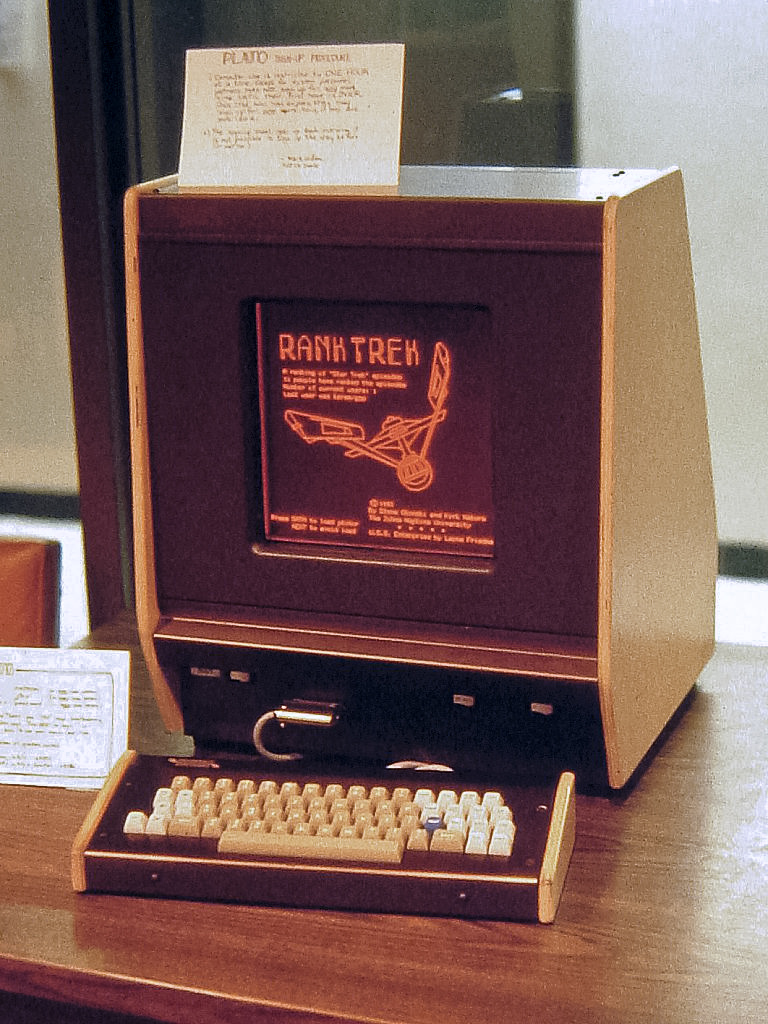

An infrared touchscreen uses an array of X-Y infrared LED and photodetector pairs around the edges of the screen to detect a disruption in the pattern of LED beams. These LED beams cross each other in vertical and horizontal patterns. This helps the sensors pick up the exact location of the touch. A major benefit of such a system is that it can detect essentially any opaque object including a finger, gloved finger, stylus or pen. It is generally used in outdoor applications and POS systems that cannot rely on a conductor (such as a bare finger) to activate the touchscreen. Unlike capacitive touchscreens, infrared touchscreens do not require any patterning on the glass which increases durability and optical clarity of the overall system. Infrared touchscreens are sensitive to dirt and dust that can interfere with the infrared beams, and suffer from parallax in curved surfaces and accidental press when the user hovers a finger over the screen while searching for the item to be selected.
Infrared acrylic projection
A translucent acrylic sheet is used as a rear-projection screen to display information. The edges of the acrylic sheet are illuminated by infrared LEDs, and infrared cameras are focused on the back of the sheet. Objects placed on the sheet are detectable by the cameras. When the sheet is touched by the user, frustrated total internal reflection results in leakage of infrared light which peaks at the points of maximum pressure, indicating the user's touch location. Microsoft's PixelSense tablets used this technology.
Optical imaging
Optical touchscreens are a relatively modern development in touchscreen technology, in which two or more image sensors (such as CMOS sensors) are placed around the edges (mostly the corners) of the screen. Infrared backlights are placed in the sensor's field of view on the opposite side of the screen. A touch blocks some lights from the sensors, and the location and size of the touching object can be calculated (see visual hull). This technology is growing in popularity due to its scalability, versatility, and affordability for larger touchscreens.
Dispersive signal technology
Introduced in 2002 by 3M, this system detects a touch by measuring the piezoelectric effect — the voltage generated when mechanical force is applied to a material — that occurs when a glass substrate is touched. Complex algorithms interpret this information and provide the actual location of the touch. The technology is unaffected by dust and other outside elements, including scratches. Since there is no need for additional elements on screen, it also claims to provide excellent optical clarity. Any object can be used to generate touch events, including gloved fingers. A downside is that after the initial touch, the system cannot detect a motionless finger. However, for the same reason, resting objects do not disrupt touch recognition.
Acoustic pulse recognition
The key to this technology is that a touch at any one position on the surface generates a sound wave in the substrate which then produces a unique combined signal as measured by three or more tiny transducers attached to the edges of the touchscreen. The digitized signal is compared to a list corresponding to every position on the surface, determining the touch location. A moving touch is tracked by rapid repetition of this process. Extraneous and ambient sounds are ignored since they do not match any stored sound profile. The technology differs from other sound-based technologies by using a simple look-up method rather than expensive signal-processing hardware. As with the dispersive signal technology system, a motionless finger cannot be detected after the initial touch. However, for the same reason, the touch recognition is not disrupted by any resting objects. The technology was created by SoundTouch Ltd in the early 2000s, as described by the patent family EP1852772, and introduced to the market by Tyco International's Elo division in 2006 as Acoustic Pulse Recognition. The touchscreen used by Elo is made of ordinary glass, giving good durability and optical clarity. The technology usually retains accuracy with scratches and dust on the screen. The technology is also well suited to displays that are physically larger.
Development
The development of multi-touch screens facilitated the tracking of more than one finger on the screen; thus, operations that require more than one finger are possible. These devices also allow multiple users to interact with the touchscreen simultaneously.
With the growing use of touchscreens, the cost of touchscreen technology is routinely absorbed into the products that incorporate it and is nearly eliminated. Touchscreen technology has demonstrated reliability and is found in airplanes, automobiles, gaming consoles, machine control systems, appliances, and handheld display devices including cellphones; the touchscreen market for mobile devices was projected to produce US$5 billion by 2009.
The ability to accurately point on the screen itself is also advancing with the emerging graphics tablet-screen hybrids. Polyvinylidene fluoride (PVDF) plays a major role in this innovation due its high piezoelectric properties, which allow the tablet to sense pressure, making such things as digital painting behave more like paper and pencil.
TapSense, announced in October 2011, allows touchscreens to distinguish what part of the hand was used for input, such as the fingertip, knuckle and fingernail. This could be used in a variety of ways, for example, to copy and paste, to capitalize letters, to activate different drawing modes, etc.
Ergonomics and usage
Touchscreen enable
For touchscreens to be effective input devices, users must be able to accurately select targets and avoid accidental selection of adjacent targets. The design of touchscreen interfaces should reflect technical capabilities of the system, ergonomics, cognitive psychology and human physiology.
Guidelines for touchscreen designs were first developed in the 2000s, based on early research and actual use of older systems, typically using infrared grids—which were highly dependent on the size of the user's fingers. These guidelines are less relevant for the bulk of modern touch devices which use capacitive or resistive touch technology.
From the mid-2000s, makers of operating systems for smartphones have promulgated standards, but these vary between manufacturers, and allow for significant variation in size based on technology changes, so are unsuitable from a human factors perspective.
Much more important is the accuracy humans have in selecting targets with their finger or a pen stylus. The accuracy of user selection varies by position on the screen: users are most accurate at the center, less so at the left and right edges, and least accurate at the top edge and especially the bottom edge. The R95 accuracy (required radius for 95% target accuracy) varies from 7 mm in the center to 12 mm in the lower corners. Users are subconsciously aware of this, and take more time to select targets which are smaller or at the edges or corners of the touchscreen.
This user inaccuracy is a result of parallax, visual acuity and the speed of the feedback loop between the eyes and fingers. The precision of the human finger alone is much, much higher than this, so when assistive technologies are provided—such as on-screen magnifiers—users can move their finger (once in contact with the screen) with precision as small as 0.1 mm (0.004 in).
Hand position, digit used and switching
Users of handheld and portable touchscreen devices hold them in a variety of ways, and routinely change their method of holding and selection to suit the position and type of input. There are four basic types of handheld interaction:
- Holding at least in part with both hands, tapping with a single thumb
- Holding with two hands and tapping with both thumbs
- Holding with one hand, tapping with the finger (or rarely, thumb) of another hand
- Holding the device in one hand, and tapping with the thumb from that same hand
Use rates vary widely. While two-thumb tapping is encountered rarely (1–3%) for many general interactions, it is used for 41% of typing interaction.
In addition, devices are often placed on surfaces (desks or tables) and tablets especially are used in stands. The user may point, select or gesture in these cases with their finger or thumb, and vary use of these methods.
A related studyKotorenis, K., Avouris, N. (2026). A Study on Patterns of Interaction with Laptop Touchscreens. In: Ardito, C., et al. Human-Computer Interaction – INTERACT 2025. INTERACT 2025. Lecture Notes in Computer Science, vol 16110. Springer, Cham. https://doi.org/10.1007/978-3-032-05005-2_1 investigated how users interact with touchscreen laptops in office settings. It identified four common arm postures—freehand, arm resting, edge support, and top-edge support—and found that users often combined touch with other input methods. The study reported limited adoption of touch interaction during everyday work, mainly due to ergonomic strain, screen stability issues, and inconsistent application support.
Combined with haptics
Touchscreens are often used with haptic response systems. A common example of this technology is the vibratory feedback provided when a button on the touchscreen is tapped. Haptics are used to improve the user's experience with touchscreens by providing simulated tactile feedback, and can be designed to react immediately, partly countering on-screen response latency. Research from the University of Glasgow (Brewster, Chohan, and Brown, 2007; and more recently Hogan) demonstrates that touchscreen users reduce input errors (by 20%), increase input speed (by 20%), and lower their cognitive load (by 40%) when touchscreens are combined with haptics or tactile feedback. On top of this, a study conducted in 2013 by Boston College explored the effects that touchscreens haptic stimulation had on triggering psychological ownership of a product. Their research concluded that a touchscreens ability to incorporate high amounts of haptic involvement resulted in customers feeling more endowment to the products they were designing or buying. The study also reported that consumers using a touchscreen were willing to accept a higher price point for the items they were purchasing.
Customer service
Touchscreen technology has become integrated into many aspects of customer service industry in the 21st century. The restaurant industry is a good example of touchscreen implementation into this domain. Chain restaurants such as Taco Bell, Panera Bread, and McDonald's offer touchscreens as an option when customers are ordering items off the menu. While the addition of touchscreens is a development for this industry, customers may choose to bypass the touchscreen and order from a traditional cashier. To take this a step further, a restaurant in Bangalore has attempted to completely automate the ordering process. Customers sit down to a table embedded with touchscreens and order off an extensive menu. Once the order is placed it is sent electronically to the kitchen. These types of touchscreens fit under the Point of Sale (POS) systems mentioned in the lead section.
"Gorilla arm"
Extended use of gestural interfaces without the ability of the user to rest their arm is referred to as "gorilla arm". It can result in fatigue, and even repetitive stress injury when routinely used in a work setting. Certain early pen-based interfaces required the operator to work in this position for much of the workday. Allowing the user to rest their hand or arm on the input device or a frame around it is a solution for this in many contexts. This phenomenon is often cited as an example of movements to be minimized by proper ergonomic design.
Unsupported touchscreens are still fairly common in applications such as ATMs and data kiosks, but are not an issue as the typical user only engages for brief and widely spaced periods.
Fingerprints

Touchscreens can suffer from the problem of fingerprints on the display. This can be mitigated by the use of materials with optical coatings designed to reduce the visible effects of fingerprint oils. Most modern smartphones have oleophobic coatings, which lessen the amount of oil residue. Another option is to install a matte-finish anti-glare screen protector, which creates a slightly roughened surface that does not easily retain smudges.
Glove touch
Capacitive touchscreens rarely work when the user wears gloves. The thickness of the glove and the material they are made of play a significant role on that and the ability of a touchscreen to pick up a touch.
Some devices have a mode which increases the sensitivity of the touchscreen. This allows the touchscreen to be used more reliably with gloves, but can also result in unreliable and phantom inputs. However, thin gloves such as medical gloves are thin enough for users to wear when using touchscreens; mostly applicable to medical technology and machines.
References
Sources
References
- (August 2012). "A review of technologies for sensing contact location on the surface of a display: Review of touch technologies". Journal of the Society for Information Display.
- "What is a Touch Screen?".
- Allvin, Rhian Evans. (1 September 2014). "Technology in the Early Childhood Classroom". YC Young Children.
- (31 March 2010). "The first capacitative touch screens at CERN". CERN Courrier.
- Stumpe, Bent. (16 March 1977). "A new principle for x-y touch system". CERN.
- Stumpe, Bent. (6 February 1978). "Experiments to find a manufacturing process for an x-y touch screen". CERN.
- (24 May 1973). "Two devices for operator interaction in the central control of the new CERN accelerator". CERN.
- "Telewriting apparatus".
- Johnson, E. A.. (1965). "Touch Display - A novel input/output device for computers". Electronics Letters.
- (2016). "1965 - The Touchscreen". Malvern Radar and Technology History Society.
- Johnson, E. A.. (1967). "Touch Displays: A Programmed Man-Machine Interface". Ergonomics.
- (1968). "The Role of Touch Display in Air Traffic Control". The Controller.
- (18 November 1974). "Computer creates custom control panel". Design News.
- (1 June 2010). "CERN touch screen". A joint Fermilab/SLAC publication.
- "Another of CERN's many inventions! - CERN Document Server". CERN Document Server.
- Ebeling, F.; R. Johnson; R. Goldhor. "Infrared light beam x-y position encoder for display devices", {{patent. US. 3775560, granted 27 November 1973.
- "CERN-73-6".
- "Discriminating Contact Sensor".
- Emerson, Lewis. (13 December 2010). ""G. Samuel Hurst -- the 'Tom Edison' of ORNL", December 14 2010".
- (19 February 2008). "The H.P. Touch Computer (1983)".
- "Conformable Tactile Sensor".
- Woggon, Matthias. (Jul 20, 2022). "A Brief History Of Touchscreen Technology: From The IPhone To Multi-User Videowalls".
- Ion, Florence. (4 April 2013). "From touch displays to the Surface: A brief history of touchscreen technology".
- (6 June 2018). "history-of-touchscreen-technology". Zytronic UK.
- "patents.justia.com/inventor/robert-a-boie".
- "Multi-touch systems that I have known and loved".
- "CERN-73-6".
- "StumpeMar77".
- link. (7 July 2017 (12:21), ''[[Computer Chronicles]]'')
- (26 March 1987). "Software that takes games seriously". [[Reed Business Information]].
- link. (15 October 2016, ''Japanese Semiconductor Industry Service - Volume II: Technology & Government'')
- Biferno, M. A.; Stanley, D. L. (1983). ''The Touch-Sensitive Control/Display Unit: A Promising Computer Interface''. Technical Paper 831532, Aerospace Congress & Exposition, Long Beach, CA: Society of Automotive Engineers.
- "1986, Electronics Developed for Lotus Active Suspension Technology - Generations of GM". History.gmheritagecenter.com.
- Badal, Jaclyne. (23 June 2008). "When Design Goes Bad". Online.wsj.com.
- "Terebi Oekaki / Sega Graphic Board - Articles - SMS Power!".
- [http://www.atarimagazines.com/startv2n6/gettingdowntobusiness.html The ViewTouch restaurant system] {{webarchive. link. (9 September 2009 by Giselle Bisson)
- "The World Leader in GNU-Linux Restaurant POS Software". Viewtouch.com.
- (11 September 2012). "File:Comdex 1986.png". Wikimedia Commons.
- (1988). "Proceedings of the SIGCHI conference on Human factors in computing systems - CHI '88".
- Mitchell, Simon. (22 February 2021). "Together we'll show the world: Telecom Expo Info".
- (June 1990). "Advances in Human-Computer Interaction". Ablex (1992).
- (30 November 2011). "1991 video of the HCIL touchscreen toggle switches (University of Maryland)".
- "Apple touch-screen patent war comes to the UK (2011)".
- "Star7 Demo".
- "Computer mouse or keyboard input device utilizing capacitive sensors".
- Travis Fahs. (21 April 2009). "IGN Presents the History of SEGA".
- (15 December 2006). "The LG KE850: touchable chocolate".
- (21 May 2009). "Touch Screen Market to Hit $9B by 2015".
- "Touch screen gamble: Which technology to use".
- "Canalys - the leading global technology market analyst firm".
- "What is touch screen? - Definition from WhatIs.com".
- Lancet, Yaara. (19 July 2012) [http://www.makeuseof.com/tag/differences-capacitive-resistive-touchscreens-si/ What Are The Differences Between Capacitive & Resistive Touchscreens?] {{webarchive. link. (9 March 2013. Makeuseof.com. Retrieved on 2013-08-16.)
- Vlad Savov. (13 June 2011). "Nintendo 3DS has resistive touchscreen for backwards compatibility, what's the Wii U's excuse?". AOL.
- "Multi-touch Resistive Touchscreen with 12/15 x/y matrix".
- "Multi-touch Resistive Touchscreen with x/y matrix".
- "Resistive-touchscreens".
- (1 November 2013). "Index-Matched Indium Tin Oxide Electrodes for Capacitive Touch Screen Panel Applications". Journal of Nanoscience and Nanotechnology.
- "Fujifilm reinforces the production facilities for its touch-panel sensor film "EXCLEAR"".
- "Development of a Thin Double-sided Sensor Film "EXCLEAR" for Touch Panels via Silver Halide Photographic Technology". www.fujifilm.com.
- "What's behind your smartphone screen? This... |".
- "Environment: [Topics2] Development of Materials That Solve Environmental Issues EXCLEAR thin double-sided sensor film for touch panels | FUJIFILM Holdings".
- (May 2010). "Touchscreen technology basics & a new development". CMOS Emerging Technologies Research.
- (5 March 2010). "Finger Fail: Why Most Touchscreens Miss the Point".
- Andi. (24 January 2014). "How noise affects touch screens".
- (12 March 2013). "Touch screens and charger noise {{!}}".
- (8 April 2013). "Aggressively combat noise in capacitive touch applications".
- Gray, Tony. (2019). "Projected Capacitive Touch: A Practical Guide for Engineers". Springer International Publishing : Imprint: Springer.
- "Please Touch! Explore The Evolving World Of Touchscreen Technology". electronicdesign.com.
- (26 July 2013). "formula for relationship between plate area and capacitance".
- "Mutual Capacitance".
- "Touch technologies".
- "Self vs Mutual Capacitance". Fieldscale.
- "Self-capacitive touch described on official Sony Developers blog".
- (2016). "Comparison of self capacitance and mutual capacitance.".
- "Hybrid self and mutual capacitance touch sensing controllers".
- (January 2018). "Transparent fingerprint sensor". Sensors.
- (1 July 2008). "Hands-On Computing: How Multi-Touch Screens Could Change the Way We Interact with Computers and Each Other". [[Scientific American]].
- Beyers, Tim. (13 February 2008). "Innovation Series: Touchscreen Technology". The Motley Fool.
- (2006). "Acoustic Pulse Recognition Touchscreens". Elo Touch Systems.
- (10 September 2008). "Touch Screens in Mobile Devices to Deliver $5 Billion Next Year | Press Release". ABI Research.
- (17 August 2015). "Insights Into PVDF Innovations". Fluorotherm.
- (19 October 2011). "New Screen Technology, TapSense, Can Distinguish Between Different Parts Of Your Hand".
- "TapSense: Enhancing Finger Interaction on Touch Surfaces".
- (2007). "ANSI/HFES 100-2007 Human Factors Engineering of Computer Workstations". Human Factors & Ergonomics Society.
- (2000). "Ergonomic Requirements for Office Work with Visual Display Terminals (VDTs)–Part 9: Requirements for Non-keyboard Input Devices". International Organization for Standardization.
- "iOS Human Interface Guidelines". Apple.
- "Metrics and Grids".
- "Touch interactions for Windows". Microsoft.
- Hoober, Steven. (18 February 2013). "Common Misconceptions About Touch". UXmatters.
- Hoober, Steven. (11 November 2013). "Design for Fingers and Thumbs Instead of Touch". UXmatters.
- (2014). "Making mLearning Usable: How We Use Mobile Devices".
- (2011). "100,000,000 Taps: Analysis and Improvement of Touch Performance in the Large". Proceedings of the 13th International Conference on Human Computer Interaction with Mobile Devices and Services.
- Parhi, Pekka. (2006). "Target Size Study for One-Handed Thumb Use on Small Touchscreen Devices". Proceedings of MobileHCI 2006.
- (2009). "Proceedings of the SIGCHI Conference on Human Factors in Computing Systems".
- Bérard, François. (2012). "Proceedings of the 2012 ACM international conference on Interactive tabletops and surfaces".
- Hoober, Steven. (2 September 2014). "Insights on Switching, Centering, and Gestures for Touchscreens". UXmatters.
- Hoober, Steven. (18 February 2013). "How Do Users Really Hold Mobile Devices?". UXmatters.
- (2014). "Tablets, touchscreens, and touchpads: How varying touch interfaces trigger psychological ownership and endowment". Journal of Consumer Psychology.
- (September 2017). "Getting in touch with your thinking style: How touchscreens influence purchase". Journal of Retailing and Consumer Services.
- (February 1998). "An Integrated Labor-Management System for Taco Bell". Interfaces.
- (19 May 2011). "FOOD: McDonald's explores digital touchscreens". Marketing Week.
- (31 August 2011). "A Restaurant That Lets Guests Place Orders Via a Touchscreen Table (Touche is said to be the first touchscreen restaurant in India and fifth in the world)". India Business Insight.
- "gorilla arm". Catb.org.
- "Gesture Fatigue ruined light pens forever. Make sure it doesn't ruin your gesture design". Gesture Design Blog.
- Pogue, David. (3 January 2013). "Why Touch Screens Will Not Take Over". [[Scientific American]].
- (24 January 2018). "Entwickler aus Singen über die Anfänge der Computermaus: "Wir waren der Zeit voraus"". [[Südkurier GmbH]].
- (18 February 2018). "Oral History of Rainer Mallebrein". [[Computer History Museum]].

This article was imported from Wikipedia and is available under the Creative Commons Attribution-ShareAlike 4.0 License. Content has been adapted to SurfDoc format. Original contributors can be found on the article history page.
Ask Mako anything about Touchscreen — get instant answers, deeper analysis, and related topics.
Research with MakoFree with your Surf account
Create a free account to save articles, ask Mako questions, and organize your research.
Sign up freeThis content may have been generated or modified by AI. CloudSurf Software LLC is not responsible for the accuracy, completeness, or reliability of AI-generated content. Always verify important information from primary sources.
Report