From Surf Wiki (app.surf) — the open knowledge base
Tag (metadata)
Keyword assigned to information
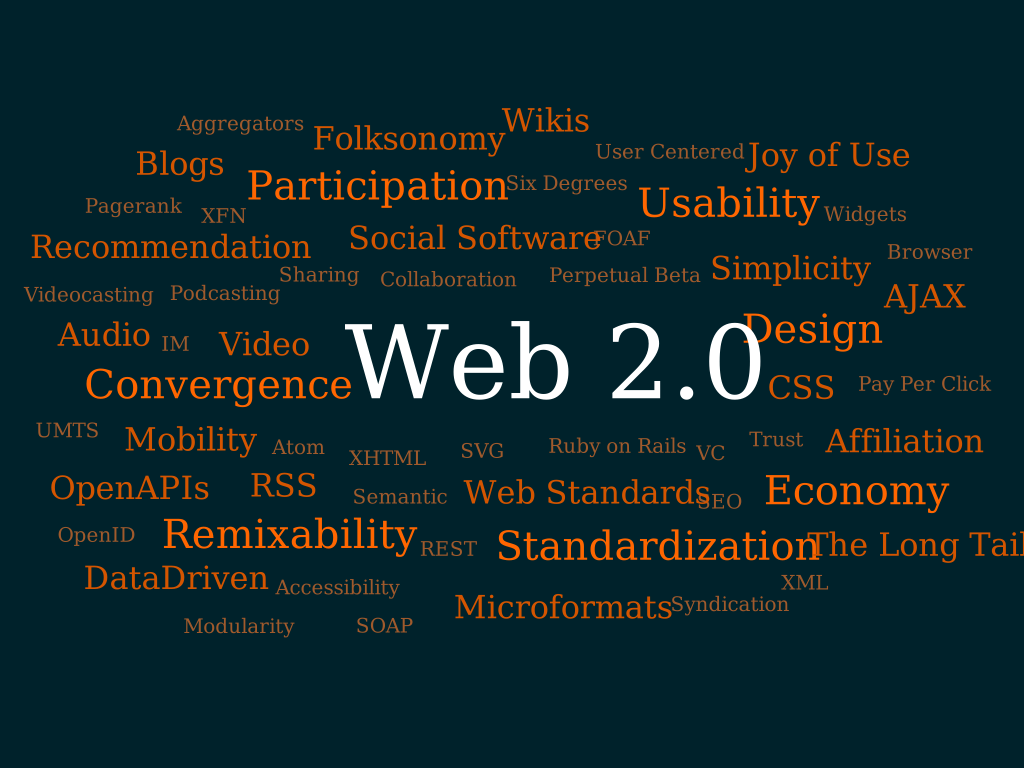
Keyword assigned to information
In information systems, a tag is a keyword or term assigned to a piece of information (such as an Internet bookmark, multimedia, database record, or computer file). This kind of metadata helps describe an item and allows it to be found again by browsing or searching. Tags are generally chosen informally and personally by the item's creator or by its viewer, depending on the system, although they may also be chosen from a controlled vocabulary.
Tagging was popularized by websites associated with Web 2.0 and is an important feature of many Web 2.0 services. It is now also part of other database systems, desktop applications, and operating systems.
Overview
People use tags to aid classification, mark ownership, note boundaries, and indicate online identity. Tags may take the form of words, images, or other identifying marks. An analogous example of tags in the physical world is museum object tagging. People were using textual keywords to classify information and objects long before computers. Computer based search algorithms made the use of such keywords a rapid way of exploring records.
Tagging gained popularity due to the growth of social bookmarking, image sharing, and social networking websites. These sites allow users to create and manage labels (or "tags") that categorize content using simple keywords. Websites that include tags often display collections of tags as tag clouds, as do some desktop applications. On websites that aggregate the tags of all users, an individual user's tags can be useful both to them and to the larger community of the website's users.
Tagging systems have sometimes been classified into two kinds: top-down and bottom-up. Top-down taxonomies are created by an authorized group of designers (sometimes in the form of a controlled vocabulary), whereas bottom-up taxonomies (called folksonomies) are created by all users. This definition of "top down" and "bottom up" should not be confused with the distinction between a single hierarchical tree structure (in which there is one correct way to classify each item) versus multiple non-hierarchical sets (in which there are multiple ways to classify an item); the structure of both top-down and bottom-up taxonomies may be either hierarchical, non-hierarchical, or a combination of both. Some researchers and applications have experimented with combining hierarchical and non-hierarchical tagging to aid in information retrieval. Others are combining top-down and bottom-up tagging, including in some large library catalogs (OPACs) such as WorldCat.
When tags or other taxonomies have further properties (or semantics) such as relationships and attributes, they constitute an ontology.
In folder system a file cannot exist in two or more folders so tag system has been thought more convenient. But transitioning to tag system requires awareness of difference between properties of two systems. In folder system the information of classification is put outside of the file and we can change folder at once. In tag system the information of classification is put inside the file so changing its tag means changing the file and it needs to be saved again and takes time.
Metadata tags as described in this article should not be confused with the use of the word "tag" in some software to refer to an automatically generated cross-reference; examples of the latter are tags tables in Emacs and smart tags in Microsoft Office.
History
The use of keywords as part of an identification and classification system long predates computers. Paper data storage devices, notably edge-notched cards, that permitted classification and sorting by multiple criteria were already in use prior to the twentieth century, and faceted classification has been used by libraries since the 1930s.
In the late 1970s and early 1980s, Emacs, the text editor for Unix systems, offered a companion software program called Tags that could automatically build a table of cross-references called a tags table that Emacs could use to jump between a function call and that function's definition. This use of the word "tag" did not refer to metadata tags, but was an early use of the word "tag" in software to refer to a word index.
Online databases and early websites deployed keyword tags as a way for publishers to help users find content. In the early days of the World Wide Web, the keywords meta element was used by web designers to tell web search engines what the web page was about, but these keywords were only visible in a web page's source code and were not modifiable by users.

In 2003, the social bookmarking website Delicious provided a way for its users to add "tags" to their bookmarks (as a way to help find them later); Delicious also provided browseable aggregated views of the bookmarks of all users featuring a particular tag. Within a couple of years, the photo sharing website Flickr allowed its users to add their own text tags to each of their pictures, constructing flexible and easy metadata that made the pictures highly searchable. The success of Flickr and the influence of Delicious popularized the concept, and other social software websites—such as YouTube, Technorati, and Last.fm—also implemented tagging. In 2005, the Atom web syndication standard provided a "category" element for inserting subject categories into web feeds, and in 2007 Tim Bray proposed a "tag" URN.
Examples
Within a blog
Many systems (and other web content management systems) allow authors to add free-form tags to a post, along with (or instead of) placing the post into a predetermined category. For example, a post may display that it has been tagged with baseball and tickets. Each of those tags is usually a web link leading to an index page listing all of the posts associated with that tag. The blog may have a sidebar listing all the tags in use on that blog, with each tag leading to an index page. To reclassify a post, an author edits its list of tags. All connections between posts are automatically tracked and updated by the blog software; there is no need to relocate the page within a complex hierarchy of categories.
Within application software
Some desktop applications and web applications feature their own tagging systems, such as email tagging in Gmail and Mozilla Thunderbird, bookmark tagging in Firefox, audio tagging in iTunes or Winamp, and photo tagging in various applications. Some of these applications display collections of tags as tag clouds.
Assigned to computer files
There are various systems for applying tags to the files in a computer's file system.
In Apple's Mac System 7, released in 1991, users could assign one of seven editable colored labels (with editable names such as "Essential", "Hot", and "In Progress") to each file and folder. In later iterations of the Mac operating system ever since OS X 10.9 was released in 2013, users could assign multiple arbitrary tags as extended file attributes to any file or folder, and before that time the open-source OpenMeta standard provided similar tagging functionality for Mac OS X.
Several semantic file systems that implement tags are available for the Linux kernel, including Tagsistant.
Microsoft Windows allows users to set tags only on Microsoft Office documents and some kinds of picture files.
Cross-platform file tagging standards include Extensible Metadata Platform (XMP), an ISO standard for embedding metadata into popular image, video and document file formats, such as JPEG and PDF, without breaking their readability by applications that do not support XMP. XMP largely supersedes the earlier IPTC Information Interchange Model. Exif is a standard that specifies the image and audio file formats used by digital cameras, including some metadata tags. TagSpaces is an open-source cross-platform application for tagging files; it inserts tags into the filename.
For an event
An official tag is a keyword adopted by events and conferences for participants to use in their web publications, such as blog entries, photos of the event, and presentation slides. Search engines can then index them to make relevant materials related to the event searchable in a uniform way. In this case, the tag is part of a controlled vocabulary.
In research
A researcher may work with a large collection of items (e.g. press quotes, a bibliography, images) in digital form. If he/she wishes to associate each with a small number of themes (e.g. to chapters of a book, or to sub-themes of the overall subject), then a group of tags for these themes can be attached to each of the items in the larger collection. In this way, freeform classification allows the author to manage what would otherwise be unwieldy amounts of information.
Special types
Triple tags
A triple tag or machine tag uses a special syntax to define extra semantic information about the tag, making it easier or more meaningful for interpretation by a computer program. Triple tags comprise three parts: a namespace, a predicate, and a value. For example, geo:long=50.123456 is a tag for the geographical longitude coordinate whose value is 50.123456. This triple structure is similar to the Resource Description Framework model for information.
The triple tag format was first devised for geolicious in November 2004, to map Delicious bookmarks, and gained wider acceptance after its adoption by Mappr and GeoBloggers to map Flickr photos. In January 2007, Aaron Straup Cope at Flickr introduced the term machine tag as an alternative name for the triple tag, adding some questions and answers on purpose, syntax, and use.
Specialized metadata for geographical identification is known as geotagging; machine tags are also used for other purposes, such as identifying photos taken at a specific event or naming species using binomial nomenclature.
Hashtags
Main article: Hashtag
A hashtag is a kind of metadata tag marked by the prefix #, sometimes known as a "hash" symbol. This form of tagging is used on microblogging and social networking services such as Twitter, Facebook, Google+, VK and Instagram. The hash is used to distinguish tag text, as distinct, from other text in the post.
Knowledge tags
A knowledge tag is a type of meta-information that describes or defines some aspect of a piece of information (such as a document, digital image, database table, or web page). Knowledge tags are more than traditional non-hierarchical keywords or terms; they are a type of metadata that captures knowledge in the form of descriptions, categorizations, classifications, semantics, comments, notes, annotations, hyperdata, hyperlinks, or references that are collected in tag profiles (a kind of ontology). These tag profiles reference an information resource that resides in a distributed, and often heterogeneous, storage repository.
Knowledge tags are part of a knowledge management discipline that leverages Enterprise 2.0 methodologies for users to capture insights, expertise, attributes, dependencies, or relationships associated with a data resource. Different kinds of knowledge can be captured in knowledge tags, including factual knowledge (that found in books and data), conceptual knowledge (found in perspectives and concepts), expectational knowledge (needed to make judgments and hypothesis), and methodological knowledge (derived from reasoning and strategies). These forms of knowledge often exist outside the data itself and are derived from personal experience, insight, or expertise. Knowledge tags are considered an expansion of the information itself that adds additional value, context, and meaning to the information. Knowledge tags are valuable for preserving organizational intelligence that is often lost due to turnover, for sharing knowledge stored in the minds of individuals that is typically isolated and unharnessed by the organization, and for connecting knowledge that is often lost or disconnected from an information resource.
Advantages and disadvantages
In a typical tagging system, there is no explicit information about the meaning or semantics of each tag, and a user can apply new tags to an item as easily as applying older tags. Hierarchical classification systems can be slow to change, and are rooted in the culture and era that created them; in contrast, the flexibility of tagging allows users to classify their collections of items in the ways that they find useful, but the personalized variety of terms can present challenges when searching and browsing.
When users can freely choose tags (creating a folksonomy, as opposed to selecting terms from a controlled vocabulary), the resulting metadata can include homonyms (the same tags used with different meanings) and synonyms (multiple tags for the same concept), which may lead to inappropriate connections between items and inefficient searches for information about a subject. For example, the tag "orange" may refer to the fruit or the color, and items related to a version of the Linux kernel may be tagged "Linux", "kernel", "Penguin", "software", or a variety of other terms. Users can also choose tags that are different inflections of words (such as singular and plural), which can contribute to navigation difficulties if the system does not include stemming of tags when searching or browsing. Larger-scale folksonomies address some of the problems of tagging, in that users of tagging systems tend to notice the current use of "tag terms" within these systems, and thus use existing tags in order to easily form connections to related items. In this way, folksonomies may collectively develop a partial set of tagging conventions.
Complex system dynamics
Despite the apparent lack of control, research has shown that a simple form of shared vocabulary emerges in social bookmarking systems. Collaborative tagging exhibits a form of complex systems dynamics (or self-organizing dynamics). Thus, even if no central controlled vocabulary constrains the actions of individual users, the distribution of tags converges over time to stable power law distributions. Once such stable distributions form, simple folksonomic vocabularies can be extracted by examining the correlations that form between different tags. In addition, research has suggested that it is easier for machine learning algorithms to learn tag semantics when users tag "verbosely"—when they annotate resources with a wealth of freely associated, descriptive keywords.
Spamming
Tagging systems open to the public are also open to tag spam, in which people apply an excessive number of tags or unrelated tags to an item (such as a YouTube video) in order to attract viewers. This abuse can be mitigated using human or statistical identification of spam items. The number of tags allowed may also be limited to reduce spam.
Syntax
Some tagging systems provide a single text box to enter tags, so to be able to tokenize the string, a separator must be used. Two popular separators are the space character and the comma. To enable the use of separators in the tags, a system may allow for higher-level separators (such as quotation marks) or escape characters. Systems can avoid the use of separators by allowing only one tag to be added to each input widget at a time, although this makes adding multiple tags more time-consuming.
A syntax for use within HTML is to use the rel-tag microformat which uses the rel attribute with value "tag" (i.e., rel="tag") to indicate that the linked-to page acts as a tag for the current context.
Notes
References
References
- (2007). "Proceedings of the International Conference on Weblogs and Social Media (ICWSM), Boulder, Colorado, USA, March 26–28, 2007". [[International Joint Conferences on Artificial Intelligence]].
- Smith, Gene. (2008). "Tagging: people-powered metadata for the social web". [[New Riders Press]].
- (2009). "The social semantic web". [[Springer-Verlag]].
- (2012). "Understanding digital literacies: a practical introduction". [[Routledge]].
- Hampton-Smith, Sam. (12 April 2013). "The pro designer's guide to photo organization".
- Henry, Alan. (28 April 2010). "TaggTool: organize your files by keyword". [[PC Magazine]].
- Heymann, Paul. (2006). ["Collaborative creation of communal hierarchical taxonomies in social tagging systems"](http://ilpubs.stanford.edu/775/}} Summarized in: {{cite web).
- (June 2007). "Information architecture: Facetag: integrating bottom-up and top-down classification in a social tagging system". [[Bulletin of the American Society for Information Science and Technology]].
- (2007). "Proceedings of the eighteenth conference on hypertext and hypermedia, Manchester, UK, September 10–12, 2007". [[Association for Computing Machinery]].
- (2007). "Online communities and social computing: second international conference, OCSC 2007, held as part of HCI International 2007, Beijing, China, July 22–27, 2007: proceedings". [[Springer-Verlag]].
- Wilson, Katie. (2007). "OPAC 2.0: next generation online library catalogues ride the Web 2.0 wave!". Online Currents.
- Yee, Raymond. (2008). "Pro Web 2.0 mashups: remixing data and Web services". [[Apress]].
- Willey, Eric. (2011). "A cautious partnership: the growing acceptance of folksonomy as a complement to indexing digital images and catalogs". Library Student Journal.
- Gerolimos, Michalis. (January 2013). "Tagging for libraries: a review of the effectiveness of tagging systems for library catalogs". Journal of Library Metadata.
- Raman, T. V.. (1997). "Auditory user interfaces: toward the speaking computer". [[Kluwer Academic Publishers]].
- Wempen, Faithe. (2010). "Teach yourself visually Microsoft Access 2010". [[John Wiley & Sons]].
- (September 1982). "Interactive Editing Systems: Part II". ACM Computing Surveys.
- "A Description of the Equator and Some ØtherLands".
- See, for example: [https://www.flickr.com/photos/joshu/765809051/in/set-72157600740166824/ Screenshot of tags on del.icio.us] in 2004 and [https://www.flickr.com/photos/joshu/765817375/in/set-72157600740166824/ Screenshot of a tag page on del.icio.us], also in 2004, both published by [[Joshua Schachter]] on July 9, 2007.
- Garrett, Jesse James. (4 August 2005). "An Interview with Flickr's Eric Costello".
- Mathes, Adam. (December 2004). "Folksonomies: cooperative classification and communication through shared metadata".
- (2011). "Social network data analytics". [[Springer-Verlag]].
- Bray, Tim. (1 February 2007). "A Uniform Resource Name (URN) namespace for tag metadata".
- (26 August 2013). "Firefox tip: find bookmarks faster with tags". [[Mozilla Foundation]].
- (2010). "Editing digital photos for dummies". [[John Wiley & Sons]].
- Poole, Lon. (1991). "[[Macworld]] guide to system 7". [[IDG Books]].
- Siracusa, John. (22 October 2013). "OS X 10.9 Mavericks: The Ars Technica Review: Tags". [[Ars Technica]].
- Cherp, Aleh. (17 March 2011). "Tagging". Academic workflows on a Mac.
- (2 July 2015). "Extended attributes and tag file systems".
- Schultz, Greg. (23 March 2011). "Tag your files for easier searches in Windows 7". [[TechRepublic]].
- Gasiorowski-Denis, Elizabeth. (22 March 2012). "Adobe Extensible Metadata Platform (XMP) becomes an ISO standard". [[International Organization for Standardization]].
- Płoszajski, Grzegorz. (2017). "Digital preservation: putting it to work". [[Springer-Verlag]].
- Devcic, Ivana Isadora. (9 October 2015). "Tag, you're it! How to manage files on Linux with TagSpaces". MakeUseOf.
- Finch, Curt. (26 May 2011). "Hashtag techniques for businesses". [[Inc. (magazine).
- Parry, David. (11 March 2007). "Tagging files—or how to keep research organized".
- Smith, Richard. (December 2010). "Strategies for coping with information overload". [[The BMJ]].
- (September 2011). "OCEANS '11 MTS/IEEE Kona, Waikoloa, Hawaii, USA, 19–22 22 September 2011". [[IEEE]].
- Maron, Mikel. (5 November 2004). "geo.lici.us: geotagging hosted services".
- Catt, Dan. (11 January 2006). "Advanced Tagging and TripleTags".
- Straup Cope, Aaron. (24 January 2007). "Machine tags".
- "The Encyclopedia of Life Flickr group rules". [[Encyclopedia of Life]].
- (2012). "Computational social networks: tools, perspectives, and applications". [[Springer-Verlag]].
- Wiig, Karl M.. (March 1997). "Knowledge management: an introduction and perspective". [[Journal of Knowledge Management]].
- (February 1999). "Knowledge management systems: issues, challenges, and benefits". Communications of the AIS.
- (April 2006). "Usage patterns of collaborative tagging systems". [[Journal of Information Science]].
- Devens, Keith. (24 December 2004). "Singular vs. plural tags in a tag-based categorization system (such as del.icio.us)".
- (2007). "Proceedings of the 16th international conference on World Wide Web, Banff, Alberta, Canada, May 08–12, 2007". [[Association for Computing Machinery]].
- (2010). "Proceedings of the 19th International Conference on World Wide Web, Raleigh, North Carolina, USA, April 26–30, 2010". [[Association for Computing Machinery]].
- Heymann, Paul. "Tag spam". [[Stanford University]].
- (10 January 2005). "Microformats wiki: rel='tag'".
This article was imported from Wikipedia and is available under the Creative Commons Attribution-ShareAlike 4.0 License. Content has been adapted to SurfDoc format. Original contributors can be found on the article history page.
Ask Mako anything about Tag (metadata) — get instant answers, deeper analysis, and related topics.
Research with MakoFree with your Surf account
Create a free account to save articles, ask Mako questions, and organize your research.
Sign up freeThis content may have been generated or modified by AI. CloudSurf Software LLC is not responsible for the accuracy, completeness, or reliability of AI-generated content. Always verify important information from primary sources.
Report