From Surf Wiki (app.surf) — the open knowledge base
Safari (web browser)
Web browser by Apple

Web browser by Apple
| Field | Value |
|---|---|
| name | Safari |
| logo | Safari_Liquid_Glass_icon.png |
| logo size | 120px |
| logo alt | Apple Safari 14.0 Icon |
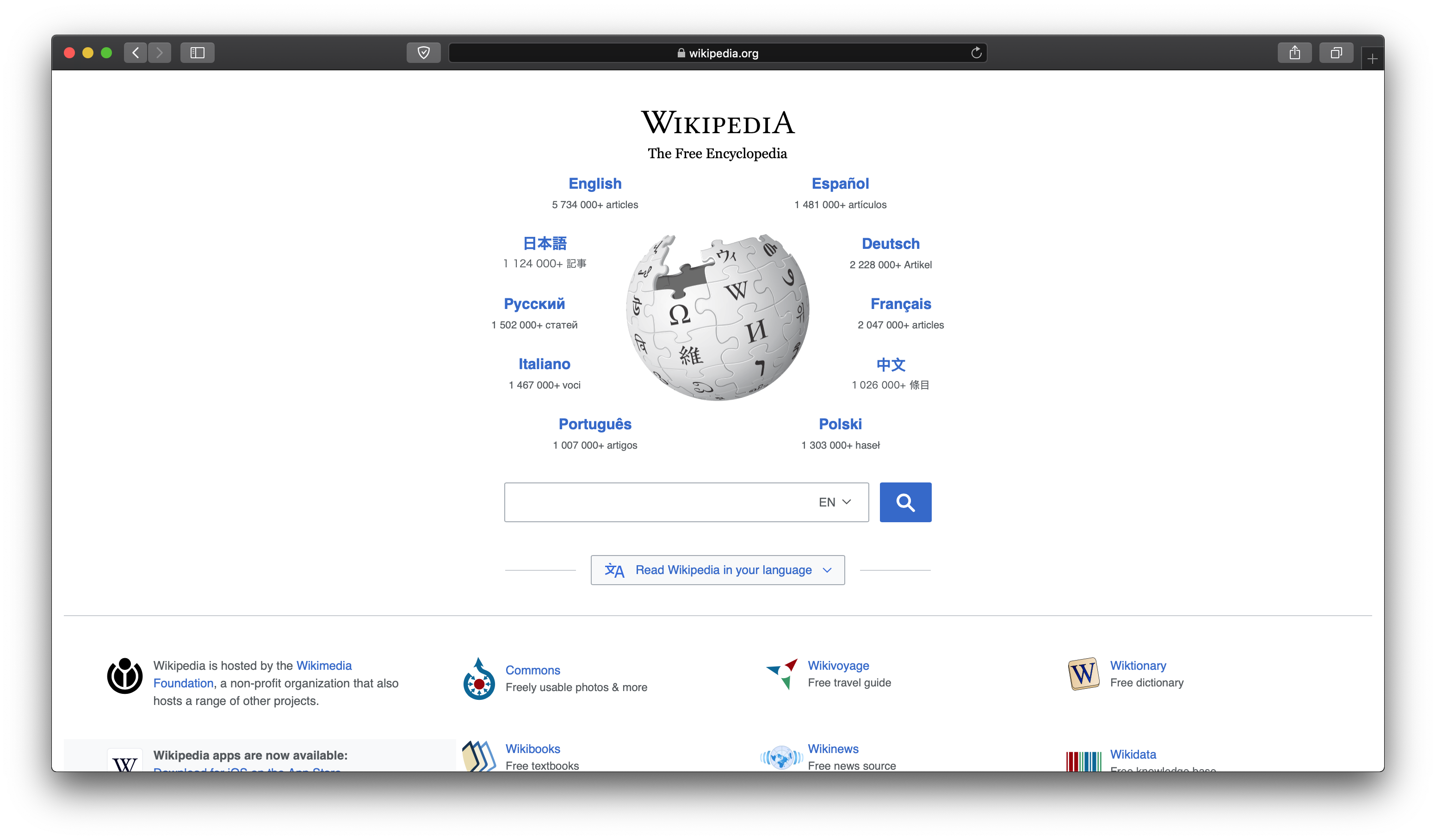
| screenshot | Safari macOS 26 screenshot on wikipedia.png |
| caption | Safari 26 running on macOS Tahoe, showing the home page of Wikipedia |
| developer | Apple |
| released | |
| ver layout | stacked |
| latest release version | {{Multiple releases |
| branch1 | macOS |
| version1 | |
| date1 | |
| branch2 | iOS |
| version2 | |
| date2 | |
| latest preview version | {{Multiple releases |
| branch1 | macOS |
| version1 | |
| date1 | |
| branch2 | iOS |
| version2 | |
| date2 | |
| programming language | |
| operating system | |
| included with | |
| engines | |
| genre | Web browser |
| license | Freeware (pre-installed on Apple devices); some components GNU LGPL |
| website |
Safari is a web browser developed by Apple. It is built into several of Apple's operating systems, including macOS, iOS, iPadOS, and visionOS, and uses Apple's open-source browser engine WebKit, which was derived from KHTML.
Safari was introduced in an update to Mac OS X Jaguar in January 2003, and made the default web browser with the release of Mac OS X Panther that same year. It has been included with the iPhone since the first-generation iPhone in 2007. At that time, Safari was the fastest browser on the Mac. Between 2007 and 2012, Apple maintained a Windows version, but abandoned it due to low market share. In 2010, Safari 5 introduced a reader mode, extensions, and developer tools. Safari 11, released in 2017, added Intelligent Tracking Prevention, which uses artificial intelligence to block web tracking. Safari 13 added support for Apple Pay, and authentication with FIDO2 security keys. Its user interface was redesigned in Safari 15, Safari 18, and Safari 26.
History and development
Background
Netscape Navigator rapidly became the dominant Mac browser after its 1994 release, and eventually came bundled with Mac OS. In 1996, Microsoft released Internet Explorer for Mac (IE), and Apple released the Cyberdog internet suite, which included a web browser. In 1997, Apple shelved Cyberdog and reached a five-year agreement with Microsoft to make IE the default browser on the Mac, starting with Mac OS 8.1. Netscape continued to be preinstalled on all Macintosh systems. Microsoft continued to update IE for Mac, which was ported to Mac OS X DP4 in May 2000.
Conception
Apple introduced the Safari web browser on January 7, 2003. At the time, Steve Jobs called Safari "a turbo browser for Mac OS X." Apple created Safari for speed, calling it the fastest browser for the Mac. Jobs compared it to Internet Explorer, Netscape, and Chimera (later renamed Camino), showing that Safari was faster. The second reason that Apple created Safari was to innovate; Apple wanted to make the best browser ever.https://www.intego.com/mac-security-blog/apples-safari-web-browser-is-20-years-old/ During development, several codenames were used, including "Freedom", "iBrowse", and "Alexander" (a reference to conqueror Alexander the Great, an homage to the Konqueror web browser).
Safari 1
On January 7, 2003, at Macworld San Francisco, Apple CEO Steve Jobs announced Safari that was based on WebKit, the company's internal fork of the KHTML browser engine. Apple released the first beta version exclusively on Mac OS X the same day. After that date, several official and unofficial beta versions followed until version 1.0 was released on June 23, 2003. On Mac OS X v10.3, Safari was pre-installed as the system's default browser, rather than requiring a manual download, as was the case with the previous Mac OS X versions. Safari's predecessor, the Internet Explorer for Mac, was then included in 10.3 as an alternative.
Safari 2
In April 2005, Engineer Dave Hyatt fixed several bugs in Safari. His experimental beta passed the Acid2 rendering test on April 27, 2005, marking it the first browser to do so. Safari 2.0 which was released on April 29, 2005, was the sole browser Mac OS X 10.4 offered by default. Apple touted this version as it was capable of running a 1.8x speed boost compared to version 1.2.4, but it did not yet feature the Acid2 bug fixes. These major changes were initially unavailable for end-users unless they privately installed and compiled the WebKit source code or ran one of the nightly automated builds available at OpenDarwin. Version 2.0.2, released on October 31, 2005, finally included the Acid2 bug fixes.
In June 2005, in response to KHTML criticisms over the lack of access to change logs, Apple moved the development source code and bug tracking of WebCore and JavaScriptCore to OpenDarwin. They have also open-sourced WebKit. The source code is for non-renderer aspects of the browser, such as its GUI elements and the remaining proprietary. The final stable version of Safari 2 and the last version released exclusively with Mac OS X, Safari 2.0.4, was updated on January 10, 2006, for Mac OS X. It was only available within Mac OS X Update 10.4.4, and it delivered fixes to layout and CPU usage issues among other improvements.
Safari 3
On January 9, 2007, at Macworld San Francisco, Jobs unveiled that Safari 3 was ported to the newly introduced iPhone within iPhone OS (later called iOS). The mobile version was capable of displaying full, desktop-class websites. At WWDC 2007, Jobs announced Safari 3 for Mac OS X 10.5, Windows XP, and Windows Vista. He ran a benchmark based on the iBench browser test suite comparing the most popular Windows browsers, and claimed that Safari had the fastest performance. His claim was later examined by a third-party site called Web Performance over HTTP load times. They verified that Safari 3 was indeed the fastest browser on the Windows platform in terms of initial data loading over the Internet, though it was only negligibly faster than Internet Explorer 7 and Mozilla Firefox when it came to static content from the local cache.
The initial Safari 3 beta version for Windows, released on the same day as its announcement at WWDC 2007, contained several bugs and a zero day exploit that allowed remote code executions. The issues were then fixed by Apple three days later on June 14, 2007, in version 3.0.1. On June 22, 2007, Apple released Safari 3.0.2 to address some bugs, performance problems, and other security issues. Safari 3.0.2 for Windows handled some fonts that were missing in the browser but already installed on Windows computers, such as Tahoma, Trebuchet MS, and others. The iPhone was previously released on June 29, 2007, with a version of Safari based on the same WebKit rendering engine as the desktop version but with a modified feature set better suited for a mobile device. The version number of Safari as reported in its user agent string is 3.0 was in line along with the contemporary desktop editions.
The first stable, non-beta version of Safari for Windows, Safari 3.1, was offered as a free download on March 18, 2008. In June 2008, Apple released version 3.1.2, which addressed a security vulnerability in the Windows version where visiting a malicious web site could force a download of executable files and execute them on the user's desktop. Safari 3.2, released on November 13, 2008, introduced anti-phishing features using Google Safe Browsing and Extended Validation Certificate support. The final version of Safari 3 was version 3.2.3, which was released on May 12, 2009, with security improvements.
Safari 4
Safari 4 was released on June 8, 2009. It was the first version that had completely passed the Acid3 rendering test, as well as the first version to support HTML5. It incorporated WebKit JavaScript engine SquirrelFish that significantly enhanced the browser's script interpretation performances by 29.9x. SquirrelFish was later evolved to SquirrelFish Extreme, later also marketed as Nitro, which had 63.6x faster performance. A public beta of Safari 4 was experimented on February 24, 2009.
Safari 4 relied on Cover Flow to run the History and Bookmarks, and it featured Speculative Loading that automatically pre-loaded document information that is required to visit a particular website. The top sites can be displayed up to 24 thumbnails based on the frequently visited sites in a startup. The desktop version of Safari 4 included a redesign similar to that of the iPhone. The update also commissioned many developer tool improvements, including Web Inspectors, CSS element viewings, JavaScript debuggers and profilers, offline tables, database management, SQL support, and resource graphs. In addition to CSS retouching effects, CSS canvas, and HTML5 content. It replaced the initial Mac OS X-like interface with native Windows themes on Windows, using native font renderings.
Safari 4.0.1 was released for Mac on June 17, 2009, and fixed Faces bugs in iPhoto '09. Safari 4 in Mac OS X v10.6 "Snow Leopard" has built-in 64-bit support, which makes JavaScript load up to 50% faster. It also has native crash resistances that would maintain it intact if a plugin like Flash player crashes, though other tabs or windows would not be affected. Safari 4.0.4, the final version which was released on November 11, 2009, for both Mac and Windows, which further improved the JavaScript performances.
Safari 5

Safari 5 was released on June 7, 2010, and featured a less distracting reader view,{{Cite web | url-status = live | archive-url = https://web.archive.org/web/20210601234046/https://www.macworld.com/article/205456/safari5.html | archive-date = June 1, 2021 | access-date = June 1, 2021 | url-status = live | archive-date = June 3, 2021 | access-date = June 2, 2021 | archive-url = https://web.archive.org/web/20210603013211/https://9to5mac.com/2010/06/07/apple-safari-5-download-here/
Version 5.1.7 was the final version for Windows.{{Cite news | url-status = live | archive-url = https://web.archive.org/web/20210119095217/https://www.ghacks.net/2012/07/28/safari-for-windows-discontinued/ | archive-date = 2021-01-19 | access-date = 2025-05-30 | url-status = dead | archive-url = https://web.archive.org/web/20150102010357/https://support.apple.com/kb/dl1531 | archive-date = 2015-01-02 | access-date = 2025-05-30 | url-status = live | archive-url = https://web.archive.org/web/20250215043654/https://itechhacks.com/safari-on-windows-11/ | archive-date = 2025-02-15 | access-date = 2025-06-12 | url-status = live | archive-url = https://web.archive.org/web/20250209180234/https://www.minitool.com/news/windows-11-safari.html | archive-date = 2025-02-09 | access-date = 2025-06-12
Apple exclusively released Safari 4.1 concurrently with Safari 5 for Mac OS X Tiger. It included many features that were found in Safari 5, though it excluded the Safari Reader and Safari Extensions.{{cite web | url-status = live | archive-url = https://web.archive.org/web/20210518004132/https://www.cnet.com/news/apple-releases-safari-5-0-and-safari-4-1-for-tiger/ | archive-date = 2021-05-18 | access-date = 2025-06-12
Several HTML5 features were provided in Safari 5. It added supports for full-screen video, closed caption, geolocation, EventSource, and a now obsolete early variant of the WebSocket protocol. The fifth major version of Safari added supports for Full-text search, and a new search engine, Bing.{{Cite magazine | url-status = live | archive-url = https://web.archive.org/web/20160313113008/https://www.wired.com/2010/06/first-look-at-safari-5s-new-features/ | archive-date = 2016-03-13 | access-date = 2025-06-12 | url-status = live | archive-url = https://web.archive.org/web/20250227170212/https://www.cnet.com/tech/computing/how-to-use-safaris-new-reader/ | archive-date = 2025-02-27 | access-date = 2025-06-12 | url-status = live | archive-url = https://web.archive.org/web/20210516161938/https://www.maciverse.com/5-best-new-features-of-safari-5.html | archive-date = 2021-05-16 | access-date = 2025-06-12 | url-status = live | archive-url = https://web.archive.org/web/20210124133030/https://www.cultofmac.com/47341/how-to-enable-manage-extensions-in-safari-5/ | archive-date = 2021-01-24 | access-date = 2025-06-12
Safari 6
Safari 6.0 was previously referred to as Safari 5.2 until Apple changed the version number at WWDC 2012. The stable release of Safari 6 coincided with the release of OS X Mountain Lion on July 25, 2012, and was integrated within OS. As a result, it was no longer available for download from Apple's website or any other sources. Apple released Safari 6 via Software Update for users of OS X Lion. It was not released for OS X versions before Lion or for Windows. The company later quietly removed references and links for the Windows version of Safari 5. Microsoft had also removed Safari from its browser-choice page.
.jpg)
On June 11, 2012, Apple released a developer preview of Safari 6.0 with a feature called iCloud Tabs, which syncs with open tabs on any iOS or other OS X device that runs the latest software. It updated new privacy features, including an "Ask websites not to track me" preference and the ability for websites to send OS X 10.8 Mountain Lion users notifications, though it removed RSS support. Safari 6 had the Share Sheets capability in OS X Mountain Lion. The Share Sheet options were: Add to Reading List, Add Bookmark, Email this Page, Message, Twitter, and Facebook. Tabs with full-page previews were added, too. The sixth major version of Safari, it added options to allow pages to be shared with other users via email, Messages, Twitter, and Facebook, as well as making some minor performance improvements. It added supports for in CSS. Additionally, various features were removed, including Activity Window, a separate Download Window, direct support for RSS feeds in the URL field, and bookmarks. The separate search field and the address bar were also no longer available as a toolbar configuration option. Instead, it was replaced by the smart search field, a combination of the address bar and the search field.
Safari 7

Safari 7 was announced at WWDC 2013, and it brought a number of JavaScript performance improvements. It made use of Top Site and Sidebar, Shared Links, and Power Saver, which paused unused plugins. Safari 7 for OS X Mavericks and Safari 6.1 for Lion and Mountain Lion were all released along with OS X Mavericks in the special event on October 22, 2013.
Safari 8
Safari 8 was announced at WWDC 2014 and was released for OS X Yosemite. It included the JavaScript API WebGL, stronger privacy management, improved iCloud integration, and a redesigned interface. It was also faster and more efficient, with additional developer features including JavaScript Promises, CSS Shapes & Composting mark up, IndexedDB, Encrypted Media Extensions, and SPDY protocol.
Safari 9
Safari 9 was announced in WWDC 2015 and was shipped with OS X El Capitan. New features included audio muting, more options for Safari Reader, and improved autofill. It was not fully available for the previous OS X Yosemite.
Safari 10

Safari 10 was shipped with macOS Sierra and released for OS X Yosemite and OS X El Capitan on September 20, 2016. It had a redesigned Bookmark and History views, and double-clicking will centralized focus on a particular folder. The update redirected Safari extensions to be saved directly to Pocket and Dic Go. Software improvements included Autofill quality from the Contrast card and Web Inspector Timelines Tab, in-line sub-headlines, bylines, and publish dates. This version tracks and re-applies zoomed level to websites, and legacy plug-ins were disabled by default in favor of HTML5 versions of websites. Recently closed tabs can be reopened via the History menu, or by holding the "+" button in the tab bar, and using Shift-Command-T. When a link opens in a new tab; it is now possible to hit the back button or swipe to close it and go back to the original tab. Debugging is now supported on the Web Inspector. Safari 10 also includes several security updates, including fixes for six WebKit vulnerabilities and issues related to Reader and Tabs. The first version of Safari 10 was released on September 20, 2016, and the last version (10.1.2) was released on July 19, 2017.
Safari 11
Safari 11 was released on September 19, 2017, for OS X El Capitan and macOS Sierra, ahead of macOS High Sierra's release. It was included with High Sierra. Safari 11 included several new features such as Intelligent Tracking Prevention which aimed to prevent cross-site tracking by placing limitations on cookies and other website data. Intelligent Tracking Prevention allowed first-party cookies to continue track the browser history, though with time limits. For example, first-party cookies from ad-tech companies such as Google/Alphabet Inc., were set to expire in 24-hours after the visit.
Safari 12
Safari 12 was released for macOS Mojave on September 24, 2018. It was also available to macOS Sierra and macOS High Sierra on September 17, 2018. Safari 12 included several new features such as Icons in tabs, Automatic Strong Passwords, and Intelligent Tracking Prevention 2.0. Safari version 12.0.1 was released on October 30, 2018, within macOS Mojave 10.14.1, and Safari 12.0.2 was released on December 5, 2018, under macOS 10.14.2. Support for developer-signed classic Safari Extensions has been dropped. This version would also be the last that supported the official Extensions Gallery. Apple also encouraged extension authors to switch to Safari App Extensions, which triggered negative feedback from the community.
Safari 13
Safari 13 was announced at WWDC 2019 on June 3, 2019. Safari 13 included several new features, such as prompting users to change weak passwords, FIDO2 USB security key authentication support, Sign in with Apple support, Apple Pay on the Web support, and increased speed and security. Safari 13 was released on September 20, 2019, on macOS Mojave and macOS High Sierra, and later shipped with macOS Catalina.
Safari 14
In June 2020 it was announced that macOS Big Sur will include Safari 14. According to Apple, Safari 14 is more than 50% faster than Google Chrome. Safari 14 introduced new privacy features, including Privacy Report, which shows blocked content and privacy information on web pages. Users will also receive a monthly report on trackers that Safari has blocked. Extensions can also be enabled or disabled on a site-by-site basis. Safari 14 introduced partial support for the WebExtension API used in Google Chrome, Microsoft Edge, Firefox, and Opera, making it easier for developers to port their extensions from those web browsers to Safari. Support for Adobe Flash Player will also be dropped from Safari, 3 months ahead of its end-of-life. A built-in translation service allows translation of a page to another language. Safari 14 was released as a standalone update to macOS Catalina and Mojave users on September 16, 2020. It added Ecosia as a supported search engine.
Safari 15
Safari 15 was released for iOS 15, iPadOS 15, macOS Big Sur and macOS Catalina on September 20, 2021, and later shipped with macOS Monterey. It featured a redesigned interface and tab groups that blended better into the background. There were also a new home page and extension support on the iOS and iPadOS editions. Starting with this update, Safari versions would support iOS and iPadOS, ending the iOS version of separate updates.
Safari 16
Safari 16 was released for iOS 16, macOS Monterey, and macOS Big Sur on September 12, 2022, and later shipped with macOS Ventura and iPadOS 16. Safari 16 added support for non-animated AVIF and contains several bug fixes and feature polishing. Safari 16 also includes shared tab groups, vertical tab support, website settings synchronization between devices connected to a same iCloud account, the ability to add backgrounds for a start page, new languages for built-in translation, built-in image translation, and new options to edit strong passwords. iOS 16.4 also introduced Web Push notifications.
Safari 17
Safari 17 was released in September 2023 with iOS 17, iPadOS 17, and macOS Sonoma. It includes a feature named "Profiles", which allows users to separate their browsing sessions for different use cases. Every profile has a separate favorites bar, navigation history, extensions, tab groups, and cookies. Just like iOS 16.4, Safari 17 introduces web apps that can be added to the dock. Cookies are copied into web apps so that users stay logged into the web app if they are already in Safari. Safari can also now read pages with a new option in the navigation bar menu.
New privacy features include locked private browsing when not in use, tracking-free URLs, private relay based on the country's location and time, instead of general position.
Safari has also been adapted to Vision Pro with a new spatial UI, and Apple has redesigned the Develop menu for web developers.
Safari 17 added AV1 hardware decoding support for devices with hardware decoding support.
| Version | Build | Release date | Release notes | 17.0 | 17.1 | 17.1.1 | 17.1.2 | 17.2 | 17.2.1 | 17.3 |
|---|---|---|---|---|---|---|---|---|---|---|
| 616A120a | ||||||||||
| 616A124a | September 26, 2023 | |||||||||
| 616B19 | ||||||||||
| 616B29 | October 25, 2023 | |||||||||
| 616B34 | November 6, 2023 | |||||||||
| 616B21 | ||||||||||
| 616B36 | November 30, 2023 | |||||||||
| 617C32 | ||||||||||
| 617C33 | December 11, 2023 | |||||||||
| 617C36 | ||||||||||
| 617C37 | December 19, 2023 | |||||||||
| 617D29 | ||||||||||
| 617D37a | January 22, 2024 |
Safari 18
Safari 18 was released in September 2024 with iOS 18, iPadOS 18 and macOS Sequoia, and for the first time, visionOS 2. Like Safari 15, it redesigns the interface, but it is less significant and is mainly applied to the start page and reader mode (which is now called Reader).
A new feature, AI-powered "Highlights," has been introduced, which will automatically detect relevant information on a page and highlight it as you browse.
Other new features include faster loading times and a redesigned unified menu which is now on all versions of the browser; previously, it was exclusive to iOS and iPadOS along with the compact mode on macOS.
| Version | Build | Release date | Release notes | 18.0 | 18.0.1 | 18.1 | 18.1.1 | 18.2 | 18.3 beta |
|---|---|---|---|---|---|---|---|---|---|
| 619A60 | |||||||||
| 619A63 | September 16, 2024 | ||||||||
| 619A62a | |||||||||
| 619A64a | October 3, 2024 | ||||||||
| 619B28 | |||||||||
| 619B29 | October 29, 2024 | ||||||||
| 619B32 | |||||||||
| 619B33 | November 19, 2024 | ||||||||
| 620C26 | |||||||||
| 620C29 | December 11, 2024 | ||||||||
| 620D9 | December 18, 2024 |
Safari 26
Safari 26 was released in September 2025 with iOS 26, iPadOS 26, macOS Tahoe, and visionOS 26. The browser has been revamped using the Liquid Glass design language and now has an optional compact layout on iOS; the compact layout on iPadOS and macOS has been removed.
Like the operating systems, Safari's version number is now based on the calendar year following its initial release.
iOS versions
Starting iOS 15 and iPadOS 15, Safari would now ship the same features as the macOS version, which also included the name of the updates, ending the separate iOS version.
| Version | New features |
|---|---|
| iOS-specific features | |
| iOS 4.3 | |
| iOS 5 | |
| iOS 6 | |
| iOS 7 | |
| iOS 8 | |
| iOS 9 | |
| iOS 10 | |
| iOS 11 | |
| iOS 12 | |
| iOS 13 | |
| iOS 14 |
Safari Technology Preview
Safari Technology Preview was first released alongside OS X El Capitan 10.11.4. Safari Technology Preview releases include the latest version of WebKit, which includes Web technologies in the future stable releases of Safari so that developers and users can install the Technology Preview release on a Mac, test those features, and provide feedback.
Safari Developer Program
The Safari Developer Program was a program dedicated to in-browser extension and HTML developers. It allowed members to write and distribute extensions for Safari through the Safari Extensions Gallery. It was initially free until it was incorporated into the Apple Developer Program in WWDC 2015, which costs $99 a year. The charges prompted frustrations from developers. Within OS X El Capitan, Apple implemented the Secure Extension Distribution to further improve its security, and it automatically updated all extensions within the Safari Extensions Gallery.
Version compatibility
| Operating system | Operating system version | Latest Safari version | Support | macOS | Microsoft |
|---|---|---|---|---|---|
| Windows | |||||
| Mac OS X 10.2 Jaguar | 2003–2004 | ||||
| Mac OS X 10.3 Panther | 2003–2006 | ||||
| Mac OS X 10.4 Tiger | 2005–2010 | ||||
| Mac OS X 10.5 Leopard | 2007–2011 | ||||
| Mac OS X 10.6 Snow Leopard | 2009–2013 | ||||
| Mac OS X 10.7 Lion | 2011–2014 | ||||
| OS X 10.8 Mountain Lion | 2012–2015 | ||||
| OS X 10.9 Mavericks | 2013–2016 | ||||
| OS X 10.10 Yosemite | 2014–2017 | ||||
| OS X 10.11 El Capitan | 2015–2018 | ||||
| macOS 10.12 Sierra | 2016–2019 | ||||
| macOS 10.13 High Sierra | 2017–2020 | ||||
| macOS 10.14 Mojave | 2018–2021 | ||||
| macOS 10.15 Catalina | 2019–2022 | ||||
| macOS 11 Big Sur | 2020–2023 | ||||
| macOS 12 Monterey | 2021–2024 | ||||
| macOS 13 Ventura | 2022–2025 | ||||
| macOS 14 Sonoma | 26.0 (September 15, 2025)}} | Since 2025 | |||
| macOS 15 Sequoia | |||||
| macOS 26 Tahoe | |||||
| Windows 2000 | Unofficial | ||||
| Windows XP RTM, SP1 | 2007–2009 | ||||
| Windows XP SP2, SP3 | 5.1.7 (May 9, 2012)}} | 2007–2012 | |||
| Windows Vista | |||||
| Windows 7 | 2009–2012 | ||||
| Windows 8 | Unofficial | ||||
| Windows 10 | |||||
| Windows 11 |
Features

Until Safari 6.0, it included a built-in web feed aggregator that supported the RSS and Atom standards. Current features included Private Browsing (a mode in which the browser retains no record of information about the user's web activity), the ability to archive web content in WebArchive format, the ability to email complete web pages directly from a browser menu, the ability to search bookmarks, and the ability to share tabs between all Mac and iOS devices running appropriate versions of software via an iCloud account.
Web compatibility
In Safari's early years, it pioneered several HTML5 features that are now standard, such as the Canvas API.
In 2015, Safari was criticized for failing to keep pace with some modern web technologies.
Intelligent Tracking Prevention
In September 2017, Apple announced that it would use artificial intelligence (AI) to reduce the ability of advertisers to track Safari users as they browse the web. Cookies used for tracking will be allowed for 24 hours, then disabled, unless the AI system judges that the user wants to keep the cookie. Major advertising groups objected, saying it will reduce the free services supported by advertising, while other experts praised the change.
Plugin support
Apple used a remotely updated plug-in blacklist to prevent potentially dangerous or vulnerable plugins from running on Safari. Initially, Flash and Java content were blocked on some early versions of Safari. Since Safari 12, support for NPAPI plugins (except for Flash) has been completely dropped. Safari 14 finally dropped support for Adobe Flash Player.
WebExtension support
Beginning in 2018, Apple made technical changes to Safari's content blocking functionality which prompted backlash from users and developers of ad blocking extensions, who said the changes made it impossible to offer a similar level of user protection found in other browsers. Internally, the update limited the number of blocking rules which could be applied by third-party extensions, preventing the full implementation of community-developed blocklists. In response, several developers of popular ad and tracking blockers announced their products were being discontinued, as they were now incompatible with Safari's newly limited content blocking features. Beginning with Safari 13, popular extensions such as uBlock Origin no longer work with Safari.
iCloud sync
Safari can sync bookmarks, history, reading list, and tabs through iCloud. This happens by default if a user's Mac, iPhone, or iPad is logged in to iCloud, but syncing can be disabled in the Settings app (on iOS and iPadOS) or System Settings (on Mac).
iCloud Tabs lets users see a list of their other devices' open tabs that have not been added to a tab group. On iOS and iPadOS, these iCloud Tabs are shown below the grid of open tabs. On the Mac, they are shown at the bottom of the Tab Overview, or in an optional iCloud Tabs toolbar item.
Tab Groups
Safari 15 added tab groups. These tab groups, and the tabs they contain, can be synced across devices; when a tab is opened in a tab group on one device, it is added to that tab group on all devices, without needing to manually open it through iCloud Tabs. macOS Ventura added Shared Tab Groups, which can be shared through iMessage. New tabs and closed tabs will sync for all participants, and a small thumbnail with users' profile pictures will be visible on the tab they are currently viewing.
Handoff
Safari supports the Handoff feature, which allows users to continue where they left off on another device.
Sidebar
The Safari sidebar was introduced in Safari 8 as a way to access Bookmarks, Reading List, and Shared Tabs. The sidebar got its biggest update in Safari 16, when it added support for vertical tabs. This allows users to see their tabs arranged vertically in addition to the horizontal tab view in the top Toolbar.
Visual Look Up
This feature allows users to quickly learn more about landmarks, works of art, and more by selecting an image or a photo. Users can also easily lift the subject of an image from Safari, remove its background, and paste it into other apps like Messages and Notes.
Live Text
Live Text enables users to interact with text within any image or paused video, allowing functionalities such as copying, translating, or looking up text without leaving Safari.
Translation
Safari's translation feature now allows for instant translation of entire web pages and supports text in images and paused video, broadening its multilingual capabilities.
Quick Note
The Quick Note feature lets users capture thoughts or jot down ideas while browsing, directly within Safari. This functionality integrates with the Notes app, providing a streamlined way to save and manage notes.
Passkeys
Safari now supports Passkeys, a password-less authentication method that provides end-to-end encryption for login credentials. Passkeys sync securely across devices via iCloud Keychain and offer protection against phishing and data leaks.
Highlights
A new feature powered by machine learning, Highlights automatically surfaces contextual information like summaries, quick links, and related content based on web activity. This makes it easier to discover additional content without leaving the page.
Distraction Control
Distraction Control lets users hide specific elements on a webpage that might be visually disruptive, allowing for a cleaner browsing experience and improved focus on the content.
Link Tracking Protection
Safari now removes tracking parameters from shared URLs, preventing third-party sites from tracking the user's navigation behavior. This feature is enabled by default in Messages, Mail, and Private Browsing mode.
Web standards and rendering
Safari utilizes the WebKit engine to render HTML and execute JavaScript. In 2005, Safari 2.0 became the first browser to pass the Acid2 rendering test, verifying its adherence to CSS and HTML standards. Modern versions support advanced web technologies, including WebAssembly, WebGPU, and the WebExtensions API, the latter of which allows for cross-browser extension compatibility.
Architecture
On macOS, Safari is a Cocoa application. It uses Apple's WebKit for rendering web pages and running JavaScript. WebKit consists of WebCore (based on Konqueror's KHTML engine) and JavaScriptCore (originally based on KDE's JavaScript engine, named KJS). Like KHTML and KJS, WebCore and JavaScriptCore are free software and released under the terms of the GNU Lesser General Public License. Some Apple improvements to the KHTML code were merged back into the Konqueror project. Apple has also released some additional codes under the open source 2-clause BSD-like license. The version of Safari included in Mac OS X v10.6 (and later versions) is compiled for 64-bit architecture. Apple claimed that running Safari in 64-bit mode would increase rendering speeds by up to 50%.
WebKit2 has a multiprocess API for WebKit, where the web content is handled by a separate process from the application using WebKit. Apple announced WebKit2 in April 2010. Safari for OS X switched to the WebKit2 API with version 5.1. Safari for iOS switched to WebKit2 with iOS 8.
Safari has support for WebAssembly (Wasm), including some extensions, but one of them WasmGC has been off by default, since Safari Technology Preview 167, in 2023 and not having it (by default in Safari) has been blocking cross-platform software, many programming languages need it enabled in practice. It was still off by default in Safari 18, but changed to enabled on August 8, 2024, by the developers (so will likely be on in Safari 19, if not sooner, catching up with other web browsers like Google's Chrome on e.g. Android).
Other platforms
iOS/iPadOS

Safari for iPhone was released along with the original iPhone. It was well received at the time of release, with news outlets calling it "far superior" to other mobile browsers at the time.
Safari has also been available for iPadOS since its split from the main iOS operating system. With the release of iPadOS 13, Safari for iPad's user agent was changed to present itself to websites as Safari for Mac and shows the desktop version of websites, except in the miniature Slide Over multitasking view. Apple improved multitouch compatibility for desktop websites through several tweaks to the WebKit engine, for example, with heuristics to determine whether to translate a tap into a hover or a click. The iPadOS version also gained a download manager, support for Media Source Extensions to allow users to watch Netflix in Safari, and support for the custom keyboard shortcuts in web apps like Gmail, which override Safari's own keyboard shortcuts. External webcam support for websites was later added also.
The browser has continued to receive updates with new releases of iOS, such as the addition of browsing profiles for different use cases with iOS 17, and a locked private browsing feature. iOS 15 added support for third-party browser extensions, which can be downloaded and installed through corresponding apps via the App Store. Extensions available included VPNs and content blockers. Universal extensions that also worked with the Mac version of Safari can be created via a WebExtensions API.
visionOS
A Safari version for visionOS was released with the launch of the Apple Vision Pro headset in 2024, with features specific to the platform, such as moving browser windows around in virtual space. The Verge said it was the headset's "killer app" at launch, due to its versatility and potential for web experiences.
Windows
Safari for Windows was introduced along with the 3.0 version for Mac at Apple's WWDC conference in 2007, in an effort to increase overall Safari market share. It supported Windows XP and Vista at launch. Wired, in a review, praised its speed but criticised bugs at launch.
After Safari's release, Apple Software Update, an updater program bundled with QuickTime and iTunes for Windows, automatically selected Safari for installation, as a "recommended" program. This was criticized by John Lilly, then-CEO of Mozilla, who said it "borders on malware distribution practices". By late 2008, Apple Software Update stopped installing new software by default, though it still offered Safari in its list of available programs (with its checkbox unticked).
Safari for Windows was discontinued after version 5.1.7 released in 2010.
Market share

In 2009, Safari had a market share of 3.85%. It remained stable in that rank for five years with market shares of 5.56% (2010), 7.41% (2011), 10.07% (2012), and 11.77% (2013). In 2014, it caught up with Firefox with a market share of 14.20%. In 2015, Safari became the second most-used web browser worldwide after Google Chrome, and had a market share of 13.01%. From 2015 to 2020, it occupied market shares of 14.02%, 14.86%, 14.69%, 17.68% and 19.25%, respectively. , Google Chrome continued to be the most popular browser with Safari (19.22%) following behind in second place.
In May 2022, according to StatCounter, Apple's Safari dropped to the third most popular desktop browser after being overtaken by Microsoft Edge. Safari was then used by 9.61% of desktop computers worldwide. One year later, Safari retook second place.
Criticism
Security updates for Snow Leopard and Windows
Software security firm Sophos detailed how Snow Leopard and Windows users were not supported by the Safari 6 release at the time, while there were over 121 vulnerabilities left unpatched on those platforms. Since then, Snow Leopard has had only three minor version releases of Safari (the most recent in September 2013), and Windows has had none. While no official word has been released by Apple, the indication is that these are the final versions available for these operating systems, and both retain significant security issues.
Potential anticompetitive practices
Apple has been criticized for anticompetitive practices related to Safari on iOS. Before iOS 14 (2020), users could not change their default browser, so links always opened in Safari. App Store rules still require all third-party iOS browsers to use Safari's WebKit browser engine, inheriting its limitations. Apple's stated motivation for this browser engine restriction was to increase security, an argument disputed by the UK's Competition and Markets Authority. The European Union's Digital Markets Act regulation, passed in 2022, requires Apple to allow alternative browser engines. In response, Google and Mozilla began porting their browser engines to iOS.
Payments from Google
In November 2023, during the US's search engine antitrust trial against Google, an economics professor at the University of Chicago revealed that Google pays Apple 36% of all search advertising revenue generated when users access Google through the Safari browser. These payments reached $20billion in 2022, according to Eddy Cue, Apple's senior vice president of services.
Both Apple and Google have argued that disclosing the specific terms of their search default agreement would harm their competitive positions. However, the court ruled that the information was relevant to the antitrust case and ordered its disclosure. This revelation has raised concerns about the dominance of Google in the search engine market and the potential anticompetitive effects of its agreements with Apple.
Notes
References
References
- (July 25, 2012). "Apple apparently kills Windows PC support in Safari 6.0".
- Warren, Tom. (2012-07-25). "Apple removes Safari for Windows references and download links following version 6 release".
- Kahney, Leander. (2010-05-01). "Inside Steve's Brain: Business Lessons from Steve Jobs, the Man Who Saved Apple". Atlantic Books.
- (December 29, 2007). "RIP Netscape Navigator (1994–2008)".
- (May 15, 2000). "Apple Releases Mac OS X Developer Preview 4 with Final API Specs". [[Apple Inc..
- Heisler, Yoni. (January 15, 2013). "Apple's Safari browser was almost called 'Freedom,' thanks to Steve Jobs".
- Kocienda, Ken. (2018). "Creative Selection: Inside Apple's Design Process During the Golden Age of Steve Jobs". [[St. Martin's Press]].
- Keizer, Gregg. (January 8, 2013). "Apple's Safari turns 10".
- Pour, Andreas. (January 7, 2003). "Apple Announces New "Safari" Browser".
- Allen, Danny. (March 5, 2003). "Safari 1.0 Beta for Mac".
- Powers, Jeffrey. (June 23, 2016). "Safari 1.0 Released to Public".
- (October 8, 2003). "Apple Announces Mac OS X "Panther"". [[Apple Inc..
- Hyatt, Dave. (April 2005). "Surfin' Safari".
- Hyatt, Dave. (April 27, 2005). "Surfin' Safari".
- Hyatt, Dave. (October 12, 2005). "Nightly Builds".
- (October 26, 2003). "Safari JavaScriptCore-5523.10.3/ChangeLog".
- (July 15, 2008). "About the Mac OS X 10.4.4 Update (Delta)". [[Apple Inc..
- Block, R.. (January 9, 2007). "Live from Macworld 2007: Steve Jobs keynote".
- Chartier, David. (June 7, 2010). "iPhone OS gets new name, video calling".
- Gallagher, William. (April 2, 2020). "How to automatically request a desktop version of a website on iOS".
- Block, R.. (June 11, 2007). "Steve Jobs live from WWDC 2007".
- Czeiszperger, Michae. (October 20, 2007). "Safari 3 Windows Performance Analysis".
- Macnews. (November 26, 2007). "Safari lässt die Konkurrenz auf dem PC hinter sich".
- (January 1, 2008). "Apple Safari 3 Beta".
- Block, R.. (June 14, 2007). "Apple releases Windows Safari 3.0.1, squishes security bugs".
- Vamosi, Robert. (June 22, 2007). "Apple updates Safari with version 3.0.2 for Windows (beta)".
- Ritchie, Rene. (December 3, 2012). "iMore hall of fame: Apple and Mobile Safari".
- (May 17, 2021). "Firefox user agent string reference".
- Fisher, Ken. (March 24, 2008). "Safari 3.1 on Windows: a true competitor arrives (seriously)".
- (January 28, 2016). "About the security content of Safari 3.1.2 for Windows". [[Apple Inc..
- Keizer, Gregg. (June 19, 2008). "Apple does about-face, fixes Safari's 'carpet bomb' bug".
- (April 14, 2009). "Microsoft Security Advisory 953818".
- (October 24, 2008). "Inside Safari 3.2's anti-phishing features". MacJournals.
- Cohen, Peter. (May 12, 2009). "Safari 3.2.3 improves security".
- Michaels, Philip. (June 8, 2009). "Apple releases Safari 4 for Mac, Windows".
- Keizer, Gregg. (September 28, 2008). "WebKit browser engine aces Acid3 test, stakes claim to No. 1".
- McDaniel, Adam. (2011-11-08). "HTML5: Your Visual Blueprint for Designing Rich Web Pages and Applications". John Wiley & Sons.
- McLean, Prince. (September 19, 2008). "SquirrelFish Extreme promises to speed JavaScript in Safari 4.0".
- (February 24, 2009). "Hands on: Safari 4 beta fast, mixes polish, rough UI edges".
- Chartier, David. (February 24, 2009). "Hands on: Safari 4 beta fast, mixes polish, rough UI edges".
- Alderman, Nathan. (June 17, 2009). "Safari 4".
- Moren, Dan. (June 17, 2009). "Apple releases Safari 4.0.1, Bluetooth Firmware Update 2.0".
- McLean, Prince. (August 26, 2008). "Road to Mac OS X 10.6 Snow Leopard: 64-Bits".
- Michaels, Philip. (June 8, 2009). "Apple releases Safari 4 for Mac, Windows".
- Foreman, Chris. (November 11, 2009). "Safari 4.0.4 serves up security and performance fixes".
- (March 16, 2012). "Apple Adds iCloud Tab Syncing to Safari 5.2 developer preview".
- Friedman, Lex. (July 26, 2012). "Safari 6 available for Mountain Lion and Lion, but not Windows".
- Warren, Tom. (July 25, 2012). "Apple removes Safari for Windows references and download links following version 6 release".
- (September 19, 2021). "Select your web browser(s)".
- Kim, Arnold. (July 25, 2012). "Apple Releases Safari 6 Update for OS X Lion".
- Panzarino, Matthew. (July 26, 2012). "Safari 6.0 is the best version of Apple's browser yet".
- Alderman, Nathan. (August 8, 2012). "Safari 6 a slight but sleek upgrade for Apple's browser".
- Evans, Jonny. (June 7, 2010). "WWDC 2010: Live Blog".
- Alderman, Nathan. (October 28, 2013). "Safari 7 review: Mavericks browser saves battery life, brings further refinements".
- Beasley, Mike. (June 10, 2013). "Apple introduces Safari 7 with design tweaks, memory, social improvements and more.".
- AppleInsider Staff. (June 4, 2014). "OS X Yosemite first look: Safari 8 Smart Search, advanced tab controls, more".
- Loyola, Roman. (September 30, 2015). "Apple releases Safari 9 for Yosemite".
- (September 20, 2016). "Safari 10 Now Available for OS X El Capitan and OS X Yosemite".
- (March 5, 2021). "About the security content of Safari 10". [[Apple Inc..
- Keizer, Gregg. (September 20, 2017). "Apple upgrades Safari for older versions of macOS".
- AppleInsider Staff. (June 23, 2016). "Apple releases Safari 10 beta for OS X El Capitan and OS X Yosemite".
- Davis, Jon. (March 29, 2017). "New Web Features in Safari 10.1".
- Potuck, Michael. (2017-09-19). "Safari 11 now available for macOS Sierra and OS X El Capitan".
- Wilander, John. (June 5, 2017). "Intelligent Tracking Prevention".
- Loyola, Roman. (November 4, 2017). "macOS High Sierra: How to turn off website tracking in Safari 11".
- Statt, Nick. (March 24, 2020). "Apple updates Safari's anti-tracking tech with full third-party cookie blocking".
- Wilmot, Stephen. (December 24, 2017). "Apple Changes Business of Selling Your Browsing Data". [[The Wall Street Journal]].
- Wilander, John. (June 4, 2018). "Intelligent Tracking Prevention 2.0".
- Chowdhry, Amit. (October 8, 2018). "Apple Releases Important iOS 12.0.1 Update: What Features Are Included?".
- Schmitz, Agen. (December 7, 2018). "Safari 12.0.2".
- Pot, Justin. (June 11, 2018). "macOS Mojave Will Break a Bunch of Safari Extensions".
- Muchmore, Michael. (October 7, 2019). "What's New in macOS Catalina".
- (September 19, 2019). "Safari 13 Released for Mac".
- Loyola, Roman. (November 9, 2020). "macOS Big Sur 11: What's new in Safari 14".
- (June 23, 2020). "Apple Safari 14 claims to be "more than 50% faster than Chrome" and supports WebP format images for the first time".
- Newman, Lily. (June 22, 2020). "Apple Pushes Back Against Ad Tracking in Safari and iOS 14".
- "Apple Developer Documentation". [[Apple Inc..
- Espósito, Filipe. (June 24, 2020). "Apple adds WebP, HDR support, and more to Safari with iOS 14 and macOS Big Sur".
- (June 24, 2020). "Safari 14 removes Flash, gets support for breach alerts, HTTP/3, and WebP".
- (September 16, 2020). "Apple Releases Safari 14 for Mac Ahead of macOS Big Sur Launch".
- Hilliard, Wesley. (December 14, 2020). "Ecosia now a default search engine option on iOS, iPadOS, macOS".
- M Wolfe, Bryan. (June 8, 2021). "The best new Safari features in macOS 12 Monterey".
- Slivka, Eric. (June 10, 2021). "When Will the iOS 15 Public Beta Be Released?".
- (June 11, 2021). "macOS Monterey".
- (September 12, 2022). "WebKit Features in Safari 16.0". Apple.
- "Safari 16 Release Notes".
- (September 12, 2022). "Apple Releases Safari 16 With Tab Group Start Pages, Cross-Device Syncing for Website Settings, Strong Password Updates and More".
- (August 19, 2022). "Apple Releases Safari 16 With Tab Group Start Pages, Cross-Device Syncing for Website Settings, Strong Password Updates and More".
- (2023-02-16). "Web Push for Web Apps on iOS and iPadOS".
- "Sending web push notifications in web apps, Safari, and other browsers".
- (2023-07-28). "iOS 17: Nine New Features Available in Safari".
- (2023-06-06). "News from WWDC23: WebKit Features in Safari 17 beta".
- "Safari 17 Release Notes".
- (2024-06-12). "Safari 18 Features: Highlights, New Reader Mode, and Video Viewer".
- Mendes, Marcus. (2025-06-09). "Safari gets the iOS 26 treatment with new Liquid Glass interface".
- Mayo, Benjamin. (2025-06-12). "In iOS 26, the Safari browser on iPhone has three different toolbar layouts to choose from".
- Lim, George. (January 25, 2011). "Daily Tip: Bookmarking websites to your iPhone, iPad home screen".
- Shankland, Stephen. (September 20, 2019). "iPadOS upgrades Safari, and now I love my iPad".
- "Full Screen Mode, Safari".
- (October 5, 2020). "How to organize photos into albums on iPhone or iPad".
- Hinckley, Dan. (May 6, 2019). "5 Best New Features of Safari 5".
- Biersdorfer, J.D.. (November 5, 2014). "How to See a Full Web Address on the Safari Browser".
- Foresman, Chris. (November 22, 2010). "Apple releases iOS 4.2 with free Find My Phone for some".
- Macworld Staff. (November 22, 2010). "iOS 4.2: Ten great features".
- (June 17, 2011). "iOS 5 finally brings Nitro JavaScript speed to home screen Web apps".
- Frakes, Dan. (October 13, 2011). "Up close with iOS 5: Safari".
- Frakes, Dan. (September 19, 2012). "Hands on with iOS 6: Safari".
- Hong, Kaylene. (September 19, 2013). "With iOS 7, Windows users can sync their iCloud bookmarks to Chrome and Firefox".
- Frakes, Dan. (May 22, 2014). "iOS 8 changes we'd like to see: Safari".
- Viticci, Federico. (June 24, 2015). "iOS 9 and Safari View Controller: The Future of Web Views".
- Chowdhry, Amit. (September 19, 2016). "Apple iOS 10: 50 Awesome Features You Should Know About And How To Use Them".
- Hughes, Neil. (September 28, 2016). "Inside iOS 10: Split-screen view in Safari for iPad boosts productivity".
- (September 17, 2018). "iOS 11".
- (August 8, 2018). "Top 9 New Safari Features in iOS 12 for iPhone".
- Clover, Juli. (June 10, 2020). "Safari: Complete Guide to iOS 13".
- Clover, Juli. (March 23, 2021). "Safari iOS 14 Guide: Privacy Report, Built-In Translation, Compromised Password Alerts and More".
- (May 26, 2021). "Safari Technology Preview".
- Rossignol, Joe. (June 10, 2015). "OS X El Capitan to Bring New Safari Extensions Gallery as Part of Unified $99 Developer Program".
- Blair, Hanley Frank. (June 9, 2015). "Apple now charges Safari extension developers for distribution".
- (January 11, 2006). "Safari Update 1.3.2". support.apple.com.
- (November 18, 2010). "Safari 4.1.3 for Tiger". support.apple.com.
- (July 20, 2011). "Safari 5.0.6 for Leopard". support.apple.com.
- (September 12, 2013). "Safari 5.1.10 for Snow Leopard". support.apple.com.
- (August 13, 2014). "About the security content of Safari 6.1.6 and Safari 7.0.6". support.apple.com.
- (August 13, 2015). "About the security content of Safari 8.0.8, Safari 7.1.8, and Safari 6.2.8". [[Apple Inc..
- (September 2, 2016). "About the security content of Safari 9.1.3". [[Apple Inc..
- (July 19, 2017). "About the security content of Safari 10.1.2". [[Apple Inc..
- (July 9, 2018). "About the security content of Safari 11.1.2". [[Apple Inc..
- (July 22, 2019). "About the security content of Safari 12.1.2". [[Apple Inc..
- (July 15, 2020). "About the security content of Safari 13.1.2". [[Apple Inc..
- (September 13, 2021). "About the security content of Safari 14.1.2". [[Apple Inc..
- (August 18, 2022). "About the security content of Safari 15.6.1". [[Apple Inc..
- (September 21, 2023). "About the security content of Safari 16.6.1". [[Apple Inc..
- (June 29, 2024). "Safari 17.6 Release Notes". [[Apple Inc..
- (March 12, 2025). "About the security content of Safari 18.6". [[Apple Inc..
- (May 9, 2012). "Safari 5.1.7 for Windows". support.apple.com.
- Trapani, Gina. (May 4, 2005). "Safari's private (porn) browsing mode". [[Lifehacker]].
- Buckler, Craig. (August 6, 2012). "What's New in Safari 6 and Why Dropping Windows is a Mistake".
- "About Canvas".
- Lawson, Nolan. (June 30, 2015). "Safari is the new IE".
- Hern, Alex. (September 18, 2017). "Apple blocking ads that follow users around web is 'sabotage', says industry".
- Swant, Marty. (September 14, 2017). "Every Major Advertising Group Is Blasting Apple for Blocking Cookies in the Safari Browser".
- (September 23, 2019). "Apple Neutered Ad Blockers In Safari, But Unlike Chrome, Users Didn't Say a Thing - Slashdot".
- Cimpanu, Catalin. (September 21, 2019). "Apple neutered ad blockers in Safari, but unlike Chrome, users didn't say a thing".
- Bradbury, Danny. (September 24, 2019). "Apple restricts old adblocking tech".
- Orr, Andrew. (September 20, 2019). "Safari 13 Just Killed uBlock Origin and Other Extensions".
- "Safari 15 for macOS now available: New macOS tabs will transform your workflow".
- Mayo, Benjamin. (2022-12-23). "macOS Ventura: How to share tabs and collaborate with others in Safari".
- Robertson, Adi. (2014-06-02). "Apple Handoff lets Macs and iPhones share files, phone calls, and more".
- Cunningham, Andrew. (2014-09-17). "iOS 8, thoroughly reviewed".
- Chant, Tim De. (2022-09-13). "Safari 16 finally adds a feature I've been missing since OmniWeb went defunct".
- "Use Visual Look Up to identify objects in your photos and videos on iPhone".
- "Use Live Text to interact with content in a photo or video on iPhone".
- "Translate a web page in Safari on Mac".
- "Take notes about a web page in Safari on Mac".
- "Sign in with passkeys in Safari on iPhone".
- "See a webpage's highlights in Safari on Mac".
- "Hide distractions when browsing web pages in Safari on Mac".
- "Prevent cross-site tracking in Safari on Mac".
- Turner, Daniel Drew. (2005-11-03). "New Safari Passes Acid Test for Web Compatibility".
- "What Is Cocoa?".
- Wollman, Dana. (September 10, 2013). "iOS 7 will be 64-bit, just like the iPhone 5s' new A7 chip".
- Carlsson, Anders. (April 8, 2010). "Announcing WebKit2".
- "Source code repository for public parts of Safari 5.1".
- Beasley, Mike. (June 3, 2014). "iOS 8 WebKit changes finally allow all apps to have the same performance as Safari".
- (September 28, 2015). "iOS 8: New Features".
- "Safari Technology Preview 167 Release Notes".
- (2024-01-01). "New types and instructions to be introduced in WasmGC".
- "[Wasm-GC] Enable GC by default by ddegazio · Pull Request #31854 · WebKit/WebKit".
- (10 July 2007). "iPhone in depth: The Ars review".
- (July 3, 2007). "iPhone review, part 2: Phone, Mail, Safari, iPod".
- (October 11, 2019). "iPadOS review: The iPad is dead, long live the iPad".
- "iOS and iPadOS 13: The MacStories Review".
- (20 January 2024). "The Vision Pro's first killer app is the web, whether Apple likes it or not". Vox Media.
- (6 June 2023). "Apple announces new Safari profiles and WebKit features". Vox Media.
- (15 September 2023). "iOS 17 Safari Features: Profiles, Locked Private Browser, Shared Passwords, Updated Tracking Prevention and More".
- (10 September 2021). "iOS 15: How to Download and Install Safari Web Extensions".
- (11 June 2007). "Safari does Windows".
- (11 June 2007). "WWDC: Safari 3 on Windows Review".
- LaMonica, Martin. (March 21, 2008). "Mozilla CEO says Apple's Safari auto-update 'wrong'".
- (25 July 2012). "Apple's Removes Mentions of Safari for Windows, But Version 5.1.7 Still Available For Now [Updated]".
- (October 24, 2022). "Update to the latest version of Safari - Apple Support".
- (2009). "Browser Market Share Worldwide of 2009".
- (2010). "Browser Market Share Worldwide of 2010".
- (2011). "Browser Market Share Worldwide of 2011".
- (2012). "Browser Market Share Worldwide of 2012".
- (2014). "Browser Market Share Worldwide of 2014".
- (2012). "Browser Market Share Worldwide of 2012".
- (2015). "Browser Market Share Worldwide of 2015".
- (2016). "Browser Market Share Worldwide of 2016".
- (2017). "Browser Market Share Worldwide of 2017".
- (2018). "Browser Market Share Worldwide of 2018".
- (2019). "Browser Market Share Worldwide of 2019".
- (2020). "Browser Market Share Worldwide of 2020".
- (2021). "Browser Market Share Worldwide of September 2021".
- Hardwick, Tim. (May 3, 2022). "Microsoft Edge Overtakes Safari as World's Second Most Popular Desktop Browser". [[MacRumors]].
- (2023-05-02). "Apple's Safari Again Overtakes Microsoft Edge as Second Most Popular Desktop Browser".
- Long, Joshua. (July 30, 2012). "Where are the Safari security updates for Windows and Snow Leopard? Users left exposed".
- (July 25, 2012). "About the security content of Safari 6". [[Apple Inc..
- (September 12, 2013). "Safari 5.1.10 for Snow Leopard". [[Apple Inc..
- (May 9, 2012). "Safari 5.1.7 for Windows". [[Apple Inc..
- Verry, Tim. (August 6, 2012). "Apple No Longer Updating Safari for Windows, Users Should Switch To A More Secure Browser".
- Bond, John-Michael. (February 28, 2014). "Apple isn't updating Snow Leopard anymore, here's what you should know".
- "Web devs rally to challenge Apple App Store browser rules".
- "How to choose your own default apps for email, browsing & music".
- Berthene, April. (May 2, 2017). "Apple keeps Safari at Chrome's core, and that's a drag on consumers' mobile experience".
- (25 February 2022). "Should Apple Continue to Ban Rival Browser Engines on iOS?".
- "UK antitrust regulator forced to abandon Apple probe".
- "Mozilla, Google looking ahead to the end of Apple's WebKit".
- Davis, Wes. (2023-11-13). "A Google witness let slip just how much it pays Apple for Safari search".
- Nylen, Leah. (May 1, 2024). "Google's Payments to Apple Reached $20 Billion in 2022, Cue Says".
- Nylen, Leah. (2023-11-13). "Apple Gets 36% of Google Revenue in Search Deal, Expert Says". Bloomberg News.
This article was imported from Wikipedia and is available under the Creative Commons Attribution-ShareAlike 4.0 License. Content has been adapted to SurfDoc format. Original contributors can be found on the article history page.
Ask Mako anything about Safari (web browser) — get instant answers, deeper analysis, and related topics.
Research with MakoFree with your Surf account
Create a free account to save articles, ask Mako questions, and organize your research.
Sign up freeThis content may have been generated or modified by AI. CloudSurf Software LLC is not responsible for the accuracy, completeness, or reliability of AI-generated content. Always verify important information from primary sources.
Report