From Surf Wiki (app.surf) — the open knowledge base
IMac (Intel-based)
Line of all-in-one desktop computers by Apple

Line of all-in-one desktop computers by Apple
| Field | Value | ||
|---|---|---|---|
| name | iMac (Intel-based) | ||
| logo | [[File:iMacLogo.svg | 150px | class=skin-invert]] |
| developer | Apple Inc. | ||
| type | All-in-one | ||
| image | IMac vector.svg | ||
| image_size | 300px | ||
| caption | iMac (2020) | ||
| release_date | (original model) | ||
| (last model) | |||
| discontinued | (Retina 4K 21.5-inch) | ||
| (21.5 inch) | |||
| (27-inch) | |||
| cpu | Intel Core i3, i5, i7, i9, | ||
| Intel Core Duo (original model) | |||
| related | Mac Mini | ||
| Mac Pro | |||
| iMac Pro | |||
| os | macOS | ||
| predecessor | iMac G5 | ||
| eMac | |||
| successor | iMac (Apple silicon) |
Main article: iMac
(last model) (21.5 inch) (27-inch) Intel Core Duo (original model) Mac Pro iMac Pro eMac
The iMac is a series of all-in-one desktop computers designed, manufactured, and sold by Apple Inc. Between 2006 and 2022, the iMac series used chipsets based on Intel architecture. While sold, it was one of three desktop computers in the Mac lineup, serving as an all-in-one alternative to the Mac Mini, and sat below the performance range Mac Pro. It was sold alongside a higher-end, Xeon-based iMac Pro from 2017 to 2021.
The earliest Intel iMacs reused the same white polycarbonate enclosure as the iMac G5. Later models shifted to aluminum and plastic, and then a unibody aluminum case. The iMacs released after October 2012 also featured a much thinner display, with the edge measuring just 5 mm. This design would persist until the line was discontinued.
As part of the Mac transition to Apple's own processors, the Intel-based iMac was succeeded by the Apple silicon iMac beginning in 2021. Apple discontinued the 21.5-inch Intel iMac the same year, with the 27-inch model discontinued in March 2022, following the announcement of the Mac Studio and 27-inch Apple Studio Display.
Overview
The iMac is an all-in-one personal computer. The machine has an integrated Liquid-crystal display (LCD), with the computer components integrated either behind the screen or below it in a "chin". An L-shaped aluminum foot allows the screen to be tilted but does not offer height adjustment. Ports for connecting peripherals are located on the bottom edge of the computer; an optical drive is located along the right edge of certain models. If wireless peripherals are used, the iMac's only cable is the power cord routed through the back.
On June 22, 2020, Apple's Worldwide Developer Conference keynote included the announcement that future Macintosh computers would transition yet again to Apple's own ARM-based system-on-chips; in April 2021, Apple unveiled a redesigned iMac based on its M1 system-on-chip.
Models
White (2006)
At the Macworld Conference and Expo on January 10, 2006, Steve Jobs announced that the new iMac would be the first Macintosh to use Intel processors. The introduction of the new iMac alongside the MacBook Pro was the start of the Mac transition to Intel processors, six months earlier than the timetable Apple established. It retained the look and features of the preceding iMac G5, with a white plastic enclosure less than 1.5 in at its thinnest edge. It also shipped at the same price points. The first Intel iMac featured an Intel Core Duo processor and PCI Express graphics processing units (GPUs). Like the iSight revision of the iMac G5, the machine was not designed to be user-serviced, and almost all components are difficult to access; the exception are the random-access memory slots, which are found on the bottom of the machine. One update from the iMac G5 was the addition of a Mini-DVI port that allowed for extending the computer contents to a second monitor versus mirroring the image.
In early February 2006, Apple confirmed reports of video display problems on the new Intel-based iMacs. When playing video on Apple's Front Row media browser, some 20-inch iMacs (those built-to-order with upgraded video cards) showed random horizontal lines, ghosting, video tearing and other problems. The problem was fixed with a software update.
An education-only model of the iMac shipped in July 2006 that replaced the eMac in Apple's lineup. This model came with a lower starting price, but had a smaller hard drive, integrated graphics processor, and a combo optical drive rather than the SuperDrives on other iMacs. The entire iMac lineup was refreshed with a Core 2 Duo chip and a lower price in September 2006. Apple added a new 24-inch model with an IPS panel display and a resolution of 1920 × 1200 (WUXGA), making it the first iMac to be able to display 1080p content in its full resolution, and a VESA Flat Display Mounting Interface.
These early iMacs were generally praised, with Walt Mossberg writing that the Intel-based iMac remained the best desktop personal computer available. Performance depended on the software; PCMag and others found that software unoptimized for Intel processors ran slowly, especially games that were already poorly optimized for the Mac. Macworld recommended potential buyers hold off until there was more software for Intel machines. Other criticisms included the low amount of starting memory, lack of user-serviceability, and the chin, which Anand Lal Shimpi called "bottom-heavy".
Specifications of White iMacs
| Model | Early 2006 | Mid 2006 | Late 2006 | Release date | MSRP (USD) | Display | Processor | Cache | System bus | Memory | Video card | Hard drive | Optical drive | Network | Peripherals | Weight | Original operating system | |
|---|---|---|---|---|---|---|---|---|---|---|---|---|---|---|---|---|---|---|
| January 10, 2006 | July 5, 2006 | September 6, 2006 | ||||||||||||||||
| $1299 | $1699 | $899 | $999 | $1199 | $1499 | $1999 | ||||||||||||
| 17-inch 1440 × 900 | 20-inch 1680 × 1050 | 17-inch 1440 × 900 | 20-inch, 1680 × 1050 | 24-inch 1920 × 1200 IPS | ||||||||||||||
| 1.83 GHz Intel Core Duo | 2.0 GHz Intel Core Duo | 1.83 GHz Intel Core Duo | 1.83 GHz Intel Core 2 Duo | 2 GHz Intel Core 2 Duo | 2.16 GHz Intel Core 2 Duo | |||||||||||||
| 2 MB L2 cache | 4 MB L2 cache | |||||||||||||||||
| 667 MHz front-side bus | ||||||||||||||||||
| 512 MB single SO-DIMM, one slot free | ||||||||||||||||||
| 512 MB (2× 256 MB) or 1 GB (2× 512 MB) | ||||||||||||||||||
| ATI Radeon X1600 with 128 MB GDDR3 SDRAM | ||||||||||||||||||
| Intel GMA 950 with 64 MB shared memory | ATI Radeon X1600 with 128 MB GDDR3 SDRAM | Nvidia GeForce 7300 GT with 128 MB GDDR3 SDRAM | ||||||||||||||||
| 160 GB | ||||||||||||||||||
| 250 GB | ||||||||||||||||||
| 80 GB | ||||||||||||||||||
| 160 GB | 160 GB | |||||||||||||||||
| 250 GB | ||||||||||||||||||
| Serial ATA 7200 rpm | ||||||||||||||||||
| Slot-loading 8× SuperDrive with 2.4× DL recording (DVD+R DL, DVD±RW, CD-RW) | 24× combo drive (DVD-ROM, CD-RW) | SuperDrive | ||||||||||||||||
| Internal AirPort Extreme 802.11a/b/g | ||||||||||||||||||
| Gigabit Ethernet | ||||||||||||||||||
| Apple Remote infrared receiver | ||||||||||||||||||
| Bluetooth 2.0 + EDR | Internal Airport Extreme 802.11a/b/g (draft-n disabled by default) | |||||||||||||||||
| Gigabit Ethernet | ||||||||||||||||||
| Apple Remote infrared receiver | ||||||||||||||||||
| Bluetooth 2.0 + EDR | ||||||||||||||||||
| 3× USB 2.0 | ||||||||||||||||||
| 2× FireWire 400 | ||||||||||||||||||
| Headphone/digital audio output | ||||||||||||||||||
| Audio line-in | 3× USB 2.0 | |||||||||||||||||
| 2× FireWire 400 | ||||||||||||||||||
| Headphone/digital audio output | ||||||||||||||||||
| Audio line-in/digital audio input | 3× USB 2.0 | |||||||||||||||||
| 1× FireWire 400 | ||||||||||||||||||
| 1× FireWire 800 | ||||||||||||||||||
| Headphone/digital audio output | ||||||||||||||||||
| Audio line-in/digital audio input | ||||||||||||||||||
| 15.5 lbs (7 kg) | 22 lbs (10 kg) | 15.5 lbs (7 kg) | 22 lbs (10 kg) | 24.7 lbs (11.2 kg) | ||||||||||||||
| Mac OS X 10.4 "Tiger" |
Aluminum (2007–2009)
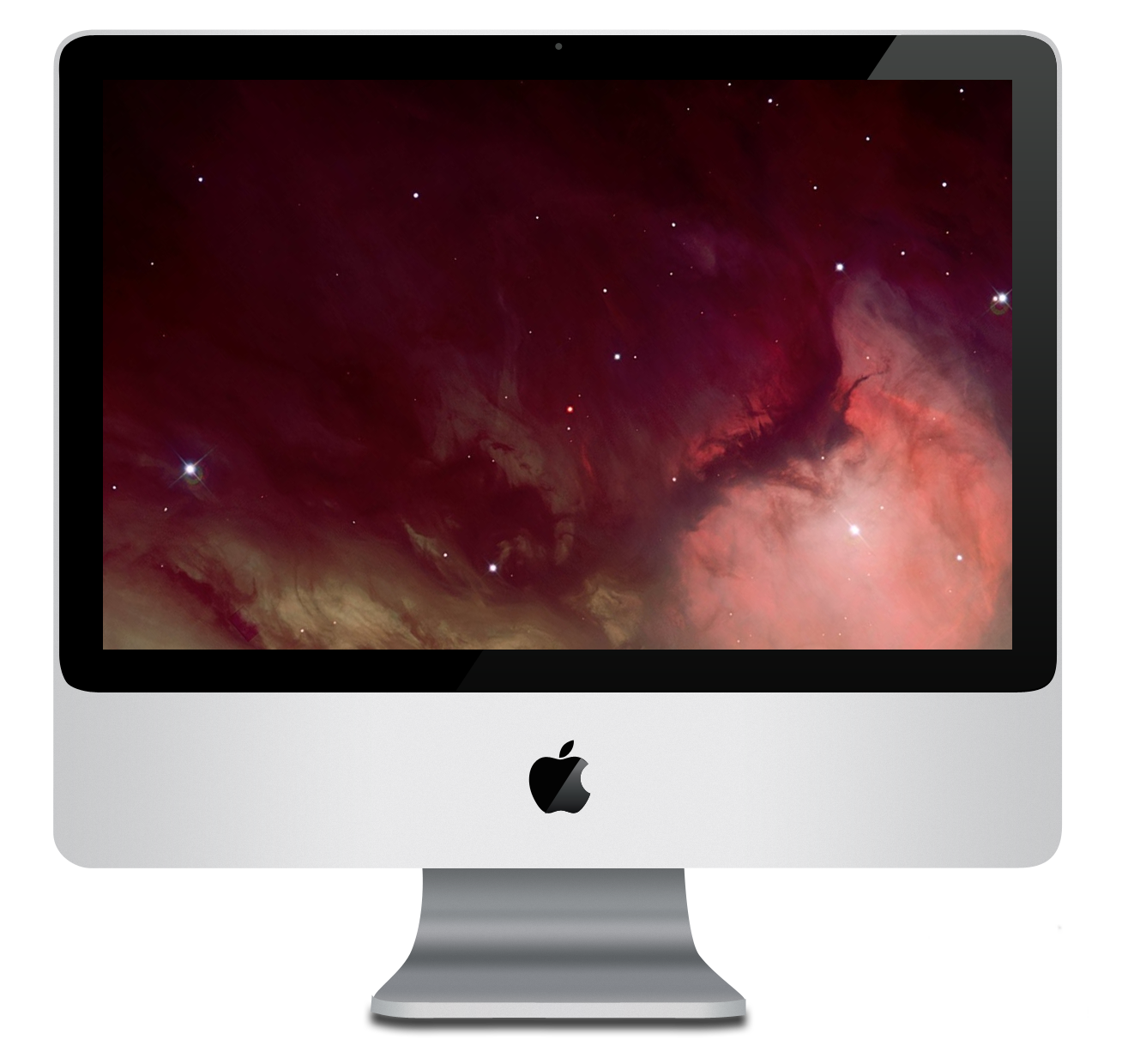
In August 2007, Apple introduced a complete redesign of the iMac, featuring an aluminum, glass and plastic enclosure. It has a black, plastic backplate that is not user-removable. The 17-inch model was completely removed from the lineup, and it was available only in 20-inch and 24-inch models. The 24-inch model's display has better contrast and color conformity over a wide range of viewing angles. There is only one visible screw on the entire computer, located at the base of the iMac for accessing the memory slots. A plastic model from the previous generation remained as an option for education buyers.
In March 2009, Apple released a minor refresh of the iMac line. Changes included a fourth USB port, replacement of two FireWire 400 ports with one FireWire 800 port, replacement of mini-DVI with Mini DisplayPort, and a slightly redesigned base which is vertically thinner. Otherwise, the exterior design is almost identical to the 2007 and 2008 models. The models were one 20-inch configuration and three 24-inch configurations (instead of two at each screen size as before).
Apple doubled the default RAM and hard-disk size on all models, moving the RAM to the DDR3 specification. This revision also introduced a new, smaller, and more compact Apple Keyboard that excluded the numeric keypad and forward delete key in favor of the fn + Delete keyboard shortcut by default. Users could, however, replace this version with a more traditional, full-size model with a numeric keypad by requesting Apple to build their machine to order through its online store.
Specifications of Aluminum iMacs
| Model | Mid 2007 | Early 2008 | Early 2009 | Mid 2009 (education only) | Component / processor model | Merom Intel Core 2 Duo | Penryn Intel Core 2 Duo | Released | Discontinued | Model number | url=http://support.apple.com/kb/ht1758 | title=How to identify iMac models | access-date=October 23, 2014 | archive-date=October 28, 2014 | archive-url=https://web.archive.org/web/20141028144719/http://support.apple.com/kb/ht1758 | url-status=dead}} | title=How to identify your iMac | publisher=Apple Inc. | url=http://support.apple.com/kb/HT1463 | access-date=September 28, 2010 | archive-date=August 2, 2010 | archive-url=https://web.archive.org/web/20100802102715/http://support.apple.com/kb/HT1463 | url-status=dead}} | MSRP (USD) | Enclosure | Display | Processor | System bus | Memory | Video card | Storage / Hard drive | Optical drive | Connectivity | Camera | Video out | Peripherals | Weight | Minimum operating system | Maximum operating system |
|---|---|---|---|---|---|---|---|---|---|---|---|---|---|---|---|---|---|---|---|---|---|---|---|---|---|---|---|---|---|---|---|---|---|---|---|---|---|---|---|
| August 7, 2007 | April 28, 2008 | March 3, 2009 | April 7, 2009 | url=https://everymac.com/systems/apple/imac/specs/imac-core-2-duo-2.26-20-inch-aluminum-mid-2009-education-specs.html | title=iMac 20-Inch "Core 2 Duo" 2.26 (Mid-2009) Specs (Mid-2009 (Edu), MC015LL/B*, iMac9,1, A1224, 2316): EveryMac.com | publisher=EveryMac.com | access-date=August 8, 2021 | archive-date=August 13, 2021 | archive-url=https://web.archive.org/web/20210813235705/https://everymac.com/systems/apple/imac/specs/imac-core-2-duo-2.26-20-inch-aluminum-mid-2009-education-specs.html | url-status=live}} | May 3, 2011 | ||||||||||||||||||||||||||||
| April 28, 2008 | March 3, 2009 | October 20, 2009 | March 4, 2010 | May 3, 2011 | March 7, 2012 | ||||||||||||||||||||||||||||||||||
| A1224 | A1225 | A1224 | A1225 | A1224 | A1225 | A1224 | |||||||||||||||||||||||||||||||||
| iMac7,1 | iMac8,1 | iMac9,1 | |||||||||||||||||||||||||||||||||||||
| MA876 | MA877 | MA878 | MB323 | MB324 | MB325 | MB398 | MB417 | MB418 (256 MB/640 GB/2.66 GHz) | |||||||||||||||||||||||||||||||
| MB419 (256 MB/640 GB/2.93 GHz) | |||||||||||||||||||||||||||||||||||||||
| MB420 (512 MB/1 TB/3.06 GHz) | MC015/A | MC015/B | MC015/C | ||||||||||||||||||||||||||||||||||||
| $1199 | $1499 | $1799 | $1199 | $1499 | $1799 | $2199 | $1199 | $1499 | $899 | ||||||||||||||||||||||||||||||
| Aluminum, glass and plastic | |||||||||||||||||||||||||||||||||||||||
| 20-inch 1680 × 1050 | 24-inch 1920 × 1200 IPS | 20-inch 1680 × 1050 | 24-inch 1920 × 1200 IPS | 20-inch 1680 × 1050 | 24-inch 1920 × 1200 IPS | 20-inch 1680 × 1050 | |||||||||||||||||||||||||||||||||
| Glossy glass-covered widescreen 16:10 | |||||||||||||||||||||||||||||||||||||||
| 2.0 GHz (T7300 Merom) Intel Core 2 Duo | |||||||||||||||||||||||||||||||||||||||
| 4 MB L2 cache | 2.4 GHz (T7700 Merom) Intel Core 2 Duo | 2.4 GHz (T7700 Merom) Intel Core 2 Duo | 2.4 GHz (E8135 Penryn) Intel Core 2 Duo | ||||||||||||||||||||||||||||||||||||
| 6 MB L2 cache | 2.66 GHz (E8335 Penryn) Intel Core 2 Duo | 2.8 GHz (E8235 Penryn) Intel Core 2 Duo | |||||||||||||||||||||||||||||||||||||
| 6 MB L2 cache | 3.06 GHz (E8435 Penryn) Intel Core 2 Duo | 2.66 GHz (E8135 Penryn) Intel Core 2 Duo | |||||||||||||||||||||||||||||||||||||
| 6 MB L2 cache | 2.66 GHz (E8135 Penryn) Intel Core 2 Duo or 2.93 GHz (E8335 Penryn) Intel Core 2 Duo | ||||||||||||||||||||||||||||||||||||||
| 6 MB L2 cache | 2.0 GHz (P7350 Penryn) Intel Core 2 Duo | ||||||||||||||||||||||||||||||||||||||
| 3 MB L2 cache | 2.26 GHz (P7550 Penryn) Intel Core 2 Duo | ||||||||||||||||||||||||||||||||||||||
| 3 MB L2 cache | |||||||||||||||||||||||||||||||||||||||
| 800 MHz front-side bus | 1066 MHz front-side bus | ||||||||||||||||||||||||||||||||||||||
| 1 GB (2× 512 MB) or 2 GB (2× 1 GB) | |||||||||||||||||||||||||||||||||||||||
| 1 GB (2× 512 MB) | |||||||||||||||||||||||||||||||||||||||
| 2 GB (2× 1 GB) | |||||||||||||||||||||||||||||||||||||||
| 2 GB (2× 1 GB) or 4 GB (2× 2 GB) | |||||||||||||||||||||||||||||||||||||||
| 1 GB (1× 1 GB) | |||||||||||||||||||||||||||||||||||||||
| 2 GB (2× 1 GB) | |||||||||||||||||||||||||||||||||||||||
| SO-DIMM DDR2 SDRAM-667 MHz | SO-DIMM DDR2 SDRAM-800 MHz | SO-DIMM DDR3 SDRAM-1066 MHz | |||||||||||||||||||||||||||||||||||||
| ATI Radeon HD 2400 XT with 128 MB GDDR3 SDRAM | ATI Radeon HD 2600 PRO with 256 MB GDDR3 SDRAM | ATI Radeon HD 2400 XT with 128 MB GDDR3 SDRAM | ATI Radeon HD 2600 PRO with 256 MB GDDR3 SDRAM | Nvidia GeForce 8800 GS with 512 MB GDDR3 SDRAM | Nvidia GeForce 9400M with 256 MB shared memory | Nvidia GeForce 9400M with 256 MB shared memory or Nvidia GeForce GT 120 with 256 MB GDDR3 SDRAM | Nvidia GeForce 9400M with 256 MB shared memory | ||||||||||||||||||||||||||||||||
| colspan=3 | colspan=2 | colspan=3 | |||||||||||||||||||||||||||||||||||||
| 250 GB | |||||||||||||||||||||||||||||||||||||||
| 320 GB | |||||||||||||||||||||||||||||||||||||||
| 250 GB | |||||||||||||||||||||||||||||||||||||||
| 320 GB | |||||||||||||||||||||||||||||||||||||||
| 500 GB | |||||||||||||||||||||||||||||||||||||||
| 320 GB | |||||||||||||||||||||||||||||||||||||||
| 640 GB | |||||||||||||||||||||||||||||||||||||||
| 160 GB | |||||||||||||||||||||||||||||||||||||||
| Serial ATA 7200 rpm | |||||||||||||||||||||||||||||||||||||||
| 8× double-layer SuperDrive (DVD±R DL, DVD±RW, CD-RW) | |||||||||||||||||||||||||||||||||||||||
| Internal AirPort Extreme 802.11a/b/g/n (draft-n enabled) | |||||||||||||||||||||||||||||||||||||||
| Gigabit Ethernet | |||||||||||||||||||||||||||||||||||||||
| Apple Remote infrared receiver | |||||||||||||||||||||||||||||||||||||||
| Bluetooth 2.0 + EDR | Internal AirPort Extreme (802.11n) 802.11a/b/g/n (draft-n enabled) | ||||||||||||||||||||||||||||||||||||||
| Gigabit Ethernet | |||||||||||||||||||||||||||||||||||||||
| Apple Remote infrared receiver | |||||||||||||||||||||||||||||||||||||||
| Bluetooth 2.1 + EDR | Internal AirPort Extreme (802.11n) 802.11a/b/g/n (draft-n enabled) | ||||||||||||||||||||||||||||||||||||||
| Gigabit Ethernet | |||||||||||||||||||||||||||||||||||||||
| iSight camera (640 × 480, 0.3 MP) | |||||||||||||||||||||||||||||||||||||||
| Mini-DVI | Mini DisplayPort | ||||||||||||||||||||||||||||||||||||||
| 3× USB 2.0 | |||||||||||||||||||||||||||||||||||||||
| 1× FireWire 400 | |||||||||||||||||||||||||||||||||||||||
| 1× FireWire 800 | |||||||||||||||||||||||||||||||||||||||
| Headphone/digital audio output | |||||||||||||||||||||||||||||||||||||||
| Audio line-in/digital audio input | 4× USB 2.0 | ||||||||||||||||||||||||||||||||||||||
| 1× FireWire 800 | |||||||||||||||||||||||||||||||||||||||
| Headphone/digital audio output | |||||||||||||||||||||||||||||||||||||||
| Audio line-in/digital audio input | |||||||||||||||||||||||||||||||||||||||
| 20 lb (9.1 kg) | 25.4 lb (11.5 kg) | 20 lb (9.1 kg) | 25.4 lb (11.5 kg) | 20 lb (9.1 kg) | 25.4 lb (11.5 kg) | 20 lb (9.1 kg) | |||||||||||||||||||||||||||||||||
| Mac OS X 10.4 Tiger | Mac OS X 10.5 Leopard | ||||||||||||||||||||||||||||||||||||||
| OS X 10.11 El Capitan if 2 GB RAM installed, otherwise Mac OS X 10.6 Snow Leopard | OS X 10.11 El Capitan | OS X 10.11 El Capitan if 2 GB RAM installed, otherwise Mac OS X 10.6 Snow Leopard | OS X 10.11 El Capitan | ||||||||||||||||||||||||||||||||||||
| Unofficially, macOS 15 Sequoia can be installed with OpenCore Legacy Patcher (OCLP); CPU upgrade required. | Unofficially, macOS 15 Sequoia can be installed with OpenCore Legacy Patcher (OCLP). |
Unibody (2009–2011)

In October 2009, a 16:9 aspect ratio screen was introduced in 21.5" and 27" models, replacing the 20" and 24" 16:10 aspect ratio screens of the previous aluminum models (a 24" iMac was brought back in 2021, albeit with a different aspect ratio). The back is made of aluminum instead of plastic, and is a continuation of the aluminum body from the front and sides. Video card options entirely switched to AMD, except for the standard onboard Nvidia card in the base smaller model. The iMac's processor selection saw a significant increase.
The Intel i-series chips are introduced to Mac for the first time on the higher-spec 27-inch models.
Default RAM has also been increased across the iMac range. With the advent of the larger screens, Apple doubled the number of memory slots from two to four. Consequently, the maximum memory capacity was also doubled (to 16 GB), and for Intel Core i-series (27-inch), quadrupled, to 32 GB.
The 27-inch models of the line became the first to offer Target Display Mode, allowing the iMac to be used as an external display for another Mac computer when connected via Mini DisplayPort, a feature that was extended to the 21.5-inch models onwards with the introduction of Thunderbolt.
The Mid 2010 iMac 27" has AMD Radeon HD5650 and HD5750 graphic cards. Both cards cannot support the low-level Metal API, preventing this model from upgrading to Mojave and Catalina. AMD had developed a firmware upgrade that would allow both graphic cards to support Metal and Mid 2010 iMac to be upgraded to latest macOS, but Apple had refused to certify them.
The Late 2011 Unibody iMac is also the last model to include an internal SuperDrive.
Specifications of Unibody iMacs
| Model | Late 2009 | Mid 2010 | Mid 2011 | Late 2011 (education only) | Component / processor model | Wolfdale-3M Intel Core | Lynnfield Intel Core | Clarkdale Intel Core | Lynnfield Intel Core | Sandy Bridge Intel Core | Release date | Discontinued Date | Marketing model no. | Model number | Model identifier | MSRP (USD) | Enclosure | Display | Processor | System bus | Memory | Video card | Storage / Hard drive | Optical drive | Connectivity | Camera | Video out | Peripherals | Minimum operating system | Latest release operating system |
|---|---|---|---|---|---|---|---|---|---|---|---|---|---|---|---|---|---|---|---|---|---|---|---|---|---|---|---|---|---|---|
| October 20, 2009 | July 27, 2010 | May 3, 2011 | August 8, 2011 | |||||||||||||||||||||||||||
| July 27, 2010 | May 3, 2011 | October 23, 2012 | March 5, 2013 | |||||||||||||||||||||||||||
| MB950 | MC413 | MB952 | MB953 | MC508 | MC509 | MC510 | MC511 | MC309 | MC812 | MC813 | MC814 | MC978 | ||||||||||||||||||
| A1311 | A1312 | A1311 | A1312 | A1311 | A1312 | A1311 | ||||||||||||||||||||||||
| iMac10,1 | iMac11,1 | iMac11,2 | iMac11,3 | iMac12,1 | iMac12,2 | iMac12,1 | ||||||||||||||||||||||||
| $1199 | $1399 | $1699 | $1899 | $1199 | $1499 | $1699 | $1999 | $1199 | $1499 | $1699 | $1999 | $999 | ||||||||||||||||||
| Aluminum and glass | ||||||||||||||||||||||||||||||
| 21.5-inch 1920 × 1080 | 27-inch 2560 × 1440 | 21.5-inch 1920 × 1080 | 27-inch, 2560 × 1440 | 21.5-inch 1920 × 1080 | 27-inch 2560 × 1440 | 21.5-inch, 1920 × 1080 | ||||||||||||||||||||||||
| Glossy glass-covered widescreen 16:9, LED backlighting and IPS technology | ||||||||||||||||||||||||||||||
| 3.06 GHz (E7600 Wolfdale-3M) Intel Core 2 Duo | ||||||||||||||||||||||||||||||
| 3 MB L2 cache | 2.66 GHz 4-core (Turbo Boost up to 3.2 GHz) (750 Lynnfield) Intel Core i5 | |||||||||||||||||||||||||||||
| 8 MB L3 cache | 3.06 GHz 2-core (540 Clarkdale) Intel Core i3 | |||||||||||||||||||||||||||||
| 4 MB L3 cache | 3.2 GHz 2-Core (550 Clarkdale) Intel Core i3 | |||||||||||||||||||||||||||||
| 4 MB L3 cache | 2.8 GHz 4-core (Turbo Boost up to 3.33 GHz (760 Lynnfield) Intel Core i5 | |||||||||||||||||||||||||||||
| 8 MB L3 cache | 2.5 GHz 4-core (Turbo Boost up to 3.3 GHz) (2400S Sandy Bridge) Intel Core i5 | |||||||||||||||||||||||||||||
| 6 MB L3 cache | 2.7 GHz 4-core (Turbo Boost up to 3.7 GHz) | |||||||||||||||||||||||||||||
| (2500S Sandy Bridge) | ||||||||||||||||||||||||||||||
| Intel Core i5 | ||||||||||||||||||||||||||||||
| 6 MB L3 cache | 3.1 GHz 4-core (Turbo Boost up to 3.4 GHz (2400 Sandy Bridge) Intel Core i5 | |||||||||||||||||||||||||||||
| 6 MB L3 cache | 3.1 GHz 2-core | |||||||||||||||||||||||||||||
| (2100 Sandy Bridge) Intel Core i3 | ||||||||||||||||||||||||||||||
| 3 MB L3 cache | ||||||||||||||||||||||||||||||
| Front-side bus | Intel Direct Media Interface | |||||||||||||||||||||||||||||
| 1066 MHz | ||||||||||||||||||||||||||||||
| 2.5 GT/s | ||||||||||||||||||||||||||||||
| 4 GB (two 2 GB, two slots empty) | ||||||||||||||||||||||||||||||
| 4 GB (two 2 GB, two slots empty) | ||||||||||||||||||||||||||||||
| 2 GB (one 2 GB) | ||||||||||||||||||||||||||||||
| 1066 MHz | ||||||||||||||||||||||||||||||
| PC3-8500 DDR3 | ||||||||||||||||||||||||||||||
| SO-DIMM SDRAM | 1066 MHz | |||||||||||||||||||||||||||||
| PC3-8500 DDR3 | ||||||||||||||||||||||||||||||
| SO-DIMM SDRAM | 1333 MHz | |||||||||||||||||||||||||||||
| PC3-10600 DDR3 | ||||||||||||||||||||||||||||||
| SO-DIMM SDRAM | ||||||||||||||||||||||||||||||
| Nvidia GeForce 9400M with 256 MB shared memory | ATI Radeon HD 4670 with 256 MB GDDR3 SDRAM | ATI Radeon HD 4850 with 512 MB GDDR3 SDRAM | ATI Radeon HD 4670 with 256 MB GDDR3 SDRAM | ATI Radeon HD 5670 with 512 MB GDDR3 SDRAM | ATI Radeon HD 5750 with 1 GB GDDR5 SDRAM | AMD Radeon HD 6750M with 512 MB GDDR5 SDRAM | AMD Radeon HD 6770M with 512 MB GDDR5 SDRAM | AMD Radeon HD 6970M with 1 GB GDDR5 SDRAM | AMD Radeon HD 6750M with 256 MB GDDR5 SDRAM | |||||||||||||||||||||
| 500 GB | ||||||||||||||||||||||||||||||
| 1 TB | ||||||||||||||||||||||||||||||
| 500 GB | ||||||||||||||||||||||||||||||
| 1 TB | ||||||||||||||||||||||||||||||
| 1 TB | ||||||||||||||||||||||||||||||
| 500 GB | 1 TB | |||||||||||||||||||||||||||||
| 250 GB | ||||||||||||||||||||||||||||||
| Serial ATA 7200 rpm | ||||||||||||||||||||||||||||||
| 8× double-layer SuperDrive (DVD±R DL/DVD±RW/CD-RW) | ||||||||||||||||||||||||||||||
| Internal AirPort Extreme 802.11a/b/g/n | ||||||||||||||||||||||||||||||
| Gigabit Ethernet | ||||||||||||||||||||||||||||||
| Built-in infrared (IR) receiver for Apple Remote | ||||||||||||||||||||||||||||||
| Bluetooth 2.1 + EDR | Internal AirPort Extreme 802.11a/b/g/n | |||||||||||||||||||||||||||||
| Gigabit Ethernet | ||||||||||||||||||||||||||||||
| Built-in infrared (IR) receiver for Apple Remote | ||||||||||||||||||||||||||||||
| iSight camera (640 × 480, 0.3 MP) | FaceTime HD camera 720p (1280 × 720, 0.9 MP) | |||||||||||||||||||||||||||||
| Single Mini DisplayPort | ||||||||||||||||||||||||||||||
| Single Thunderbolt 1 (21.5-inch) | Single Mini DisplayPort | |||||||||||||||||||||||||||||
| 4× USB 2.0 | ||||||||||||||||||||||||||||||
| 1× FireWire 800 | ||||||||||||||||||||||||||||||
| SD card slot | ||||||||||||||||||||||||||||||
| Headphone/digital audio output | ||||||||||||||||||||||||||||||
| Audio line-in/digital audio input | 4× USB 2.0 | |||||||||||||||||||||||||||||
| 1× FireWire 800 | ||||||||||||||||||||||||||||||
| SDXC card slot | ||||||||||||||||||||||||||||||
| Headphone/digital audio output | ||||||||||||||||||||||||||||||
| Audio line-in/digital audio input | 4× USB 2.0 | |||||||||||||||||||||||||||||
| 1× FireWire 800 | ||||||||||||||||||||||||||||||
| SDXC card slot | ||||||||||||||||||||||||||||||
| Headphone/digital audio output | ||||||||||||||||||||||||||||||
| Audio line-in/digital audio input | ||||||||||||||||||||||||||||||
| 1x Thunderbolt port | ||||||||||||||||||||||||||||||
| 2x Thunderbolt ports | 4× USB 2.0 | |||||||||||||||||||||||||||||
| 1× FireWire 800 | ||||||||||||||||||||||||||||||
| SDXC card slot | ||||||||||||||||||||||||||||||
| Headphone/digital audio output | ||||||||||||||||||||||||||||||
| Audio line-in/digital audio input | ||||||||||||||||||||||||||||||
| 20.5 lb (9.3 kg) | 30.5 lb (13.8 kg) | 20.5 lb (9.3 kg) | 30.5 lb (13.8 kg) | 20.5 lb (9.3 kg) | 30.5 lb (13.8 kg) | 20.5 lb (9.3 kg) | ||||||||||||||||||||||||
| Mac OS X 10.6 Snow Leopard | ||||||||||||||||||||||||||||||
| macOS 10.13 High Sierra | ||||||||||||||||||||||||||||||
| Unofficially, macOS 15 Sequoia can be installed with OpenCore Legacy Patcher (OCLP). |
Slim Unibody (2012–2017)
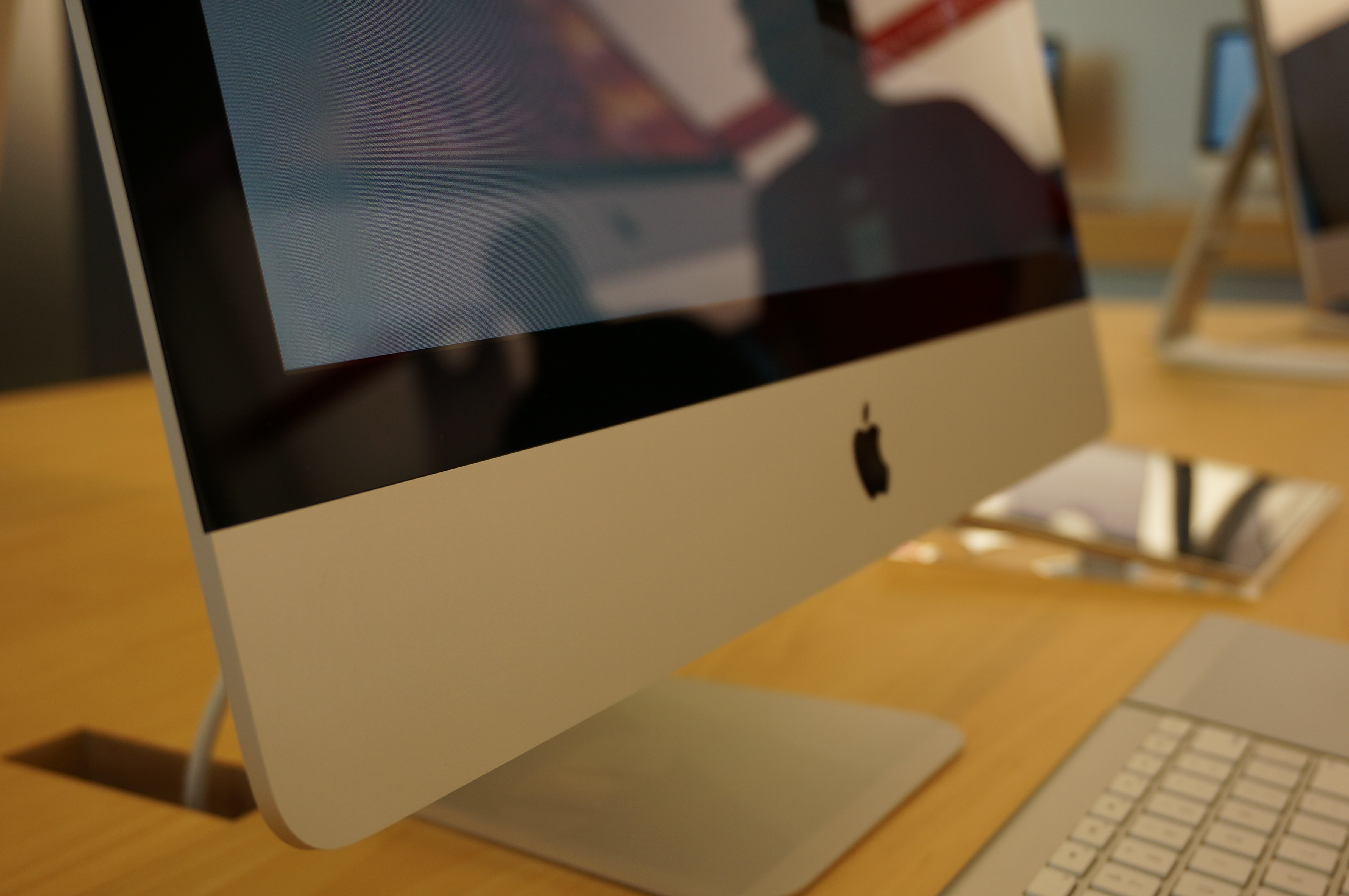
In October 2012, a new iMac model was introduced that featured a smaller body depth than the previous models, measuring 5 mm at its thinnest point, and without an internal SuperDrive. This was partly achieved by using a process called Full Lamination. The display and glass are laminated together, eliminating a 2 mm gap between them. The 21.5-in and 27-inch screens remained at their previous resolutions, 1920 × 1080 and 2560 × 1440 respectively.
As with the 2009 model, memory has been upgraded; the standard specification is now 8 GB, with the 21.5-in model supporting up to 16 GB and the 27-inch model supporting up to 32 GB. It was reported that the 21.5 in iMac would have non-replaceable soldered memory similar to the MacBook Air and Retina display MacBook Pro though tear-downs show that it uses removable memory but accessing the modules requires ungluing the screen and removing the motherboard. The 27-inch version features an access port to upgrade memory without disassembling the display. Apple also upgraded the computers' processors, using Intel's Ivy Bridge microarchitecture-based Core i5 and Core i7 microprocessors.
Video cards are now Nvidia as standard. USB 3.0 ports were included for the first time. The 2012 iMac also features the option of a Fusion Drive which combines an SSD and a conventional HDD to create more efficient and faster storage. Apple also removed the built-in optical drive starting with the 2012 model.
On March 5, 2013, Apple quietly announced an education-only version of the iMac, with less powerful specs for a cheaper price. It included a 3.3 GHz dual-core Intel Core i3 processor, 4 GB memory, a 500 GB hard drive and Intel HD Graphics 4000, retailing for US$1,099, $200 cheaper than the base-level consumer iMac.
On September 24, 2013, the 2012 iMac model was updated with 4th-generation Intel Haswell processors and Nvidia 7xx series GPU, promising up to 1.4× improvements in performance. It also has 802.11ac Wi-Fi, which is capable of reaching speeds up to 1300 Mbit/s and PCIe-based flash storage, offering up to 1.5× the performance of previous Ivy Bridge unibody iMacs. This applies to both the Fusion Drive and pure-SSD options. These became the last iMacs to offer Target Display Mode, as the Retina line introduced the following year are incompatible with the feature due to resolution differences.
At WWDC on June 5, 2017, a refreshed model was added with Kaby Lake processors and Bluetooth 4.2 support. Apple retailed the 21.5-inch model until October 29, 2021. It was sold in a single stock configuration priced at $1,099 with a 2.3 GHz dual-core 7th-generation Intel Core i5 processor. The machine was heavily criticized (more so towards the end of its production) for its lagging specifications, outdated design, and comparatively high price. The machine, however, was said to be popular among education shoppers. It was the last Mac to have a Fusion Drive (albeit as an option), and after having them for 36 years, the last Mac to have a traditional hard drive. It was also the last Apple product not to have a Retina display.
Specifications of Slim Unibody iMacs
| Obsolete | Vintage | Discontinued |
|---|
| Model name | Late 2012 | Early 2013 (education only) | Late 2013 | Mid 2014 | Late 2015 | 2017 | Component / processor model | Ivy Bridge Intel Core | Haswell Intel Core | Broadwell Intel Core | Kaby Lake Intel Core | Timetable | Released | Discontinued | Model numbers | Model | Model identifier | Apple Order number | MSRP | Enclosure | Display | Performance | Processor | System bus | Memory | Video card | Storage / Hard drive | Connectivity | Camera | Video out | Peripherals | Weight | Operating system | Minimum | Latest release |
|---|---|---|---|---|---|---|---|---|---|---|---|---|---|---|---|---|---|---|---|---|---|---|---|---|---|---|---|---|---|---|---|---|---|---|---|
| November 30, 2012 | January 2013 | March 5, 2013 | September 24, 2013 | June 18, 2014 | October 13, 2015 | June 5, 2017 | |||||||||||||||||||||||||||||
| September 24, 2013 | June 18, 2014 | October 13, 2015 | June 5, 2017 | October 29, 2021 | |||||||||||||||||||||||||||||||
| A1418 | A1419 | A1418 | A1419 | A1418 | |||||||||||||||||||||||||||||||
| iMac13,1 | iMac13,2 | iMac13,1 | iMac14,1 | iMac14,3 | iMac14,2 | iMac14,4 | iMac16,1 | iMac18,1 | |||||||||||||||||||||||||||
| MD093 | MD094 | MD095 | MD096 | MD699 | ME086 | ME087 | ME088 | ME089 | MF883, MG022 | MK142 | MK442 | MMQA2, MHK03 | |||||||||||||||||||||||
| $1299 | $1499 | $1799 | $1999 | $1099 | $1299 | $1499 | $1799 | $1999 | $1099 | $1099 | $1299 | $1099 | |||||||||||||||||||||||
| Aluminum and glass | |||||||||||||||||||||||||||||||||||
| 21.5-inch 1920 × 1080 | 27-inch 2560 × 1440 | 21.5-inch 1920 × 1080 | 27-inch 2560 × 1440 | 21.5-inch 1920 × 1080 | |||||||||||||||||||||||||||||||
| Glossy glass-covered widescreen 16:9, LED backlighting and IPS technology | |||||||||||||||||||||||||||||||||||
| 2.7 GHz 4-core | |||||||||||||||||||||||||||||||||||
| (Turbo Boost up to 3.2 GHz) | |||||||||||||||||||||||||||||||||||
| (3330S Ivy Bridge) Intel Core i5 | 2.9 GHz 4-core | ||||||||||||||||||||||||||||||||||
| (Turbo Boost up to 3.6 GHz) (3470S Ivy Bridge) Intel Core i5 | |||||||||||||||||||||||||||||||||||
| 2.9 GHz 4-core | |||||||||||||||||||||||||||||||||||
| (Turbo Boost up to 3.6 GHz) (3470S Ivy Bridge) Intel Core i5 | 3.2 GHz 4-core (Turbo Boost up to 3.6 GHz) | ||||||||||||||||||||||||||||||||||
| (3470 Ivy Bridge) Intel Core i5 | |||||||||||||||||||||||||||||||||||
| 3.3 GHz 2-core (3225 Ivy Bridge) Intel Core i3 | 2.7 GHz 4-core (Turbo Boost up to 3.2 GHz) | ||||||||||||||||||||||||||||||||||
| (4570R Haswell) Intel Core i5 | 2.9 GHz 4-core (Turbo Boost up to 3.6 GHz (4570S Haswell) Intel Core i5 | ||||||||||||||||||||||||||||||||||
| 3.2 GHz 4-core (Turbo Boost up to 3.6 GHz (4570 Haswell) Intel Core i5 | 3.4 GHz 4-core (Turbo Boost up to 3.8 GHz (4670 Haswell) Intel Core i5 | 1.4 GHz 2-core (Turbo Boost up to 2.7 GHz (4260U Haswell) Intel Core i5 | 1.6 GHz 2-core (Turbo Boost up to 2.7 GHz (5250U Broadwell) Intel Core i5 | 2.8 GHz 4-core (Turbo Boost up to 3.3 GHz) | |||||||||||||||||||||||||||||||
| (5575R Broadwell) Intel Core i5 | 2.3 GHz 2-core (Turbo Boost up to 3.6 GHz) | ||||||||||||||||||||||||||||||||||
| (7360U Kaby Lake) Intel Core i5 | |||||||||||||||||||||||||||||||||||
| 6 MB L3 cache | 3 MB L3 cache | 4 MB L3 cache | 6 MB L3 cache | 3 MB shared L3 cache | 4 MB shared L3 cache | 4 MB shared L3 cache and 64 MB L4 cache | |||||||||||||||||||||||||||||
| Intel Direct Media Interface 5 GT/s | |||||||||||||||||||||||||||||||||||
| 8 GB (2× 4 GB, non-user-accessible AASP Installable Slot) | |||||||||||||||||||||||||||||||||||
| 8 GB (2× 4 GB, 2× empty slot) | |||||||||||||||||||||||||||||||||||
| 4 GB (two 2 GB, non-user-accessible AASP Installable Slot) | |||||||||||||||||||||||||||||||||||
| 8 GB (two 4 GB, non-user-accessible AASP Installable Slot) | |||||||||||||||||||||||||||||||||||
| 8 GB (2× 4 GB, 2× empty slot) | |||||||||||||||||||||||||||||||||||
| 8 GB (soldered on-board) | 8 GB (soldered on-board) | ||||||||||||||||||||||||||||||||||
| 8 GB (two 4 GB, non-user-accessible AASP Installable Slot) | |||||||||||||||||||||||||||||||||||
| 1600 MHz PC3-12800 DDR3 SO-DIMM SDRAM | 1600 MHz PC3-12800 LPDDR3 SDRAM (soldered on-board) | 1867 MHz PC3-14900 LPDDR3 SDRAM (soldered on-board) | 2133 MHz DDR4 | ||||||||||||||||||||||||||||||||
| Nvidia GeForce GT 640M with 512 MB GDDR5 SDRAM | Nvidia GeForce GT 650M with 512 MB GDDR5 SDRAM | Nvidia GeForce GTX 660M with 512 MB GDDR5 SDRAM | Nvidia GeForce GTX 675MX with 1 GB GDDR5 SDRAM | ||||||||||||||||||||||||||||||||
| Intel HD Graphics 4000 | Intel Iris Pro Graphics 5200 | Nvidia GeForce GT 750M with 1 GB GDDR5 SDRAM | Nvidia GeForce GT 755M with 1 GB GDDR5 SDRAM | Nvidia GeForce GTX 775M with 2 GB GDDR5 SDRAM | |||||||||||||||||||||||||||||||
| Intel HD Graphics 5000 | Intel HD Graphics 6000 | Intel Iris Pro Graphics 6200 | Intel Iris Plus Graphics 640 | ||||||||||||||||||||||||||||||||
| 1 TB | |||||||||||||||||||||||||||||||||||
| 1 TB | |||||||||||||||||||||||||||||||||||
| 500 GB | 1 TB | ||||||||||||||||||||||||||||||||||
| 1 TB | |||||||||||||||||||||||||||||||||||
| 500 GB | |||||||||||||||||||||||||||||||||||
| 1 TB | |||||||||||||||||||||||||||||||||||
| 1 TB | |||||||||||||||||||||||||||||||||||
| 256 GB SSD | |||||||||||||||||||||||||||||||||||
| Serial ATA 5400 rpm and Mini-SATA III (6 Gbit/s) for SSD | Serial ATA 7200 rpm and Mini-SATA III (6 Gbit/s) for SSD | Serial ATA 5400 rpm | Serial ATA 5400 rpm and PCIe 2.0 ×2 5.0 GT/s (8 Gbit/s) for SSD | Serial ATA 7200 rpm and PCIe 2.0 ×2 5.0 GT/s (8 Gbit/s) for SSD | Serial ATA 5400 rpm and PCI-e for SSD | ||||||||||||||||||||||||||||||
| Internal AirPort Extreme 802.11a/b/g/n | |||||||||||||||||||||||||||||||||||
| Gigabit Ethernet | |||||||||||||||||||||||||||||||||||
| Bluetooth 4.0 | Internal AirPort Extreme 802.11a/b/g/n/ac | ||||||||||||||||||||||||||||||||||
| Gigabit Ethernet | |||||||||||||||||||||||||||||||||||
| Bluetooth 4.0 | Internal AirPort Extreme 802.11a/b/g/n/ac | ||||||||||||||||||||||||||||||||||
| Gigabit Ethernet | |||||||||||||||||||||||||||||||||||
| Bluetooth 4.2 | |||||||||||||||||||||||||||||||||||
| FaceTime HD camera 720p (1280 × 720, 0.9 MP) | |||||||||||||||||||||||||||||||||||
| Dual Thunderbolt 1; up to two 2560 x 1440 displays | Dual Thunderbolt 2; up to two 3840 x 2160 (4K) displays | Dual Thunderbolt 2; up to two 4096 x 2304 (4K UHD) displays | Dual Thunderbolt 3; up to two 4096 x 2304 (4K UHD) displays or one 5120 x 2880 (5K) dual-cable display | ||||||||||||||||||||||||||||||||
| 4× USB 3.0 | |||||||||||||||||||||||||||||||||||
| SDXC card slot | |||||||||||||||||||||||||||||||||||
| Headphone/digital audio output | |||||||||||||||||||||||||||||||||||
| Kensington Lock Slot | |||||||||||||||||||||||||||||||||||
| 2× Thunderbolt ports | |||||||||||||||||||||||||||||||||||
| 2x Thunderbolt 2 | |||||||||||||||||||||||||||||||||||
| 2x Thunderbolt 3 | |||||||||||||||||||||||||||||||||||
| 12.5 lbs (5.68 kg) | 21 lbs (9.54 kg) | 12.5 lbs (5.68 kg) | 21 lbs (9.54 kg) | 12.5 lbs (5.68 kg) | |||||||||||||||||||||||||||||||
| OS X 10.8 Mountain Lion | OS X 10.9 Mavericks | OS X 10.11 El Capitan | macOS 10.12 Sierra | ||||||||||||||||||||||||||||||||
| macOS 10.15 Catalina | macOS 11 Big Sur | macOS 12 Monterey | macOS 13 Ventura | ||||||||||||||||||||||||||||||||
| Unofficially, macOS 15 Sequoia can be installed with OpenCore Legacy Patcher (OCLP). |
Retina (2014–2020)

A Retina Display "5K" model with a resolution of 5120 × 2880 was introduced alongside the previous year's models during a keynote on October 16, 2014. This 27-inch model was given faster Haswell processors and its two Thunderbolt ports were updated to Thunderbolt 2. Secondary storage was also upgraded to a 1TB Fusion drive as standard and video options changed over to AMD Radeon R9 M290X and M295X.
In May 2015, a separate, affordable, budget counterpart of the 5K 27-inch iMac was announced with lower specifications. That same day the Late 2013 iMac lineup was completely discontinued. Later that year, a 21.5-inch "4K" model with a resolution of 4096 × 2304 was released on October 13, 2015, with older Broadwell processors, as the 27-inch counterparts were upgraded that day directly to Skylake ones. The new rechargeable and wireless peripherals were also introduced that day.
In 2017, both 21.5 and 27-inch iMacs were refreshed with Kaby Lake processors, DDR4 memories and upgraded AMD graphics with doubled or more graphic memories, Thunderbolt 3 (USB-C) ports, and Bluetooth 4.2. They were refreshed again in 2019 with Coffee Lake processors, including an 8-core build-to-order option, faster memory, and upgraded graphics including AMD Vega graphics as top of line build-to-order options.
On August 4, 2020, Apple refreshed the 27-inch 5K iMac with Comet Lake processors, AMD RDNA architecture GPUs, the T2 security chip, a 1080p FaceTime camera, Bluetooth 5, improved speakers and microphones, and solid state drives (SSD) standard. 10 Gigabit Ethernet and nano-etched glass, similar to the Pro Display XDR, were available as upgrade options. All models include non-replaceable, soldered SSDs, while models upgraded to 4 TB and 8 TB include an expansion bay for a second SSD. It was the last Mac with an Intel processor introduced by Apple, as well as the only Intel Mac introduced after the announcement of the Mac transition to Apple silicon.
The 2019 21.5-inch models remained available but received a minor configuration change with SSDs standard, with higher-capacity Fusion Drives as a free build-to-order option, while hard disk drives were no longer available. The 2020 refresh marked the end of hard disk drives in standard configuration Macs, having been available in Macs since the Macintosh XL in 1985, as the 21.5-inch iMac was the only Mac still sold with them. In March 2021, Apple silently removed the 512 GB and 1 TB SSD configurations for the 21.5-inch iMac.
The 21.5 inch iMac with 4K Retina Display was discontinued on April 20, 2021, after the announcement of the first Apple silicon-based iMac. The 27-inch model was discontinued on March 8, 2022, after the announcement of the Mac Studio and 27-inch Apple Studio Display, and marked the end of Intel-based iMac models, and the return of the iMac to a single sized model since the introduction of 17" inch iMac G4 in 2002.
Specifications of Retina iMacs
| Obsolete | Vintage | Discontinued |
|---|
| Model | Late 2014 | Mid 2015 | Late 2015 | 2017 | 2019 | 2019 | 2020 | Component / processor model | Haswell Intel Core | Broadwell Intel Core | Skylake Intel Core | Kaby Lake Intel Core | Coffee Lake Intel Core | Comet Lake Intel Core | Release date | Discontinued Date | Model number | Model identifier | Part number | MSRP (USD) | Display | Processor | System bus | Memory | Graphics | Storage / Hard drive | Security Chip | Connectivity | Camera | Video out | Peripherals | Weight | Minimum operating system | Latest release operating system |
|---|---|---|---|---|---|---|---|---|---|---|---|---|---|---|---|---|---|---|---|---|---|---|---|---|---|---|---|---|---|---|---|---|---|---|
| October 16, 2014 | May 19, 2015 | October 13, 2015 | June 5, 2017 | March 19, 2019 | August 4, 2020 | |||||||||||||||||||||||||||||
| October 13, 2015 | June 5, 2017 | March 19, 2019 | April 20, 2021 | August 4, 2020 | March 8, 2022 | |||||||||||||||||||||||||||||
| A1419 | A1418 | A1419 | A1418 | A1419 | A2116 | A2115 | A2115 | |||||||||||||||||||||||||||
| iMac15,1 | iMac16,2 | iMac17,1 | iMac18,2 | iMac18,3 | iMac19,2 | iMac19,1 | iMac20,1 | iMac20,1, iMac20,2 | ||||||||||||||||||||||||||
| MF886 | MF885 | MK452 | MK462 | MK472 | MK482 | MNDY2 | MNE02 | MNE92 | MNEA2 | MNED2 | MRT32, MHK23 | MRT42, MHK33 | MRQY2 | MRR02 | MRR12 | MXWT2 | MXWU2 | MXWV2 | ||||||||||||||||
| $2499 | $1999 | $1499 | $1799 | $1999 | $2299 | $1299 | $1499 | $1799 | $1799 | $2299 | $1299 | $1499 | $1799 | $1999 | $2299 | $1799 | $1999 | $2299 | ||||||||||||||||
| 27-inch 5120 × 2880 | 21.5-inch 4096 × 2304 | 27-inch 5120 × 2880 | 21.5-inch 4096 × 2304 | 27-inch 5120 × 2880 | 21.5-inch 4096 × 2304 | 27-inch 5120 × 2880 | ||||||||||||||||||||||||||||
| Glossy glass-covered widescreen 16:9, LED backlighting and IPS technology | Glossy glass-covered widescreen 16:9, LED backlighting and IPS technology with P3 color gamut | Glossy glass-covered widescreen 16:9, LED backlighting and IPS technology with P3 color gamut | ||||||||||||||||||||||||||||||||
| 500 nits brightness | Glossy glass-covered widescreen 16:9, LED backlighting, and IPS technology with P3 color gamut. 500 nits brightness, support for True Tone technology. | |||||||||||||||||||||||||||||||||
| 3.5 GHz 4-core (Turbo Boost up to 3.9 GHz (4690 Haswell) Intel Core i5 | ||||||||||||||||||||||||||||||||||
| 6 MB shared L3 cache | 3.3 GHz 4-core (Turbo Boost up to 3.7 GHz) (4590 Haswell) Intel Core i5 | |||||||||||||||||||||||||||||||||
| 6 MB shared L3 cache | 3.1 GHz 4-core (Turbo Boost up to 3.6 GHz (5675R Broadwell) Intel Core i5 | |||||||||||||||||||||||||||||||||
| 4 MB shared L3 cache and 128 MB L4 cache | 3.2 GHz 4-core (Turbo Boost up to 3.6 GHz) (6500 Skylake) Intel Core i5 | |||||||||||||||||||||||||||||||||
| 6 MB shared L3 cache | 3.3 GHz 4-core (Turbo Boost up to 3.9 GHz) (6600 Skylake) Intel Core i5 6 MB shared L3 cache | 3.0 GHz 4-core (Turbo Boost up to 3.5 GHz) (7400 Kaby Lake) Intel Core i5 | ||||||||||||||||||||||||||||||||
| 6 MB shared L3 cache | 3.4 GHz 4-core (Turbo Boost up to 3.8 GHz) (7500 Kaby Lake) Intel Core i5 | |||||||||||||||||||||||||||||||||
| 6 MB shared L3 cache | 3.5 GHz 4-core (Turbo Boost up to 4.1 GHz) (7600 Kaby Lake) Intel Core i5 | |||||||||||||||||||||||||||||||||
| 6 MB shared L3 cache | 3.8 GHz 4-core (Turbo Boost up to 4.2 GHz) (7600K Kaby Lake) Intel Core i5 | |||||||||||||||||||||||||||||||||
| 6 MB shared L3 cache | 3.6 GHz 4-core (8100 Coffee Lake) Intel Core i3 | |||||||||||||||||||||||||||||||||
| 6 MB shared L3 cache | 3.0 GHz 6-core (Turbo Boost up to 4.1 GHz) (8500 Coffee Lake) Intel Core i5 | |||||||||||||||||||||||||||||||||
| 9 MB shared L3 cache | 3.1 GHz 6-core (Turbo Boost up to 4.3 GHz) (8600 Coffee Lake) Intel Core i5 | |||||||||||||||||||||||||||||||||
| 9 MB shared L3 cache | 3.7 GHz 6-core (Turbo Boost up to 4.6 GHz) (9600K Coffee Lake) Intel Core i5 | |||||||||||||||||||||||||||||||||
| 9 MB shared L3 cache | 3.1 GHz 6-core (Turbo Boost up to 4.5 GHz) (10500 Comet Lake) Intel Core i5 | |||||||||||||||||||||||||||||||||
| 12 MB shared L3 cache | 3.3 GHz 6-core (Turbo Boost up to 4.8 GHz) (10600 Comet Lake) Intel Core i5 | |||||||||||||||||||||||||||||||||
| 12 MB shared L3 cache | 3.8 GHz 8-core (Turbo Boost up to 5.0 GHz) (10700K Comet Lake) Intel Core i7 | |||||||||||||||||||||||||||||||||
| 16 MB shared L3 cache | ||||||||||||||||||||||||||||||||||
| 8 MB shared L3 cache (i7 7700) | ||||||||||||||||||||||||||||||||||
| 8 MB shared L3 cache (i7 7700K) | Optional: 3.2 GHz 6-core (Turbo Boost up to 4.6 GHz) Coffee Lake Intel Core i7 12 MB Cache (i7 8700) | Optional: 3.6 GHz 8-core (Turbo Boost up to 5 GHz) Coffee Lake Intel Core i9-9900K w/ 16 MB Cache | Optional: 3.6 GHz 10-core (Turbo Boost up to 5 GHz) Comet Lake Intel Core i9-10910 w/20 MB Cache | |||||||||||||||||||||||||||||||
| Intel Direct Media Interface 2.0 | Intel Direct Media Interface 3.0 | |||||||||||||||||||||||||||||||||
| 8 GB (two 4 GB, two slots empty) | ||||||||||||||||||||||||||||||||||
| 8 GB (soldered on board) | ||||||||||||||||||||||||||||||||||
| 8 GB (two 4 GB, two slots empty) | ||||||||||||||||||||||||||||||||||
| 8 GB (two 4 GB), non-user-accessible AASP Installable Slot | ||||||||||||||||||||||||||||||||||
| 8 GB (two 4 GB), non-user-accessible AASP Installable Slot | ||||||||||||||||||||||||||||||||||
| 8 GB (two 4 GB, two slots empty) | ||||||||||||||||||||||||||||||||||
| 8 GB (two 4 GB, two slots empty) | ||||||||||||||||||||||||||||||||||
| 8 GB (two 4 GB), non-user-accessible AASP Installable Slot | ||||||||||||||||||||||||||||||||||
| 8 GB (two 4 GB, two slots empty) | ||||||||||||||||||||||||||||||||||
| 8 GB (two 4 GB, two slots empty) | ||||||||||||||||||||||||||||||||||
| 8 GB (two 4 GB, two slots empty) | ||||||||||||||||||||||||||||||||||
| 1600 MHz PC3-12800 DDR3 SO-DIMM SDRAM | 1867 MHz PC3-14900 LPDDR3 SDRAM (soldered on-board) | 1867 MHz PC3-14900 DDR3L SO-DIMM SDRAM | 2400 MHz PC4-19200 DDR4 SO-DIMM SDRAM | 2666 MHz PC4-21300 DDR4 SO-DIMM SDRAM | ||||||||||||||||||||||||||||||
| AMD Radeon R9 M290X with 2 GB GDDR5 SDRAM | ||||||||||||||||||||||||||||||||||
| 30-bit Deep Color | ||||||||||||||||||||||||||||||||||
| AMD Radeon R9 M290 with 2 GB GDDR5 SDRAM | ||||||||||||||||||||||||||||||||||
| 30-bit Deep Color | Intel Iris Pro Graphics 6200 | AMD Radeon R9 M380 with 2 GB GDDR5 SDRAM | ||||||||||||||||||||||||||||||||
| 30-bit Deep Color | AMD Radeon R9 M390 with 2 GB GDDR5 SDRAM | |||||||||||||||||||||||||||||||||
| 30-bit Deep Color | AMD Radeon R9 M395 with 2 GB GDDR5 SDRAM | |||||||||||||||||||||||||||||||||
| 30-bit Deep Color | ||||||||||||||||||||||||||||||||||
| Radeon Pro 555 with 2 GB GDDR5 SDRAM | Radeon Pro 560 with 4 GB GDDR5 SDRAM | Radeon Pro 570 with 4 GB GDDR5 SDRAM | Radeon Pro 575 with 4 GB GDDR5 SDRAM | Radeon Pro 580 with 8 GB GDDR5 SDRAM | Radeon Pro 555X with 2 GB GDDR5 SDRAM | Radeon Pro 560X with 4 GB GDDR5 SDRAM | Radeon Pro 570X with 4 GB GDDR5 SDRAM | Radeon Pro 575X with 4 GB GDDR5 SDRAM | Radeon Pro 580X with 8 GB GDDR5 SDRAM | Radeon Pro 5300 with 4 GB GDDR6 SDRAM | Radeon Pro 5500 XT with 8 GB GDDR6 SDRAM | |||||||||||||||||||||||
| 1 TB Fusion | ||||||||||||||||||||||||||||||||||
| 1 TB | ||||||||||||||||||||||||||||||||||
| 1 TB | ||||||||||||||||||||||||||||||||||
| 1 TB | ||||||||||||||||||||||||||||||||||
| 1 TB Fusion | ||||||||||||||||||||||||||||||||||
| 2 TB Fusion | ||||||||||||||||||||||||||||||||||
| 1 TB | ||||||||||||||||||||||||||||||||||
| 1 TB Fusion | ||||||||||||||||||||||||||||||||||
| 1 TB Fusion | ||||||||||||||||||||||||||||||||||
| 1 TB Fusion | ||||||||||||||||||||||||||||||||||
| 2 TB Fusion | ||||||||||||||||||||||||||||||||||
| 1 TB | ||||||||||||||||||||||||||||||||||
| After Aug 4, 2020: 256 GB SSD | ||||||||||||||||||||||||||||||||||
| After Mar 20, 2021: 256 GB SSD | 1 TB Fusion | |||||||||||||||||||||||||||||||||
| After Aug 4, 2020: 256 GB SSD | ||||||||||||||||||||||||||||||||||
| After Mar 20, 2021: 256 GB SSD | 1 TB Fusion | |||||||||||||||||||||||||||||||||
| 1 TB Fusion | ||||||||||||||||||||||||||||||||||
| 2 TB Fusion | ||||||||||||||||||||||||||||||||||
| 256 GB SSD | ||||||||||||||||||||||||||||||||||
| 512 GB SSD | ||||||||||||||||||||||||||||||||||
| 512 GB SSD | ||||||||||||||||||||||||||||||||||
| Serial ATA 7200 rpm and PCI-e for SSD | Serial ATA 5400 rpm and PCI-e for SSD | Serial ATA 7200 rpm and PCI-e for SSD | Serial ATA 5400 rpm | Serial ATA 5400 rpm and PCI-e for SSD | Serial ATA 7200 rpm and PCI-e for SSD | Serial ATA 5400 rpm and PCI-e for SSD | Serial ATA 7200 rpm and PCI-e for SSD | soldered on board | ||||||||||||||||||||||||||
| None | Apple T2 | |||||||||||||||||||||||||||||||||
| Internal AirPort Extreme 802.11a/b/g/n/ac | ||||||||||||||||||||||||||||||||||
| Gigabit Ethernet | ||||||||||||||||||||||||||||||||||
| Bluetooth 4.0 | Internal AirPort Extreme 802.11a/b/g/n/ac | |||||||||||||||||||||||||||||||||
| Gigabit Ethernet | ||||||||||||||||||||||||||||||||||
| Bluetooth 4.2 | Internal AirPort Extreme 802.11a/b/g/n/ac | |||||||||||||||||||||||||||||||||
| Gigabit Ethernet | ||||||||||||||||||||||||||||||||||
| Bluetooth 5.0 | ||||||||||||||||||||||||||||||||||
| 720p FaceTime HD camera | 1080p FaceTime HD camera | |||||||||||||||||||||||||||||||||
| Up to two 4096 x 2304 (4K UHD) displays or one 5120 x 2880 (5K) dual-cable display | Up to two 4096 x 2304 (4K UHD) displays or one 5120 x 2880 (5K) display | Up to two 4096 x 2304 (4K UHD) displays with support for millions of colors or one 6016 x 3384 (6K) display with support for 1 billion colors | In addition: | |||||||||||||||||||||||||||||||
| 4× USB 3.0 | ||||||||||||||||||||||||||||||||||
| SDXC card slot | ||||||||||||||||||||||||||||||||||
| Headphone/digital audio output | ||||||||||||||||||||||||||||||||||
| 2× Thunderbolt 2 ports | ||||||||||||||||||||||||||||||||||
| Kensington Lock Slot | 4× USB 3.0 | |||||||||||||||||||||||||||||||||
| SDXC card slot | ||||||||||||||||||||||||||||||||||
| Headphone audio output | ||||||||||||||||||||||||||||||||||
| 2× Thunderbolt 3 (USB-C 3.1 gen 2) ports | ||||||||||||||||||||||||||||||||||
| Kensington Lock Slot | 4× USB 3.0 | |||||||||||||||||||||||||||||||||
| SDXC card slot (UHS-II) | ||||||||||||||||||||||||||||||||||
| Headphone audio output | ||||||||||||||||||||||||||||||||||
| 2× Thunderbolt 3 (USB-C 3.1 gen 2) ports | ||||||||||||||||||||||||||||||||||
| Kensington Lock Slot | ||||||||||||||||||||||||||||||||||
| 21 lbs (9.54 kg) | 12 lbs (5.68 kg) | 21 lbs (9.54 kg) | 12 lbs (5.68 kg) | 21 lbs (9.54 kg) | 12 lbs (5.68 kg) | 21 lbs (9.54 kg) | 19.7 lbs (8.92 kg) | |||||||||||||||||||||||||||
| OS X 10.10 Yosemite | OS X 10.11 El Capitan | macOS 10.12 Sierra | macOS 10.14 Mojave | macOS 10.15 Catalina | ||||||||||||||||||||||||||||||
| macOS 11 Big Sur | macOS 12 Monterey | macOS 13 Ventura | macOS 15 Sequoia | macOS 26 Tahoe | ||||||||||||||||||||||||||||||
| Unofficially, macOS 15 Sequoia can be installed with OpenCore Legacy Patcher (OCLP). |
Supported operating systems
| Supported macOS releases | OS release | Polycarbonate | Aluminum | Unibody | Slim unibody | Retina | Early 2006 | Mid 2006 | Late 2006 | Mid 2007 | Early 2008 | Early 2009 | Late 2009 | Mid 2010 | Mid 2011 | Late 2012 | Late 2013 | Mid 2014 | Late 2014 | Mid 2015 | Late 2015 | 2017 | 2019 | 2020 | 10.4 Tiger | 10.5 Leopard | 10.6 Snow Leopard | 10.7 Lion | 10.8 Mountain Lion | 10.9 Mavericks | 10.10 Yosemite | 10.11 El Capitan | 10.12 Sierra | 10.13 High Sierra | 10.14 Mojave | 10.15 Catalina | 11 Big Sur | 12 Monterey | 13 Ventura | 14 Sonoma | 15 Sequoia | 26 Tahoe |
|---|---|---|---|---|---|---|---|---|---|---|---|---|---|---|---|---|---|---|---|---|---|---|---|---|---|---|---|---|---|---|---|---|---|---|---|---|---|---|---|---|---|---|
| text=10.4.7}} | ||||||||||||||||||||||||||||||||||||||||||
| text=Requires 1 GB RAM or more}} | ||||||||||||||||||||||||||||||||||||||||||
| patch, requires processor upgrade}} | text=Requires 2 GB RAM or more}} | |||||||||||||||||||||||||||||||||||||||||
| patch, requires processor upgrade}} | text=Requires 2 GB RAM or more}} | |||||||||||||||||||||||||||||||||||||||||
| patch, requires processor upgrade}} | text=Requires 2 GB RAM or more}} | |||||||||||||||||||||||||||||||||||||||||
| patch, requires processor upgrade, no graphics acceleration}} | patch, no graphics acceleration}} | text=Requires 2 GB RAM or more}} | ||||||||||||||||||||||||||||||||||||||||
| text=Requires 2 GB RAM or more}} | ||||||||||||||||||||||||||||||||||||||||||
| patch, requires processor upgrade}} | patch}} | |||||||||||||||||||||||||||||||||||||||||
| patch}} | ||||||||||||||||||||||||||||||||||||||||||
| patch}} | ||||||||||||||||||||||||||||||||||||||||||
| patch}} | ||||||||||||||||||||||||||||||||||||||||||
| patch}} | ||||||||||||||||||||||||||||||||||||||||||
| patch}} | ||||||||||||||||||||||||||||||||||||||||||
| patch}} | ||||||||||||||||||||||||||||||||||||||||||
| patch}} | ||||||||||||||||||||||||||||||||||||||||||
| patch (Photos app currently not functional with non-Metal graphics card)}} | patch}} |
| Supported Windows versions | OS release | Polycarbonate | Aluminum | Unibody | Slim unibody | Retina | Early 2006 | Mid 2006-Early 2009 | Late 2009 | Mid 2010 | Mid 2011 | Late 2012-Mid 2015 | Late 2015 | 2017–2020 | Windows XP |
|---|---|---|---|---|---|---|---|---|---|---|---|---|---|---|---|
| 32-bit | Windows Vista | ||||||||||||||
| 32-bit | Windows Vista | ||||||||||||||
| 64-bit | Windows 7 | ||||||||||||||
| 32-bit | Windows 7 | ||||||||||||||
| 64-bit | Windows 8 | ||||||||||||||
| Windows 8.1 | |||||||||||||||
| Windows 10 | |||||||||||||||
| Windows 11 |
Timeline of iMac models
Notes
References
https://www.nytimes.com/2009/12/03/technology/personaltech/03imac.htm
PCMag:
https://www.pcmag.com/reviews/apple-imac-215-inch-late-2012 https://www.pcmag.com/reviews/apple-imac-27-inch-intel-core-i5-4670 https://www.pcmag.com/reviews/apple-imac-27-inch-nvidia-geforce-gtx-675m https://www.pcmag.com/reviews/apple-imac-215-inch-2014 https://www.pcmag.com/reviews/apple-imac-27-inch-with-retina-5k-display https://www.pcmag.com/reviews/apple-imac-215-inch-with-4k-retina-display-2015 https://www.pcmag.com/reviews/apple-imac-27-inch-with-retina-5k-display-2015 https://www.pcmag.com/reviews/apple-imac-27-inch-with-5k-retina-display-2017 https://www.pcmag.com/reviews/apple-imac-215-inch-with-4k-retina-display-2017
https://www.pcmag.com/reviews/apple-imac-215-inch-2019 https://www.pcmag.com/reviews/apple-imac-27-inch-with-5k-retina-display-2019 https://www.pcmag.com/reviews/apple-imac-27-inch-2020
Verge: https://www.theverge.com/2012/11/30/3709120/apple-imac-mac-mini-review https://www.theverge.com/23808948/imac-twenty-five-visual-history-apple-design-models https://www.theverge.com/2014/10/27/7068363/apple-imac-with-retina-5k-display-review https://www.theverge.com/22981815/apple-mac-studio-m1-ultra-max-review https://www.theverge.com/2015/11/5/9670426/apple-imac-review-27-inch-5k-21-inch-4k-retina https://www.theverge.com/2011/10/23/2508758/apple-imac-review-mid-2011 https://www.theverge.com/2017/6/7/15751814/apple-imac-2017-first-look-review-specs-ram-4k-video-editing https://www.theverge.com/21356416/apple-imac-27-2020-review-price-specs-features https://www.theverge.com/2019/4/16/18311920/apple-imac-27-21-5-2019-review-specs-features-price https://www.theverge.com/22981744/apple-studio-display-5k-monitor-webcam-speakers-review https://www.theverge.com/2014/10/27/7078691/imac-retina-review https://www.theverge.com/2023/11/6/23947196/apple-no-27-inch-apple-silicon-imac https://www.theverge.com/2015/10/6/9464949/apple-imac-4k-21-inch-display https://www.theverge.com/2015/10/13/9512505/new-apple-imac-announced-specs-price-release-date-21-inch https://www.theverge.com/2015/5/19/8623803/apple-retina-imac-macbook-pro-updates https://www.theverge.com/2023/10/30/23934824/apple-big-imac-m3-scary-fast-event https://www.theverge.com/2015/10/13/9512503/apple-imac-update-27-inch-5k-price-release-date-specs https://www.theverge.com/2012/10/23/3543902/apple-imac-thin-5mm https://www.theverge.com/2012/10/23/3543952/apple-new-mac-13-inch-macbook-pro-retina-display-imac https://www.theverge.com/2012/11/30/3709120/apple-imac-mac-mini-review
Macworld Reviews: https://www.macworld.com/article/178446/intelfaq2006.html https://www.macworld.com/article/181264/smart_macs.html https://www.macworld.com/article/178516/imaclabtest1.html https://www.macworld.com/article/180227/julyfeedback-2.html https://www.macworld.com/article/181604/24inchimac.html https://www.macworld.com/article/180872/imacsidebar.html https://www.macworld.com/article/181605/imaclineup.html https://www.macworld.com/article/666293/imac-core-2-duo-2006-review.html https://www.macworld.com/article/666312/imac-2007-review.html https://www.macworld.com/article/186889/aluminumimac.html https://www.macworld.com/article/208943/imac_ode.html https://www.macworld.com/article/190572/imaccomparison.html https://www.macworld.com/article/190456/alumimac2008.html https://www.macworld.com/article/200866/imacs-oct2009.html https://www.macworld.com/article/667541/imac-21-5-inch-2017-review.html https://www.macworld.com/article/230203/imac-kaby-lake-2017-review.html https://www.macworld.com/article/667583/imac-27-inch-2017-review.html https://www.macworld.com/article/234483/27-inch-apple-imac-2020-review.html https://www.macworld.com/article/232637/215-inch-30ghz-6-core-core-i5-imac-2019-review-new-all-in-one-stands-out-in-multi-core-performance.html
References
- Hall, Zac. (2022-03-08). "Goodbye, 27-inch iMac; hello Mac Studio and Studio Display — Apple discontinues all-in-one".
- (June 22, 2020). "This is Apple's roadmap for moving the first Macs away from Intel". Ars Technica.
- Gonzalez, Oscar. "New iMac comes with magnetic power plug that doubles as Ethernet cable".
- (January 10, 2006). "Apple Moves Quickly to Use Intel Chips". [[The New York Times]].
- Lal Shimpi, Anand. (January 30, 2006). "Apple Makes the Switch: iMac G5 vs. iMac Core Duo".
- Bangeman, Eric. (January 17, 2006). "iMac 17" Core Duo".
- Staff. (January 19, 2006). "Apple iMac (Intel Core Duo)".
- Seff, Jonathan. (July 23, 2006). "iMac Education Configuration".
- (September 7, 2006). "Apple Updates iMac Desktop Computers". [[The New York Times]].
- Mossberg, Walt. (January 18, 2006). "The Mossberg Solution: The iMac Gets A Brain Transplant; We Test New Apple Desktop To Gauge Impact of Intel Chip; Will All Your Software Work?". [[The Wall Street Journal]].
- Staff. (January 26, 2006). "17-inch iMac Core Duo".
- "iMac (Early 2006) – Technical Specifications". [[Apple Inc.]].
- "iMac (Late 2006) – Technical Specifications". [[Apple Inc.]].
- (January 10, 2006). "Apple Unveils New iMac with Intel Core Duo Processor". Apple.
- (July 5, 2006). "Apple Introduces $899 Education Configuration for 17-inch iMac". Apple.
- (September 6, 2006). "Apple iMac Line Now Features Intel Core 2 Duo Processors In Every Model". Apple.
- (2007-08-13). "Apple Releases New Aluminum iMacs, Refreshes Mac mini".
- Seff, Jonathan. (2007-11-20). "iMac (2007) Review".
- Moren, Dan. (March 23, 2009). "17-inch iMac still available to education institutions".
- "iMac (Early 2009) - Technical Specifications".
- Spear, Zach. (March 3, 2009). "Apple introduces compact wired keyboard with new iMacs".
- "Mac OS X keyboard shortcuts".
- "iMac (Mid 2007) – Technical Specifications". [[Apple Inc.]].
- "iMac (Early 2008) – Technical Specifications". [[Apple Inc.]].
- "iMac (Early 2009) – Technical Specifications". [[Apple Inc.]].
- "iMac (20-inch, Mid 2009) – Technical Specifications". [[Apple Inc.]].
- (August 7, 2007). "Apple Unveils New iMac". Apple.
- (April 28, 2008). "Apple Updates iMac". Apple.
- (March 3, 2009). "Apple Updates Consumer Desktop Line". Apple.
- "iMac 20-Inch "Core 2 Duo" 2.0 (Mid-2009) Specs (Mid-2009 (Edu), MC015LL/A, iMac9,1, A1224, 2266): EveryMac.com". EveryMac.com.
- "iMac 20-Inch "Core 2 Duo" 2.26 (Mid-2009) Specs (Mid-2009 (Edu), MC015LL/B*, iMac9,1, A1224, 2316): EveryMac.com". EveryMac.com.
- "How to identify iMac models".
- "How to identify your iMac". [[Apple Inc.]].
- "How to identify iMac modelss". [[Apple Inc.]].
- "OpenCore Legacy Patcher}}
{{Cite web". - 3 B
- "iMac (21.5 and 27-inch, Late 2009) – Technical Specifications". [[Apple Inc.]].
- "iMac (21.5 and 27-inch, Mid 2010) – Technical Specifications". [[Apple Inc.]].
- "iMac (21.5 and 27-inch, Mid 2011) – Technical Specifications". [[Apple Inc.]].
- "iMac (21.5-inch, Late 2011) – Technical Specifications". [[Apple Inc.]].
- (October 20, 2009). "Apple Unveils New iMac With 21.5 and 27-inch Displays". Apple.
- (July 27, 2010). "Apple Updates iMac Line". Apple.
- (May 3, 2011). "Apple Announces New iMac With Next Generation Quad-Core Processors, Graphics & Thunderbolt I/O Technology". Apple.
- (September 18, 2012). "Can the Late 2009 27" iMac handle 32 GB of RAM?". [[MacRumors]].
- (October 24, 2012). "Users can't upgrade the RAM in Apple's new 21.5-inch iMac".
- (December 2012). "IMac Intel 21.5" EMC 2544 Teardown".
- (December 3, 2012). "Upgrading RAM On The New 27-inch iMac Is Easy, Here's How {{!}} Cult of Mac".
- Slivka, Eric. (March 5, 2013). "Apple Launches $1099 21.5-Inch iMac With 3.3 GHz Dual-Core i3 Processor for Educational Institutions".
- 2 bit
- (October 30, 2021). "Apple Discontinues Intel-Based 21.5-Inch iMac".
- "iMac (21.5-inch, Late 2012) – Technical Specifications". [[Apple Inc.]].
- "iMac (27-inch, Late 2012) – Technical Specifications". [[Apple Inc.]].
- "iMac (21.5-inch, Late 2013) – Technical Specifications". [[Apple Inc.]].
- "iMac (27-inch, Late 2013) – Technical Specifications". [[Apple Inc.]].
- "iMac (21.5-inch, Mid 2014) – Technical Specifications". [[Apple Inc.]].
- "iMac (21.5-inch, Late 2015) – Technical Specifications". [[Apple Inc.]].
- (November 27, 2012). "iMac Available on November 30". Apple.
- "New 27-inch iMac orders won't ship until January | Macworld". [[Macworld]].
- (September 24, 2013). "Apple Updates iMac". Apple.
- (June 18, 2014). "Apple Introduces New Entry Level 21.5-inch iMac". Apple.
- (October 13, 2015). "Apple Updates iMac Family with Stunning New Retina Displays". Apple.
- "Lookup Mac Specs By Serial Number, Order, Model & EMC Number, Model ID @ EveryMac.com".
- (December 1, 2012). "iMac Intel 21.5" EMC 2544 Teardown". iFixit.
- (January 5, 2013). "Fusion Drive Now Available as Option for Low End 21.5" iMac". [[MacRumors]].
- (May 2, 2013). "Apple Adds New 256 GB and 512 GB Flash Storage Options to iMac". [[MacRumors]].
- (August 8, 2020). "2020 iMac Teardown Reveals Internal Changes and Similarities".
- Bohn, Dieter. (2020-08-04). "Apple updates the iMac with new Intel processors and a better webcam".
- (August 5, 2020). "Apple's 21.5-inch iMac marks ditches mechanical hard drives for SSDs".
- (March 20, 2021). "Apple Discontinues 512 GB and 1 TB SSD Configurations of 4K 21.5-inch iMac".
- "iMac (Retina 27-inch, Late 2014) – Technical Specifications". [[Apple Inc.]].
- "iMac (Retina 21.5-inch, Late 2015) – Technical Specifications". [[Apple Inc.]].
- "iMac (Retina 27-inch, Late 2015) – Technical Specifications". [[Apple Inc.]].
- (October 16, 2014). "Apple Introduces 27-inch iMac with Retina 5K Display". Apple.
- (June 7, 2017). "iMac Intel 21.5" Retina 4K Display 2017 Teardown".
- "Lookup Mac Specs By Serial Number, Order, Model & EMC Number, Model ID @ EveryMac.com".
- "Lookup Mac Specs By Serial Number, Order, Model & EMC Number, Model ID @ EveryMac.com".
- "Identify your iMac model".
- "Lookup Mac Specs By Serial Number, Order, Model & EMC Number, Model ID @ EveryMac.com".
- (2021-04-21). "Apple Cuts Price of Nano-Texture Glass for 27-inch iMac to $300, Down From $500".
- (October 13, 2015). "Get up to 64 GB MaxRAM Options for New 27" 5K iMac".
- (June 7, 2017). "OWC Confirms Support for 64 GB of RAM in All Apple 27" iMac 2017 Models".
- (2019-03-27). "It's Official: OWC's 128 GB Memory Upgrade For The 2019 iMac Retina 5K".
- See System Profiler at El Capitan
- "iMac (Retina 5K, 27-inch, Late 2015) – Technical Specifications".
- "iMac (Retina 5K, 27-inch, 2017) – Technical Specifications".
- "Set up and use Apple Pro Display XDR".
- (March 10, 2015). "System requirements to install Windows on your Mac via Boot Camp".
- Keizer, Gregg. (August 2, 2011). "OS X Lion requires Windows 7 for Boot Camp".
- Hu, Jonathan. (August 12, 2015). "Apple Released Boot Camp 6.1 with Windows 10 Support".
- (December 6, 2018). "System requirements to install Windows using Boot Camp for macOS".
- (September 24, 2018). "Use Windows 8.1 on your Mac with Boot Camp".
- (June 16, 2020). "Install Windows 10 on your Mac with Boot Camp Assistant".
- Windows XP can only be installed on Macs built up until late 2009 with [[Boot Camp (software). Boot Camp]] 3 or earlier, excluding the late 2009 high-end 27-inch model. This includes Mac OS X 10.6 or earlier and copies of Mac OS X 10.7 that have not been updated to Boot Camp 4.
- Windows Vista can only be installed on Macs built up until late 2009 with Boot Camp 3 or earlier, excluding the late 2009 high-end 27-inch model. This includes Mac OS X 10.6 or earlier and copies of Mac OS X 10.7 that have not been updated to Boot Camp 4.
- The 32-bit version of Windows 7 can only be installed on Macs with Boot Camp 3.1 to 6.0. This includes OS X 10.11 and earlier.
- The 64-bit version of Windows 7 can only be installed on Macs with Boot Camp 3.1 or later, running macOS High Sierra or earlier. Later versions of macOS no longer support Windows 7.
- Windows 8 can only be installed on Macs with Boot Camp 5.0 to 6.0. This includes OS X 10.11 and earlier.
- Only 64-bit versions of Windows are supported for Windows 8 and later.
- Only the 27-inch model of the Mid-2010 and later versions of iMac supports Windows 8 and 8.1. The 21.5-inch model is not supported. The Mid-2011 and later versions of the 21.5-inch model are supported.
- Windows 8.1 can only be installed on Macs with Boot Camp 5.1 or later, running macOS High Sierra or earlier. Later versions of macOS no longer support Windows 8.1.
- Windows 10 can only be installed on Macs with Boot Camp 6.0 or later. It is the only supported version of Windows on macOS Mojave and later.
- macOS Tahoe is the final release of macOS to support Intel-based Macs.
This article was imported from Wikipedia and is available under the Creative Commons Attribution-ShareAlike 4.0 License. Content has been adapted to SurfDoc format. Original contributors can be found on the article history page.
Ask Mako anything about IMac (Intel-based) — get instant answers, deeper analysis, and related topics.
Research with MakoFree with your Surf account
Create a free account to save articles, ask Mako questions, and organize your research.
Sign up freeThis content may have been generated or modified by AI. CloudSurf Software LLC is not responsible for the accuracy, completeness, or reliability of AI-generated content. Always verify important information from primary sources.
Report