From Surf Wiki (app.surf) — the open knowledge base
Gamepad
Type of video game controller
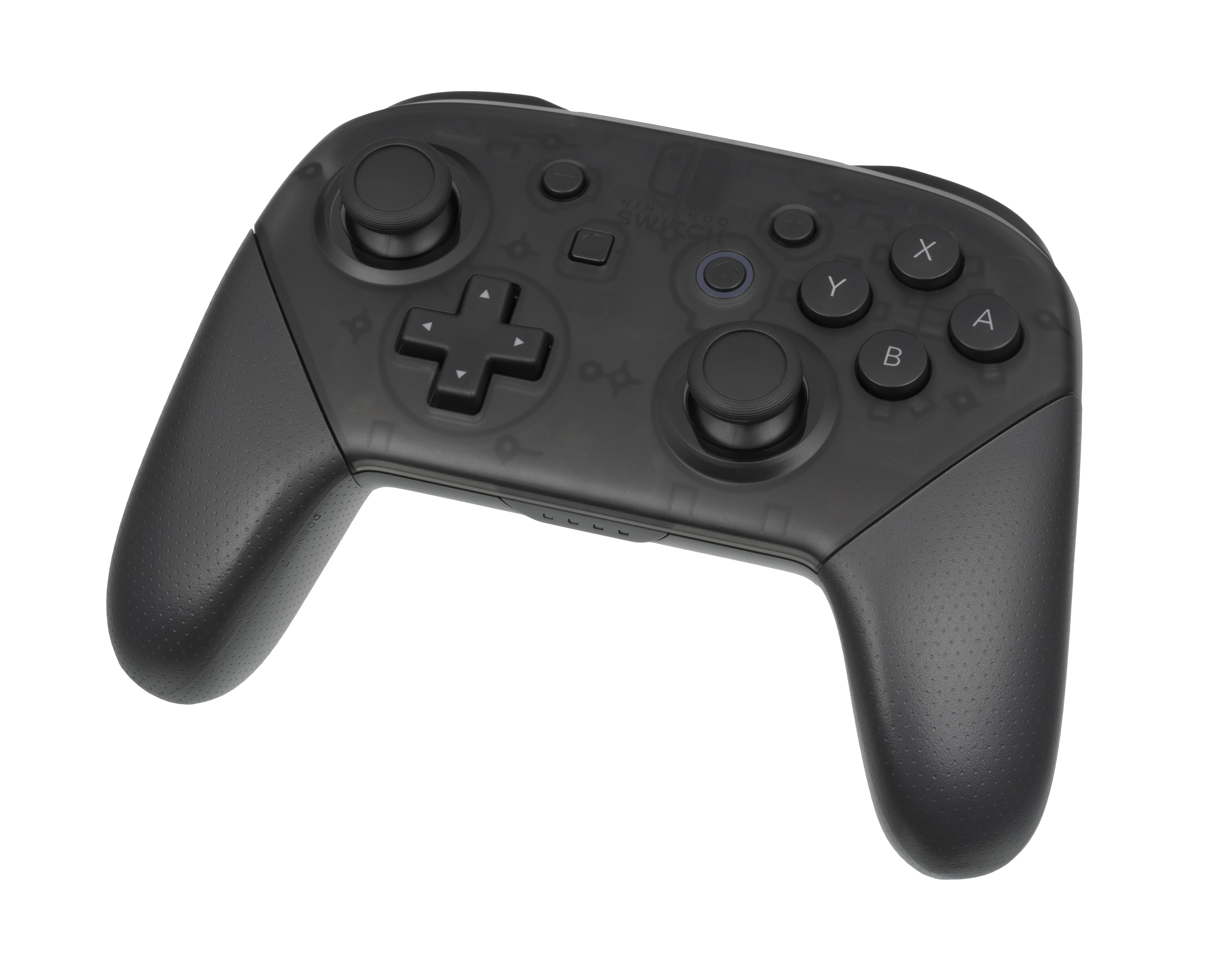
Type of video game controller
Features

Some common additions to the standard pad include shoulder buttons (also called "bumpers") and triggers placed along the edges of the pad (shoulder buttons are usually digital, i.e. merely on/off; while triggers are usually analog); centrally placed start, select, and home buttons, and an internal motor to provide force feedback. Analog triggers, like that of the GameCube controller, are pressure-sensitive and games can read in the amount of pressure applied to one to control the intensity of a certain action, such as how forceful water is to be sprayed in Super Mario Sunshine.
There are programmable joysticks that can emulate keyboard input. Generally they have been made to circumvent the lack of joystick support in some computer games, e.g. the Belkin Nostromo SpeedPad n52. There are several programs that emulate keyboard and mouse input with a gamepad such as the free and open-source cross-platform software antimicro, Enjoy2, or proprietary commercial solutions such as JoyToKey, Xpadder, and Pinnacle Game Profiler.
One common issue with modern game controllers is stick drift, where the analog stick registers movement even when not being touched. This problem can affect gameplay accuracy and responsiveness. To diagnose stick drift, various online stick drift tester tools are available, allowing users to visualize stick movement and detect irregular inputs. These tools, often web-based, help determine whether recalibration, cleaning, or hardware repair is necessary. Some platforms, like Steam, also include built-in calibration settings to mitigate minor drift issues.
History
The 1962 video game Spacewar! initially used toggle switches built into the computer readout display to control the game. These switches were awkward and uncomfortable to use, so Alan Kotok and Bob Saunders built and wired in a detached control device for the game. This device has been called the earliest gamepad.
Entry into the mass market

Nintendo developed a gamepad device for directional inputs, a D-pad with a "cross" design for their Donkey Kong handheld game. This design would be incorporated into their "Game & Watch" series and console controllers such as the standard NES controller. Though developed because they were more compact than joysticks, and thus more appropriate for handheld games, D-pads were soon found by developers to be more comfortable to use than joysticks. The D-pad soon became a ubiquitous element on console gamepads, though to avoid infringing on Nintendo's patent, most controller manufacturers use a cross in a circle shape for the D-pad instead of a simple cross.
Continued refinements

Despite these changes, gamepads essentially continued to follow the template set by the NES controller (a horizontally-oriented controller with two or more action buttons positioned for use with the right thumb, and a directional pad positioned for use with the left thumb).
Three-dimensional control
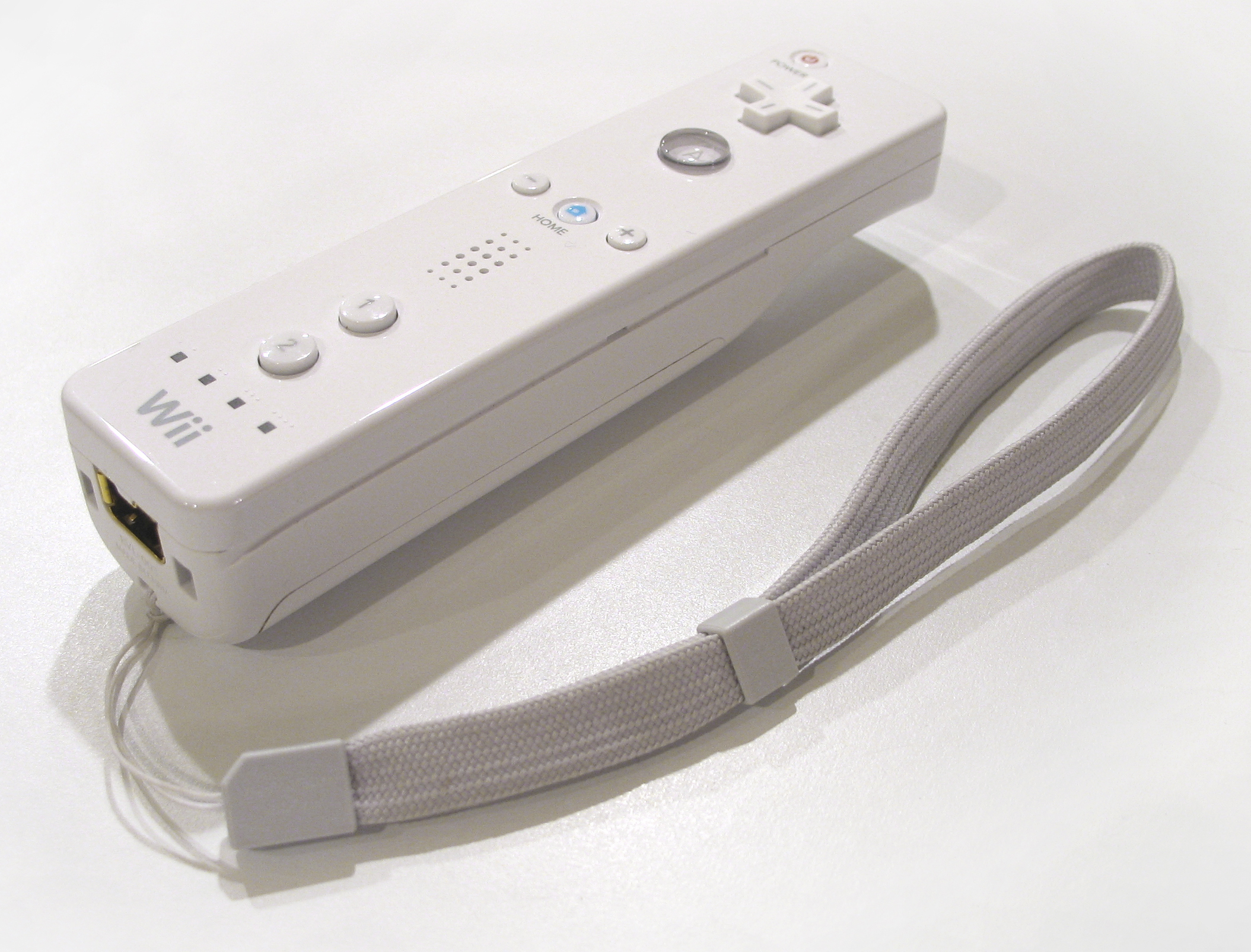
The Wii Remote is shaped like a television remote control and contains tilt sensors and three-dimensional pointing which the system uses to understand all directions of movement and rotation (back and forth around the pitch, roll, and yaw axes). The controller is also multifunctional and has an expansion port which can be used for a variety of peripherals. An analog stick peripheral, called "Nunchuk," also contains an accelerometer but unlike the Wii Remote, it lacks any pointer functionality.
Grip
Gamepads may be gripped differently for better ergonomics or a gaming advantage.
Standard grip
The standard grip involves operating the trigger buttons with the index fingers, with the thumbs operating both the analog sticks and digital buttons. This grip is common among gamers, but it leaves the thumbs unable to operate the digital buttons while operating the analog sticks, and vice versa, leading to a time consuming alternation.
Claw grip
The claw grip attempts to alleviate the standard grip's problem of alternation by operating the trigger buttons with the middle fingers, the directional buttons with the index fingers and the analog sticks with the thumbs. This grip may be used exclusively, or with only one hand, with the other hand using the standard grip. The claw grip is named as such because the player's index fingers take the shape of a claw or hook when used.
The claw grip may cause pain or injury due to strain on the index finger. Although the grip is commonly used in certain games, player Nickmercs warned his audience that the claw grip may cause complications in 2019.
Usage across platforms
Gamepads are also available for personal computers. Examples of PC gamepads include the Asus Eee Stick, the Gravis PC, the Microsoft SideWinder and Saitek Cyborg range, and the Steam Controller. Third-party USB adapters and software can be employed to utilize console gamepads on PCs; the DualShock 3, DualShock 4, DualSense, Wii Remote, Wii U Pro Controller, Joy-Con, Joy-Con 2, Nintendo Switch Pro Controller and Nintendo Switch 2 Pro Controller can be used with third-party software on systems with Bluetooth functionality, with USB additionally usable on DualShock 3, DualShock 4, DualSense, Nintendo Switch Pro Controller and Nintendo Switch 2 Pro Controller. Xbox 360, Xbox One and Xbox Series X/S controllers are officially supported on Windows with Microsoft-supplied drivers; a dongle can be used to connect them wirelessly, or the controller can be connected directly to the computer over USB (wired versions of Xbox 360 controllers were marketed by Microsoft as PC gamepads, while the Xbox One/Series X/S controllers can be connected to a PC via its Micro USB/USB-C slot).
Non-gaming use

Gamepads or devices closely modelled on them are sometimes used for controlling real machinery and vehicles, as they are familiar to users and (in the case of actual gamepads) provide an off-the-shelf solution. The US Army and US Navy use Xbox controllers | url-status= dead | archive-url= https://web.archive.org/web/20230620230215/https://themessenger.com/news/from-joysticks-to-warfare-militarys-rising-use-of-video-game-controllers-in-submarines-tanks | archive-date= June 20, 2023 for operating devices, and the British Army uses a device modelled on gamepads to operate systems on the Challenger 2 main battle tank. The Titan submersible notoriously used a gamepad for control.
References
References
- Schaaf, Tobiasa. (July 2014). "Gamestation Turbo".
- Ryochan7. "Graphical program used to map keyboard keys and mouse controls to a gamepad".
- Yifeng Huang. (May 6, 2013). "Enjoy2 v1.2 released: control games with your gamepad on OSX".
- "Gamepad Tester".
- "Gamepad Tester".
- (May 1996). "Get a Grip!!!: Joysticks Past, Present & Future". [[Imagine Media]].
- (1983). "Blisters And Frustration: Joysticks, Paddles, Buttons and Game Port Extenders for Apple, Atari and VIC". Creative Computing Video & Arcade Games.
- (March 1996). "The Next Generation 1996 Lexicon A to Z: Joypad". [[Imagine Media]].
- "6 Button Controller". segagagadomain.com.
- Ashcraft, Brian. (2008). "Arcade Mania!: The Turbo-Charged World of Japan's Game Centers". [[Kodansha]].
- Levin, Phillip. (April 25, 2006). "Nintendo Revolution ::: Advanced Media Network - Mario, Zelda, Revolution Controller, Innovation".
- Lee, Helen A.. (2020-08-03). "What Happens To Your Hands When You Play Claw On Controller Every Day".
- Kurosawa, Yuki. (2022-05-26). "The “Monster Hunter claw grip” was trending on Twitter in Japan".
- (2020-06-17). "Claw grip for controller users: 7 steps to stay healthy – Esports Healthcare".
- Jamin Brophy-Warren, [https://www.wsj.com/articles/SB117772630151685703 Magic Wand: How Hackers Make Use Of Their Wii-motes], ''[[The Wall Street Journal. Wall Street Journal]]'', April 28, 2007
- Hanson, Matt. "How to use the PS4 DualShock 4 controller on a PC".
- Plunkett, Luke. (July 23, 2013). "How To Use A Console Controller On Your PC".

This article was imported from Wikipedia and is available under the Creative Commons Attribution-ShareAlike 4.0 License. Content has been adapted to SurfDoc format. Original contributors can be found on the article history page.
Ask Mako anything about Gamepad — get instant answers, deeper analysis, and related topics.
Research with MakoFree with your Surf account
Create a free account to save articles, ask Mako questions, and organize your research.
Sign up freeThis content may have been generated or modified by AI. CloudSurf Software LLC is not responsible for the accuracy, completeness, or reliability of AI-generated content. Always verify important information from primary sources.
Report