From Surf Wiki (app.surf) — the open knowledge base
Bootsplash
Display during operating system start-up

Display during operating system start-up
A bootsplash, also known as a bootscreen, is a graphical representation of the boot process of the operating system.
A bootsplash can be a simple visualization of the scrolling boot messages in the console, but it can also present graphics or some combinations of both.
Unlike splash screens, a bootsplash is not necessarily designed for marketing purposes; it can be intended to enhance the experience of the user as eye candy, or provide the user with messages (with an added advantage of color-coding facility) to diagnose the state of the system.
Microsoft Windows
All versions of Microsoft Windows feature a boot screen, which is loaded during the startup process. With extra, third-party utilities, it is possible to replace the default Windows boot screen with custom images, text, and/or animations.
Windows Vista
Windows Vista, Server 2008, 2008 R2, Home Server 2011, MultiPoint Server 2011, Small Business Server 2008, 2011--

In Windows Vista, the default boot screen is represented by a green indeterminate progress indicator. The boot screen can be changed so that it displays a static image of an aurora with the text, "Starting Windows Vista" by enabling the "No GUI boot" option within the Windows System Configuration Utility (msconfig.exe).{{cite web | access-date=2014-11-30
Windows 7
Windows 7, Embedded 7, Thin PC--

In Windows 7, the boot screen will initially display the "Starting Windows" text, then a Windows flag animation will appear at the center of the screen. On unsupported systems, and sometimes when booting into recovery environment, the Windows Vista boot screen will be used instead as the fallback.
Changes of the boot screen, although possible through third-party utilities, is extremely risky and may cause the system to be unable to boot. Also, the hidden "Aurora" boot screen was removed.
Windows 8 and later
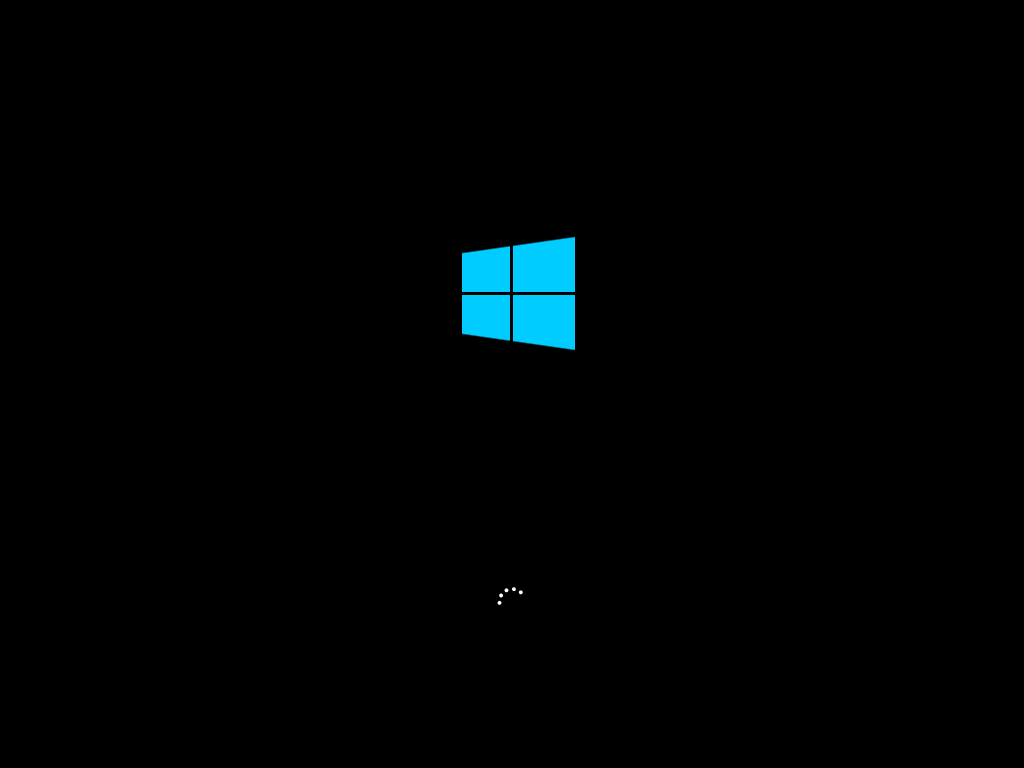
Windows 8, Embedded 8, 8.1, Embedded 8.1 Industry, 10, Server 2012, MultiPoint Server 2012, 2012 R2, 2016, 2019, 2022--
{{Anchor|FBSPLASH}}Linux distributions

- Bootsplash – the first and original implementation of a Linux kernel bootsplash, superseded by Splashy{{Cite web |access-date = 30 May 2011 |archive-url = https://web.archive.org/web/20080905142613/http://www.bootsplash.org/ |archive-date = 5 September 2008 |url-status = dead}}
- fbsplash – Gentoo implementation as bootsplash program
- Plymouth – uses Direct Rendering Manager (DRM) and KMS driver
- Splashy – a graphical boot process designed to replace the aging Bootsplash program
- usplash – former bootsplash program used by Ubuntu
- XSplash – new splash program used by Ubuntu starting from 9.10
- bootanimation - a simple splash for Android OS just showing some decompressed images.
References
References
- barrygolden. "Boot screen components - Windows drivers".
- (9 June 2014). "Fbsplash Homepage".
This article was imported from Wikipedia and is available under the Creative Commons Attribution-ShareAlike 4.0 License. Content has been adapted to SurfDoc format. Original contributors can be found on the article history page.
Ask Mako anything about Bootsplash — get instant answers, deeper analysis, and related topics.
Research with MakoFree with your Surf account
Create a free account to save articles, ask Mako questions, and organize your research.
Sign up freeThis content may have been generated or modified by AI. CloudSurf Software LLC is not responsible for the accuracy, completeness, or reliability of AI-generated content. Always verify important information from primary sources.
Report